Learning Objectives
By the end of this chapter, you will be able to:
- Define cloud computing and explain its core characteristics.
- Differentiate between the three main cloud service models: IaaS, PaaS, and SaaS.
- Describe the different cloud deployment models: public, private, and hybrid.
- Identify the key benefits and challenges of adopting cloud computing in business.
- Provide examples of how businesses use cloud computing for competitive advantage.
What is Cloud Computing?
Cloud Computing is the delivery of computing services—including servers, storage, databases, networking, software, analytics, and intelligence—over the internet (“the cloud”) to offer faster innovation, flexible resources, and economies of scale. Instead of owning and maintaining physical data centers and servers, organizations can access technology services on an as-needed basis from a cloud provider like Amazon Web Services (AWS), Microsoft Azure, or Google Cloud Platform.
Simple Definition: Cloud computing means renting someone else’s computer instead of buying your own.
The global cloud computing market was valued at approximately $480 billion in 2024 and is projected to exceed $1 trillion by 2028, demonstrating its critical role in modern business infrastructure.
Core Characteristics of Cloud Computing
The National Institute of Standards and Technology (NIST) defines five essential characteristics of cloud computing:
-
On-Demand Self-Service: A user can provision computing capabilities (e.g., server time, network storage) automatically without requiring human interaction with each service provider.
-
Broad Network Access: Capabilities are available over the network and accessed through standard mechanisms that promote use by diverse client platforms (e.g., mobile phones, tablets, laptops, workstations).
-
Resource Pooling: The provider’s computing resources are pooled to serve multiple consumers using a multi-tenant model, with different physical and virtual resources dynamically assigned and reassigned according to demand.
-
Rapid Elasticity: Capabilities can be elastically provisioned and released to scale rapidly outward and inward commensurate with demand. To the consumer, the capabilities available for provisioning often appear to be unlimited.
-
Measured Service: Cloud systems automatically control and optimize resource use by leveraging a metering capability. Resource usage can be monitored, controlled, and reported, providing transparency for both the provider and consumer.
Cloud Service Models
Cloud computing is typically categorized into three main service models, often visualized as a stack. Each model offers a different level of control, flexibility, and management.
Figure 1: The Cloud Service Model Stack — As you move up, you manage less and the provider manages more.
1. Infrastructure as a Service (IaaS)
IaaS provides the fundamental building blocks for cloud IT. It provides access to networking features, computers (virtual or on dedicated hardware), and data storage space. IaaS gives you the highest level of flexibility and management control over your IT resources.
- What you manage: Applications, data, runtime, middleware, operating system.
- What the provider manages: Virtualization, servers, storage, networking.
- Use Cases: Hosting websites, data storage and backup, high-performance computing, big data analysis.
- Examples: Amazon EC2, Microsoft Azure Virtual Machines, Google Compute Engine.
Analogy: IaaS is like renting a plot of land. You get the basic infrastructure (electricity, water connection), but you build and manage everything else yourself.
2. Platform as a Service (PaaS)
PaaS removes the need for organizations to manage the underlying infrastructure (usually hardware and operating systems) and allows you to focus on the deployment and management of your applications. This helps you be more efficient as you don’t need to worry about resource procurement, capacity planning, software maintenance, or patching.
- What you manage: Applications and data.
- What the provider manages: Runtime, middleware, operating system, virtualization, servers, storage, networking.
- Use Cases: Development framework, application hosting, business analytics.
- Examples: Google App Engine, AWS Elastic Beanstalk, Heroku, Microsoft Azure App Service.
Analogy: PaaS is like renting an apartment. The building structure, utilities, and common areas are managed for you. You just bring your furniture (your application) and live in it.
3. Software as a Service (SaaS)
SaaS provides you with a completed product that is run and managed by the service provider. In most cases, people referring to SaaS are referring to end-user applications. With a SaaS offering, you do not have to think about how the service is maintained or how the underlying infrastructure is managed; you only need to think about how you will use that particular piece of software.
- What you manage: Your data and user access.
- What the provider manages: Everything else (applications, runtime, middleware, OS, virtualization, servers, storage, networking).
- Use Cases: Email, CRM, collaboration tools, office productivity.
- Examples: Google Workspace (Gmail, Docs), Microsoft 365, Salesforce, Zoom, Slack, Dropbox.
Analogy: SaaS is like staying in a hotel. Everything is provided and managed for you. You just use the service.
Comparing Service Models
| Feature | IaaS | PaaS | SaaS |
|---|---|---|---|
| Control Level | High | Medium | Low |
| Flexibility | High | Medium | Low |
| Management Effort | High | Medium | Low |
| Target User | IT Administrators | Developers | End Users |
| Example | AWS EC2 | Heroku | Salesforce |
Figure 2: The Shared Responsibility Model — Understanding who manages what is critical for security and compliance.
Cloud Deployment Models
Beyond the service model, organizations must also choose how their cloud infrastructure is deployed.
1. Public Cloud
A public cloud is owned and operated by a third-party cloud service provider. All hardware, software, and other supporting infrastructure is owned and managed by the cloud provider. You share these resources with other organizations (tenants). You access services and manage your account using a web browser.
- Pros: Cost-effective (pay-as-you-go), highly scalable, no maintenance, high reliability.
- Cons: Less control, potential security concerns for sensitive data, dependency on provider.
- Best For: Startups, web applications, development/testing environments.
2. Private Cloud
A private cloud refers to cloud computing resources used exclusively by a single business or organization. A private cloud can be physically located at your organization’s on-site data center, or it can be hosted by a third-party service provider. In a private cloud, the services and infrastructure are always maintained on a private network and the hardware and software are dedicated solely to your organization.
- Pros: Greater control, enhanced security and privacy, customization.
- Cons: Higher cost, requires in-house IT expertise, less scalable than public cloud.
- Best For: Large enterprises, government agencies, financial institutions, healthcare organizations with strict compliance requirements.
3. Hybrid Cloud
A hybrid cloud combines public and private clouds, bound together by technology that allows data and applications to be shared between them. By allowing data and applications to move between private and public clouds, a hybrid cloud gives your business greater flexibility, more deployment options, and helps optimize your existing infrastructure, security, and compliance.
- Pros: Flexibility, cost optimization (use public for less sensitive workloads), improved security for sensitive data.
- Cons: More complex to manage, requires integration between environments.
- Best For: Organizations with variable workloads, those needing to meet specific regulatory requirements while still leveraging public cloud benefits.
Figure 3: Hybrid Cloud Architecture — Sensitive data stays in private cloud while public-facing applications use public cloud.
Benefits of Cloud Computing for Business
-
Cost Reduction: Eliminates the capital expense of buying hardware and software. Pay only for what you use (OpEx vs. CapEx).
-
Scalability and Elasticity: Easily scale resources up or down based on demand, without over-provisioning.
-
Speed and Agility: Provision new resources in minutes, enabling faster innovation and time-to-market.
-
Global Reach: Deploy applications in multiple regions around the world with just a few clicks, improving latency and customer experience.
-
Disaster Recovery and Business Continuity: Cloud providers offer robust backup and recovery solutions, often across multiple geographic locations.
-
Automatic Updates: Software updates and security patches are handled by the provider, reducing the burden on internal IT staff.
-
Enhanced Collaboration: Cloud-based tools enable employees to collaborate in real-time from anywhere in the world.
Challenges of Cloud Computing
-
Security and Privacy Concerns: Storing sensitive data on external servers raises concerns about data breaches and unauthorized access.
-
Downtime and Reliability: Dependence on internet connectivity and the cloud provider’s uptime.
-
Vendor Lock-In: Migrating data and applications from one cloud provider to another can be complex and costly.
-
Compliance Issues: Organizations in regulated industries must ensure their cloud provider meets specific compliance standards (e.g., HIPAA, GDPR).
-
Limited Control: Less control over the underlying infrastructure compared to on-premises solutions.
 Figure 4: Security is one of the top concerns when adopting cloud computing. Organizations must carefully evaluate provider security certifications and implement proper access controls.
Cloud Computing in Business: Real-World Applications
 Figure 5: Cloud-based ERP systems like SAP S/4HANA Cloud provide integrated business management without on-premises infrastructure.
- Cloud-Based ERP: Companies like SAP and Oracle offer their ERP systems as cloud services, allowing businesses to access powerful enterprise software without massive upfront investment. SAP S/4HANA Cloud serves over 23,000 customers globally.
- E-Commerce: Netflix streams to 250+ million subscribers worldwide using AWS, automatically scaling to handle 15 million+ concurrent streams during peak hours.
- Big Data Analytics: Organizations use cloud platforms to store and analyze massive datasets. Spotify analyzes 500+ million user listening patterns daily on Google Cloud to power recommendations.
- Remote Work: Zoom went from 10 million daily meeting participants (December 2019) to 300 million (April 2020) by leveraging cloud elasticity—a scale-up that would have been impossible with traditional infrastructure.
- Startups: Airbnb scaled from a small startup to serving 150+ million users globally without ever building a single data center, using AWS infrastructure.
Emerging Cloud Trends
Figure 6: Emerging trends are reshaping cloud computing—from serverless architectures to edge computing for IoT devices.
Serverless Computing
Also called Function as a Service (FaaS), serverless computing allows developers to run code without provisioning servers. You pay only for the compute time consumed—billing is measured in milliseconds.
- Examples: AWS Lambda, Azure Functions, Google Cloud Functions
- Use Case: An e-commerce site that processes payments only when orders come in, rather than running servers 24/7
Multi-Cloud Strategy
Organizations increasingly use services from multiple cloud providers to avoid vendor lock-in and optimize for specific workloads.
- Example: A company might use AWS for computing, Google Cloud for machine learning, and Azure for Microsoft integrations
Edge Computing
Processing data closer to where it’s generated (at the “edge” of the network) rather than sending everything to centralized cloud data centers.
- Use Case: Self-driving cars processing sensor data locally for split-second decisions, with only summary data sent to the cloud
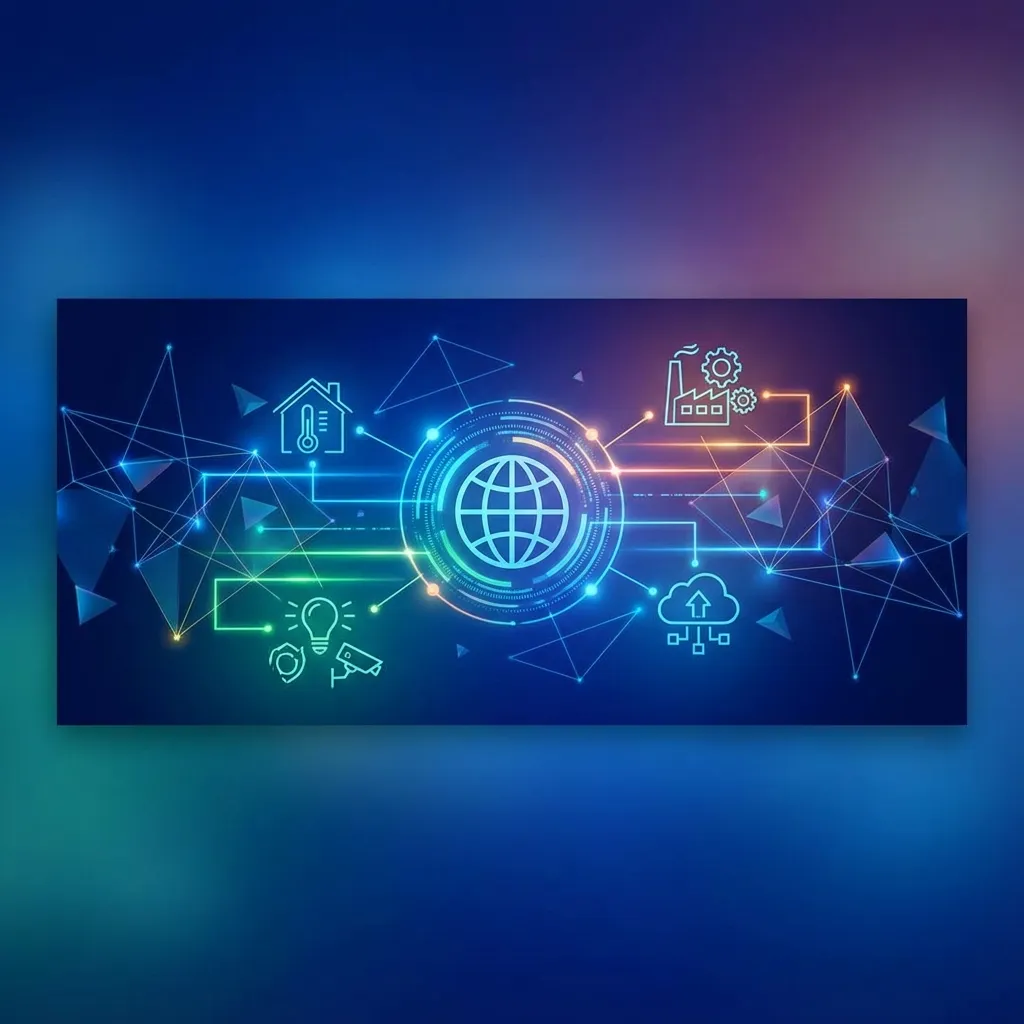 Figure 7: IoT devices connect to edge computing and cloud platforms, enabling real-time data processing and analytics.
Summary
Cloud computing has revolutionized how businesses access and use technology. By offering computing resources as a service over the internet, it enables organizations of all sizes to be more agile, reduce costs, and focus on their core business rather than managing IT infrastructure. Understanding the different service models (IaaS, PaaS, SaaS) and deployment models (public, private, hybrid) is essential for making informed decisions about how to leverage the cloud for competitive advantage.
Key Takeaways
- Cloud computing delivers computing services over the internet on a pay-as-you-go basis, shifting from CapEx to OpEx.
- The three service models (IaaS, PaaS, SaaS) offer different levels of control: IaaS for IT admins, PaaS for developers, SaaS for end users.
- Deployment models (public, private, hybrid) provide flexibility based on security, compliance, and cost requirements.
- Key benefits include cost reduction, scalability, speed, and enhanced collaboration.
- Challenges include security concerns, vendor lock-in, compliance requirements, and the need for reliable internet.
- Emerging trends include serverless computing, multi-cloud strategies, and edge computing.
- Nepal is rapidly adopting cloud across banking, e-commerce, and education, with data sovereignty and infrastructure as key challenges.
Discussion Questions
- What factors should a business consider when deciding between IaaS, PaaS, and SaaS for a new application?
- Why might a Nepali financial institution choose a private cloud over a public cloud, considering NRB regulations?
- How has cloud computing enabled startups to compete with large enterprises without significant capital investment?
- What are the potential risks of vendor lock-in, and how can businesses mitigate them using multi-cloud strategies?
- How might serverless computing change the way developers build applications?
- If you were advising a Nepali SME on cloud adoption, what would be your top three recommendations?
Nepal Context: Cloud Adoption
In Nepal, cloud computing adoption is growing rapidly, driven by digital transformation initiatives:
 Figure 8: Mobile commerce platforms like eSewa and Khalti rely on cloud infrastructure to handle transaction spikes during festivals.
Success Stories
- Banks and Financial Institutions: NIC Asia, Kumari Bank, and others use cloud-based core banking solutions while maintaining compliance with Nepal Rastra Bank regulations. The banking sector has seen 40%+ reduction in IT infrastructure costs through cloud adoption.
- E-Commerce Platforms: Daraz Nepal handles 10x traffic spikes during 11.11 sales events using Alibaba Cloud infrastructure, processing millions of orders without downtime.
- Educational Institutions: Tribhuvan University and private colleges adopted Microsoft 365 and Google Workspace during the pandemic, serving 500,000+ students with cloud-based learning.
- Digital Payments: eSewa and Khalti process millions of transactions monthly on cloud infrastructure, enabling instant scalability during festivals like Dashain/Tihar.
Challenges in Nepal
- Internet Infrastructure: Limited broadband penetration outside Kathmandu Valley (only ~35% households have internet access)
- Data Sovereignty: No major cloud provider has data centers in Nepal; data is typically hosted in Singapore or Mumbai
- Regulatory Framework: Evolving IT policies and data protection regulations create uncertainty
- Skills Gap: Shortage of certified cloud professionals (AWS, Azure, GCP)
- Cost Concerns: Dollar-denominated pricing can be expensive for SMEs when NPR fluctuates
Opportunities
- Nepal Telecom and Vianet are building local data centers
- Government’s Digital Nepal Framework 2019 promotes cloud-first policies
- Growing freelancer community providing cloud services globally