Nepali-Language SEO: Devanagari, Romanised Nepali, and Unicode (2026)
Many Nepali businesses write only in English online, even when their customers think, speak, and search in Nepali. Others publish in Nepali but in ways search engines cannot read. Nepali-language SEO is about making Nepali content findable: readable text, the words people actually search, and a site structure that serves both Nepali and English readers.
Step 1: Use Unicode, not Preeti
Older Nepali documents and many designers still use Preeti and similar legacy fonts. These fonts draw Nepali letters on top of English keyboard characters. On screen it looks like Nepali; underneath, the text is a jumble of Latin letters and symbols.
That causes problems:
- Search engines index the jumble, not Nepali words, so the page cannot rank for Nepali searches.
- Text breaks on phones and computers without that font.
- Screen readers cannot read it, and copy-paste produces nonsense.
Publish Nepali text in Unicode. If your content was written in Preeti, run it through a Preeti-to-Unicode converter and proofread the result, because conjunct letters sometimes convert incorrectly. The same applies to PDFs: a scanned or Preeti-based notice cannot be searched, so publish key information as Unicode text on the page as well.
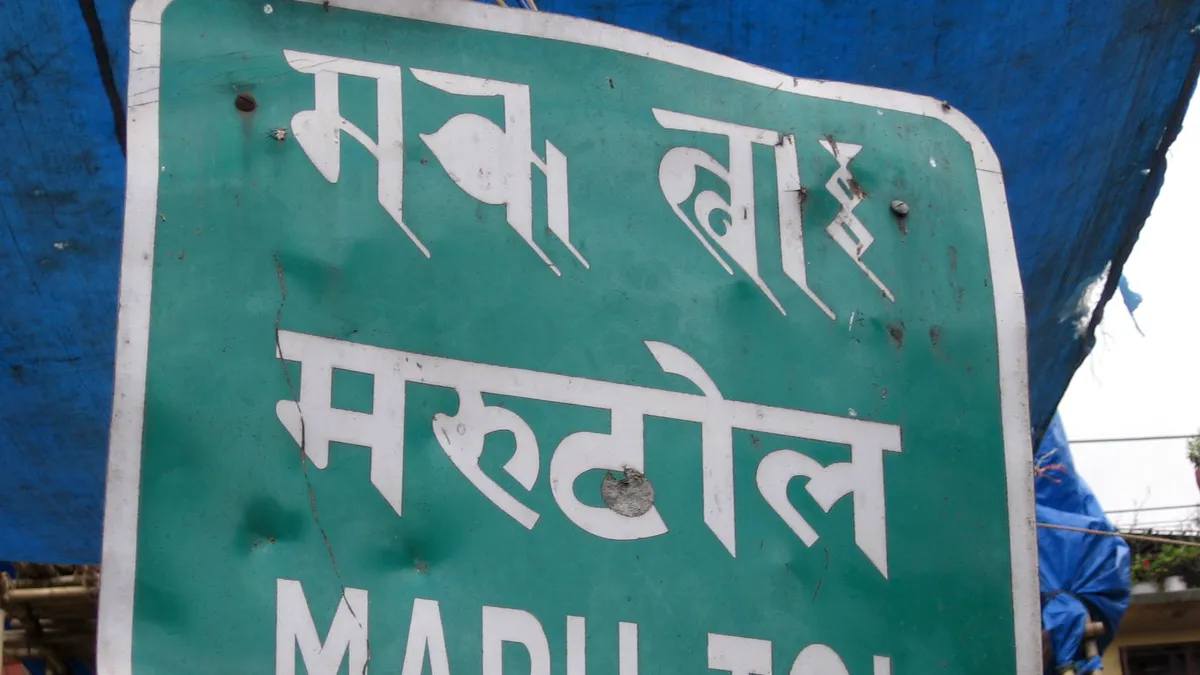
Step 2: Research how people actually search
People in Nepal search in at least three ways:
- Devanagari: “काठमाडौंमा घर भाडा”.
- Romanised Nepali typed with English letters: “ghar bhada kathmandu”.
- English: “house rent Kathmandu”.
Romanised Nepali has no fixed spelling, so the same phrase can appear as “bhada”, “bhadaa”, or “vada”. Devanagari also has spelling variants, such as short and long vowels.
To find the forms that matter:
- Google Search Console: look at the queries already bringing impressions to your site.
- Google autocomplete: type the start of a phrase in each script and note the suggestions.
- Google Trends: compare a few variants for relative interest in Nepal.
- Your own customers: read how they write in Messenger, WhatsApp, and comments.
Write naturally in one main form and mention common variants where they fit. Do not stuff a page with every spelling. See keyword research and long-tail keywords.
Step 3: Decide your language structure
| Situation | Approach |
|---|---|
| Audience mostly reads English | English site; add Nepali terms people search for where they fit naturally |
| Audience mostly reads Nepali | Nepali site in Unicode, with English only where needed (brand names, tech terms) |
| Mixed audience, full content in both languages | Separate URLs for each language, e.g. /ne/... and /en/...
|
| One or two key pages need Nepali | Translate those pages only, as separate URLs, linked from the English versions |
Avoid switching language with a button that swaps text on the same URL using JavaScript or cookies. Search engines may only see one language. Each language version should have its own address.
Step 4: Add the technical signals
-
Language attribute: set
lang="ne"on Nepali pages andlang="en"on English pages. -
hreflang: on bilingual sites, link each version to the other with hreflang tags, for example
hreflang="ne"andhreflang="en". See hreflang and the international SEO guide. - Titles and meta descriptions in the page’s language. Check their length with the snippet preview tool; Devanagari takes different space than English.
-
URLs: Devanagari characters in URLs become long percent-encoded strings when copied (for example
%E0%A4%95...). Many sites use short English or Romanised slugs even for Nepali pages, which are easier to share. - Structured data in the page’s language, with consistent business name, address, and phone details.
Step 5: Make Devanagari readable
- Use a Unicode font designed for Devanagari, such as Mukta or Noto Sans Devanagari, with a system fallback.
- Increase line height slightly; Devanagari letters with vowel signs above and below need more vertical space.
- Check that headings do not clip the top line (the shirorekha) or vowel marks.
- Test on low-cost Android phones, where many readers are.
Step 6: Write for Nepali readers, not translation software
Machine translation gives a starting point but often reads stiffly or uses the wrong level of formality. Have a fluent writer edit every page. Use the words customers use, which are often a mix of Nepali and English (“online order”, “delivery charge”). Dates may need Bikram Sambat as well as AD; the Nepali calendar shows both.
Common mistakes
- Publishing notices and price lists as Preeti PDFs or images only.
- Targeting only English keywords when customers search in Nepali.
- Stuffing every Romanised spelling into one page.
- One URL that toggles languages with JavaScript.
- Machine-translated pages published without editing.
Key takeaways
- Publish Nepali text in Unicode; convert Preeti content first.
- Research Devanagari, Romanised Nepali, and English searches using Search Console and autocomplete.
- Give each language its own URL, with
langand hreflang tags. - Use proper Devanagari fonts and spacing, and test on phones.
- Edit translations with a fluent writer.
How this fits the stack
The wider service is described on SEO Nepal, with writing and planning on content marketing Nepal and site-level checks on technical SEO Nepal.
Related dictionary terms
Next step
Search Google for your three main services in Devanagari, Romanised Nepali, and English, and note who ranks for each. For help planning Nepali content, scope work through hire packages or contact.


