ICT Tools for Teachers: A Guide for Nepali Educators
ICT Tools for Teachers: A Practical Guide for Modern Educators
- SEO Title: ICT Tools for Teachers: A Practical Guide for Modern Educators
- Meta Description: Explore an exhaustive guide to ICT tools for teachers, encompassing AI applications, digital whiteboards, and LMS platforms. Discover how to effectively integrate educational technology tools in the classroom with practical insights for educators in Nepal.
- Primary Keywords: ICT tools for teachers, educational technology tools, digital tools for teachers, teaching tools online, technology in education Nepal.
- Secondary Keywords: AI tools for teachers, online teaching tools, classroom technology tools, teacher productivity tools, digital learning tools.
The Paradigm Shift in Educational Technology
The integration of Information and Communication Technology (ICT) into the educational ecosystem has fundamentally transformed the pedagogical landscape worldwide. The modern classroom is no longer confined to physical textbooks, static chalkboards, or the four walls of a school building. Instead, it is increasingly defined by digital tools for teachers that facilitate dynamic, interactive, and highly personalized learning experiences. ICT tools for teachers encompass a broad and evolving spectrum of digital hardware, software applications, and online platforms designed specifically to enhance instructional delivery, streamline administrative burdens, and foster deeper, more meaningful student engagement.
However, the rapid proliferation and commercialization of educational technology tools present a distinct and ongoing challenge for educators. The primary difficulty lies in distinguishing between tools that offer genuine pedagogical value and those that merely serve as novel digital distractions. Effective digital teaching requires far more than simply introducing laptops or interactive screens into a classroom space. It demands a deliberate, strategic approach to integrating teaching tools online in ways that solve specific, identifiable classroom problems while advancing core learning objectives.
This comprehensive report examines the global and regional trends shaping educational technology today. It contextualizes these broad trends within the specific socio-economic, geographic, and infrastructural realities of Nepal, providing an exhaustive, practical guide to the most effective classroom technology tools available to modern educators. The insights presented herein reflect the observations of Arjan KC, a technology professional, educator, and digital marketing trainer associated with Gurkha Technology. Through extensive experience in digital skills training and technology implementation across educational institutions, the evidence suggests that successful digital transformation in education relies primarily on teacher readiness, adequate training, and a profound understanding of how technology serves pedagogy.
Theoretical Frameworks for Technology Integration
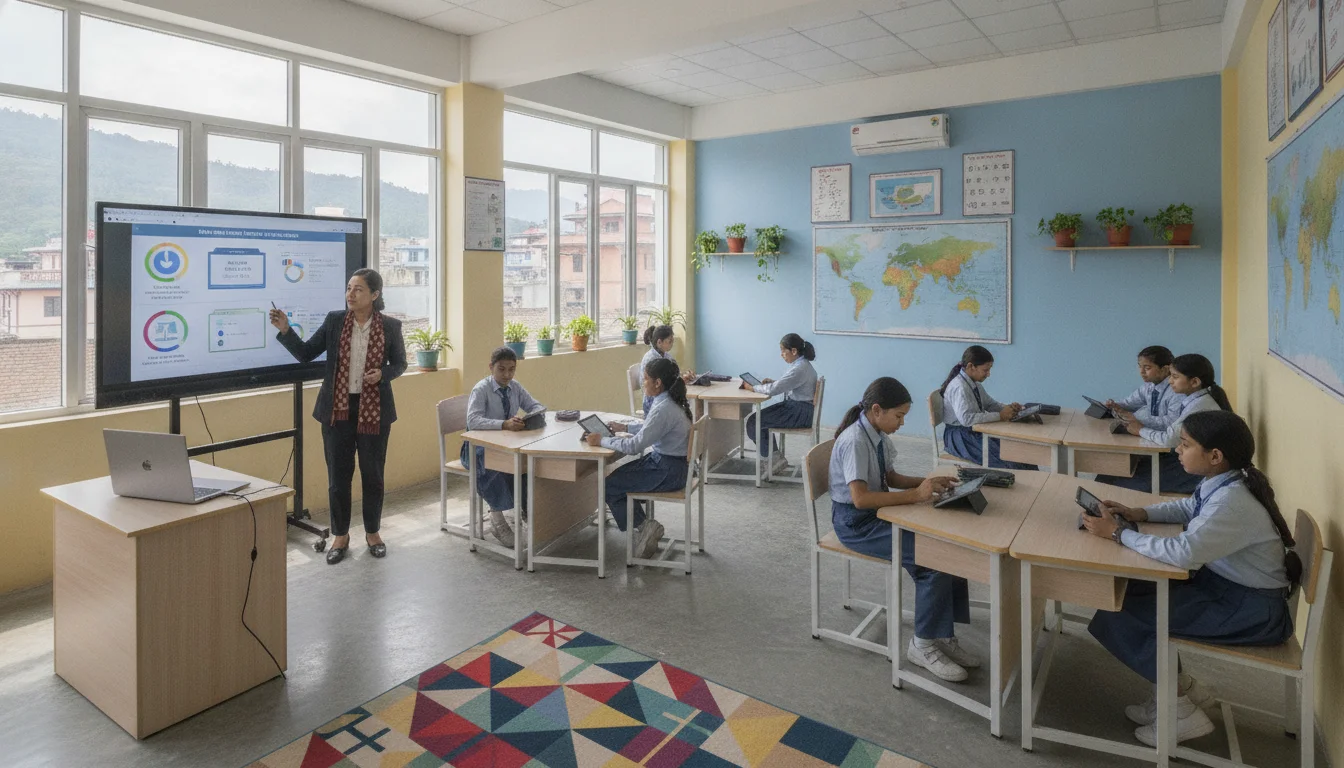
Before exploring specific digital tools for teachers, it is crucial to establish the theoretical frameworks that must guide effective technology integration. Observations from technology training sessions reveal that many teachers initially focus entirely on mastering the technical functions of a new application. However, the far more significant shift is understanding exactly how technology supports and elevates underlying pedagogy. Two foundational models—TPACK and SAMR—serve as essential conceptual guides for educators navigating the complex digital landscape.
The TPACK Framework
The Technological Pedagogical Content Knowledge (TPACK) framework asserts that effective digital teaching cannot occur in a vacuum; it requires the seamless intersection of three distinct knowledge domains. The first domain is Content Knowledge (CK), which represents the educator’s profound understanding of the actual subject matter being taught, whether that is quantum physics, historical events, or linguistic rules. The second domain is Pedagogical Knowledge (PK), encompassing the educator’s expertise in the processes, practices, and methods of teaching, including classroom management, differentiated instruction, and assessment strategies. The third domain is Technological Knowledge (TK), which denotes the educator’s fluency with standard and advanced digital tools, ranging from basic word processors to complex learning management systems and generative AI applications.
True, transformative technological integration occurs exclusively at the nexus of all three domains (TPACK). In this optimal state, a teacher understands precisely how to use a specific digital tool (TK) to implement a carefully chosen teaching strategy (PK) that perfectly elucidates a specific academic concept (CK). For example, an educator utilizing a collaborative digital whiteboard to facilitate a real-time, anonymous student debate on a complex literary theme demonstrates mastery of TPACK, as the technology directly supports the pedagogical goal of inclusive participation while deepening content understanding.
The SAMR Model
The Substitution, Augmentation, Modification, and Redefinition (SAMR) model provides a hierarchical method for evaluating how computer technology impacts teaching and learning. The model is designed to encourage educators to move beyond simply replacing analog tools with digital equivalents, pushing them toward designing tasks that were previously inconceivable without technology.
| SAMR Level | Definition | Practical Classroom Example |
|---|---|---|
| Substitution | Technology acts as a direct tool substitute with no functional change or enhancement. | A student reads a textbook in a static PDF format on a screen instead of reading a physical printed book. |
| Augmentation | Technology acts as a direct tool substitute, but with functional improvement. | A student reads a digital textbook that includes built-in dictionary links, highlighting tools, and text-to-speech features. |
| Modification | Technology allows for significant task redesign and the alteration of the learning process. | Students collaboratively annotate a shared digital document in real-time, receiving instant peer and teacher feedback. |
| Redefinition | Technology allows for the creation of entirely new tasks that were previously inconceivable. | Students produce an interactive multimedia documentary, collaborating synchronously with subject matter experts across the globe. |
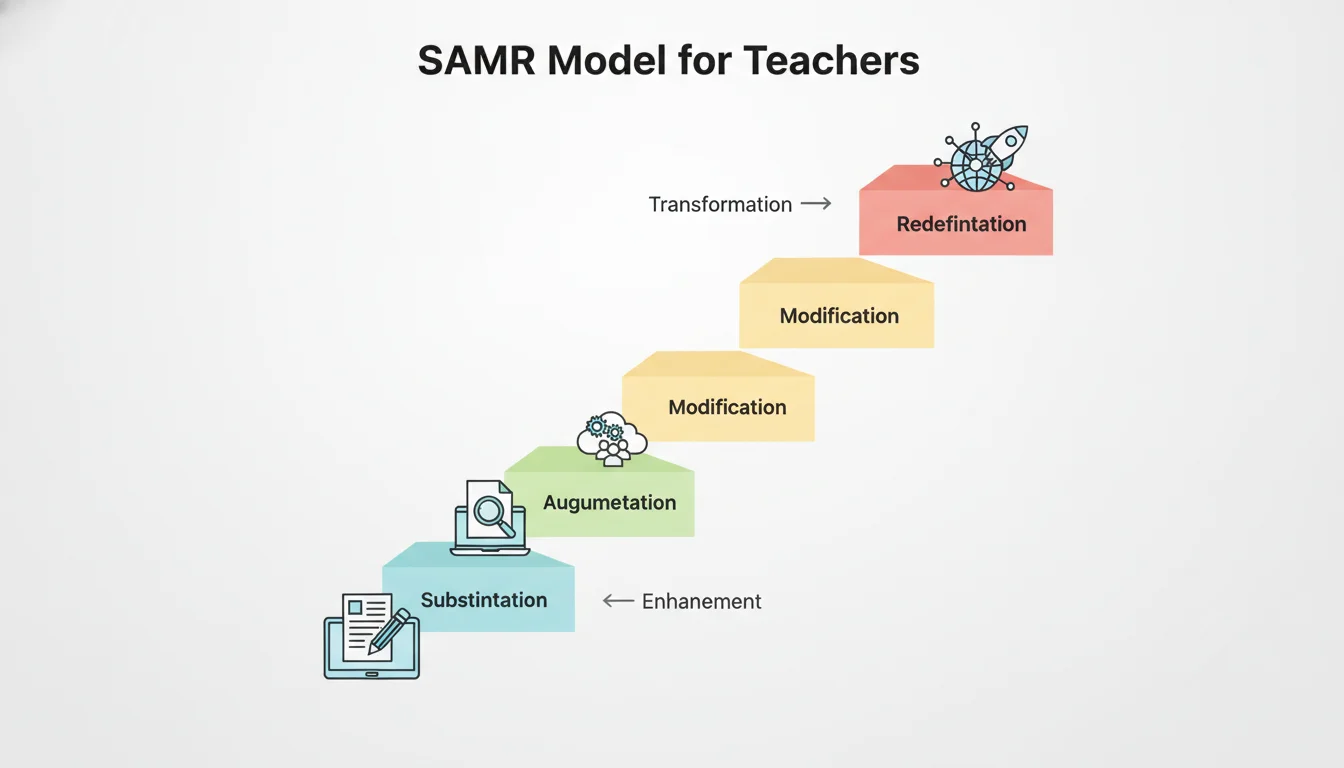
Through the lens of the TPACK and SAMR frameworks, it becomes evident that ICT tools for teachers are not merely administrative conveniences or modern novelties. When applied thoughtfully, they act as powerful catalysts for pedagogical evolution.
Global Perspectives on Educational Technology
The adoption of educational technology is a universal phenomenon, yet its implementation and maturity vary significantly across different regions. In mature educational ecosystems, particularly in North America, Western Europe, and parts of East Asia, the focus has shifted well beyond basic digital literacy and hardware provisioning. These regions are now heavily focused on the advanced applications of Artificial Intelligence (AI) and the creation of hyper-personalized learning environments.
Mature digital classrooms universally utilize unified Learning Management Systems (LMS) that seamlessly integrate grading, assessment, content delivery, and student information systems. Furthermore, AI tools are routinely employed within these systems to track student progress through predictive analytics. These systems can analyze vast amounts of behavioral and academic data to identify at-risk students before they fail a course, allowing educators to intervene proactively. Technologies such as virtual reality (VR) simulations for complex science labs, immersive gamification platforms, and automated essay scoring systems are becoming standard components of the instructional repertoire in these highly developed environments.
Regional Perspectives: South Asia and Southeast Asia
In emerging digital ecosystems across South Asia and Southeast Asia, educators face a distinctly different set of constraints and opportunities. The COVID-19 pandemic served as a massive, involuntary catalyst for digital learning in these regions, forcing traditional institutions to rapidly adopt eLearning platforms, Microsoft Teams, and Zoom. However, the subsequent years have highlighted a stark digital divide. In countries with similar educational environments to Nepal—such as India, Bangladesh, and Sri Lanka—educational technology initiatives must frequently focus on mobile-first applications, offline capabilities, and low-bandwidth solutions.
For instance, India’s IT@School project in Kerala took a decentralized approach, empowering thousands of master trainers and school IT coordinators to impart ICT-enabled education at the grassroots level, focusing heavily on open-source software to reduce costs. Similarly, Interactive Radio Instruction (IRI) has been utilized extensively across rural India to bring standardized curriculum and continuous teacher training to isolated classrooms via basic, highly reliable radio technology. In Bangladesh, the “English in Action” program leverages mobile technologies and pre-loaded SD cards to deliver professional development and classroom resources to primary and secondary school teachers, entirely bypassing the need for continuous broadband internet.
Across South Asia, educators also heavily leverage widely accessible, consumer-grade platforms like WhatsApp and Viber. These tools are used for direct parent-teacher communication and lightweight content distribution, proving that effective digital teaching does not always require complex, proprietary learning systems when infrastructure is lacking.
Sri Lanka’s response to remote learning similarly combined online platforms like e-Thaksalawa with low-tech television and radio broadcasts to ensure maximum reach across varying socio-economic strata.
The Context of Educational Technology in Nepal
In the specific context of Nepal, the implementation of technology in education is characterized by a highly ambitious national policy framework that must continuously navigate significant ground-level infrastructural and economic challenges. The Government of Nepal has introduced various comprehensive initiatives over the past decades, including the ICT in Education Master Plan, the Higher Education Policy, the Digital Nepal Framework, and the National E-Learning portal. All these policies aim to dramatically improve educational quality by integrating digital tools into teaching, learning, and administrative processes.
Policy Versus Reality
Despite the existence of comprehensive national policies, extensive academic research indicates a substantial gap between these mandates and their practical implementation in Nepali schools and higher education institutions. While the government mandates ICT integration, adequate funding for essential infrastructure and continuous, high-quality teacher training is frequently lacking. Government schools, particularly those situated in rural and mountainous areas, face severe and overlapping challenges. These include highly unreliable electricity, costly and unstable internet connectivity, a lack of secure infrastructure to house computer labs, and an acute shortage of trained technical support personnel.
Research highlights that while many Nepali teachers demonstrate high motivation toward adopting ICT, their actual material access to digital resources remains severely limited. Conversely, private, non-government schools generally exhibit vastly superior ICT infrastructure, employ specifically trained personnel, and enjoy stronger administrative support. This dynamic inadvertently widens the educational and socio-economic disparity between public and private institutions in Nepal. Furthermore, many initial teacher education programs and university curricula in Nepal have historically lacked robust ICT integration modules, leaving newly graduated teachers underprepared to utilize modern educational technologies effectively in their classrooms.
Localized Solutions and Innovations
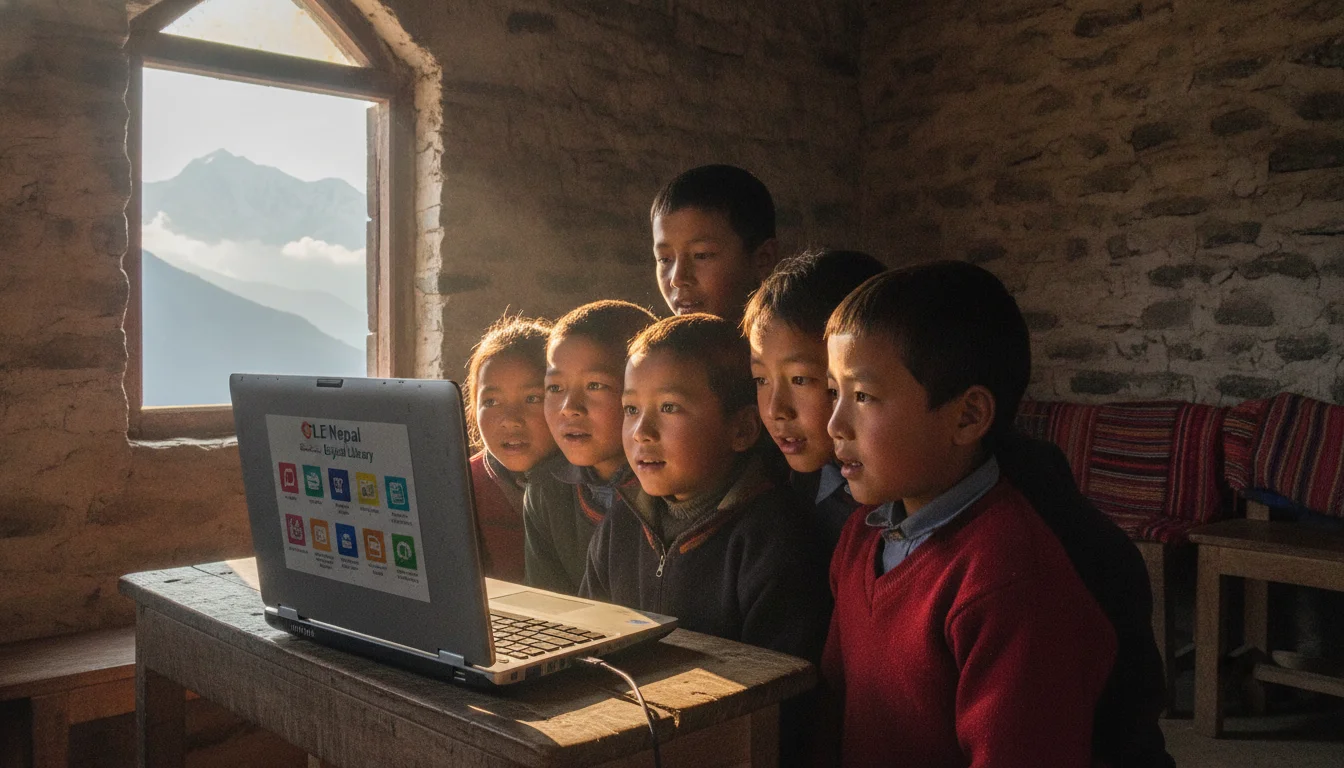
Despite these systemic challenges, significant innovations are actively bridging the digital divide across Nepal. The deployment of contextualized, low-tech, and offline solutions has proven highly effective. Open Learning Exchange (OLE) Nepal has pioneered the use of low-power, affordable Raspberry Pi computers and specialized offline servers to deploy digital resources in non-electrified and highly remote areas. Their E-Pustakalaya (a free, comprehensive digital library) and E-Paath (curriculum-aligned interactive digital learning materials) can be accessed completely offline through a local school intranet. By 2024, OLE Nepal had successfully deployed over 1,700 E-Pustakalaya-powered offline servers across the country, definitively proving that a lack of broadband internet access does not preclude high-quality digital learning.
Simultaneously, at the government level, the Centre for Education and Human Resource Development (CEHRD) launched “Sikai Chautari,” the official virtual learning portal of Nepal. This platform provides free, centralized access to digital textbooks, interactive learning materials, video lessons, and vital teacher professional development courses. Designed specifically to function smoothly on all devices, including those with limited connectivity, Sikai Chautari represents a massive effort to standardize and distribute digital resources equitably nationwide.
At the tertiary level, higher education institutions like Kathmandu University (KU) and Nepal Open University (NOU) have successfully implemented robust Learning Management Systems, predominantly relying on the open-source Moodle platform. NOU, for instance, delivers over 80 percent of its teaching entirely online via Moodle, enabling over 1,600 students from distant and geographically isolated regions to access higher education without relocating. Kathmandu University utilizes Moodle and digital repositories to facilitate knowledge sharing, virtual classrooms, and extensive research collaboration.
Comprehensive Guide to ICT Tools for Teachers
To effectively implement digital tools for teachers, educators must thoroughly understand the specific functionalities, target audiences, benefits, and practical applications of various software categories. The following sections provide an exhaustive guide to the most vital educational technology tools available to modern educators, analyzing their utility through the lens of functionality, cost, learning curve, and practical application.
1. Learning Management Systems (LMS)
An LMS is a foundational enterprise software application used to administer, document, track, report, and deliver educational courses and training programs. It acts as the primary digital hub of a classroom or institution where teachers can upload syllabi, distribute multimodal assignments, grade submissions, and facilitate asynchronous discussion forums. An LMS is suitable for educators at all levels, ranging from secondary school teachers managing weekly homework assignments to university professors administering complex, multi-module postgraduate degree courses.
The key benefits of an LMS include the absolute centralization of all course materials, the provision of automated digital gradebooks, and the facilitation of asynchronous learning. This asynchronous capability is particularly vital for students in Nepal who may have fluctuating internet access or who share devices with siblings. However, limitations exist; complex open-source platforms require significant institutional IT support for hosting and maintenance, and the overall effectiveness of any LMS drops significantly if the student body lacks consistent device access at home.
Prominent examples include Moodle, an open-source platform widely adopted in Nepali higher education due to its vast customization options and lack of per-user licensing fees. Google Classroom serves as a highly streamlined, user-friendly alternative that integrates perfectly with Google Workspace, favored by K-12 schools for its minimal learning curve and zero-cost entry barrier. Canvas is a robust, feature-rich LMS dominating global higher education, known for its extensive third-party tool integrations. While Google Classroom has a very low learning curve, making it accessible to novice digital educators, Moodle and Canvas require moderate to high initial training.
In a practical classroom scenario, a college lecturer at a Nepali institution might use Moodle to upload a recorded video lecture and a supplementary PDF reading. Students can download these materials while on campus using the university Wi-Fi, review them offline at home, and later submit their written essays directly through the Moodle assignment portal before an automated midnight deadline.
2. Classroom Presentation and Digital Whiteboards
Classroom presentation tools and digital whiteboards have evolved far beyond static, linear slide decks. These tools transform presentations into highly interactive, visual, and collaborative experiences. Digital whiteboards provide an infinite, zoomable digital canvas for real-time brainstorming, mind mapping, visual instruction, and collaborative design. These tools are highly suitable for teachers aiming to increase visual engagement, facilitate live group work, or explain complex, interconnected concepts that do not fit neatly onto a single slide.
The primary benefit of these tools is the facilitation of real-time collaboration. Students can interact with the presentation or whiteboard from their own devices simultaneously, answering live polls, voting on ideas, or adding digital sticky notes anonymously. This anonymity frequently encourages participation from introverted learners who might otherwise hesitate to speak in a crowded classroom. The main limitation is that synchronous collaboration requires an active, stable internet connection during class time.
Canva for Education stands out as an incredibly powerful visual design platform that is 100 percent free for verified K-12 primary and secondary teachers globally, including those in Nepal. It offers thousands of premium educational templates and includes a highly capable interactive whiteboard feature. Padlet, and its newer iteration “Padlet Sandbox,” acts as a versatile digital bulletin board where teachers and students can draw, embed videos, and create interactive slideshows. Miro and FigJam offer enterprise-grade infinite-canvas whiteboards excellent for complex flowcharting and spatial organization. While Canva and Padlet have gentle learning curves and excellent free educational tiers, tools like Miro offer free basic plans but require more time to master their extensive toolsets.
In a practical application, a literature teacher might utilize Padlet Sandbox during a lesson on character analysis. The teacher places the name of a novel’s protagonist in the center of the digital whiteboard and shares the link. Students, using their smartphones or school computers, simultaneously add digital sticky notes around the character’s name, citing specific quotes from the text that demonstrate the character’s hidden motivations, resulting in a collaboratively built, visually rich study guide.
3. Assessment and Quiz Tools
Digital assessment and quiz tools allow educators to create interactive digital quizzes, comprehensive exams, and rapid formative assessments.
These platforms instantly grade objective questions, provide immediate feedback to the learner, and generate detailed data analytics on overall student performance. They are highly suitable for both formative assessments, which check understanding mid-lesson, and summative assessments, which evaluate learning at the end of a unit.
The most significant benefit of these tools is the elimination of hours of manual grading for teachers. Furthermore, the generated data analytics immediately reveal which specific concepts the entire class struggled with, allowing the educator to adjust future lesson plans instantly. A limitation of these tools is that an over-reliance on multiple-choice or true/false formats can inadvertently hinder the assessment of deep critical thinking and long-form writing skills.
Platforms like Kahoot! and Quizizz are gamified assessment tools where students compete in real-time, utilizing bright interfaces, music, and countdown timers to drive high engagement. Quizlet serves as an AI-enhanced flashcard and study tool, excellent for vocabulary acquisition and rote memorization across various subjects. For more advanced applications, Gradescope automates the scoring of paper-based exams; teachers scan handwritten student work, and the software’s AI groups similar handwritten answers together for rapid, consistent grading, a feature particularly powerful for higher education STEM subjects. Most of these tools offer robust free tiers suitable for everyday classroom use, with premium tiers unlocking advanced analytics. The learning curve for gamified tools like Kahoot! is extremely low.
Practically, after teaching a complex unit on the geography of Nepal, a teacher might project a Quizizz game on the classroom wall. Students input a PIN on their mobile devices and compete to answer questions quickly. The teacher’s dashboard immediately highlights that 60 percent of the class failed a specific question regarding tectonic plates, prompting the teacher to pause the game and immediately re-explain the concept before moving forward.
4. AI Tools for Teachers
The integration of Generative Artificial Intelligence (AI) into teaching tools online represents the most significant and disruptive technological leap in recent educational history. AI tools act as highly capable digital teaching assistants, dramatically reducing the cognitive load and time required for lesson planning, material generation, and administrative tasks. These tools are suitable for all educators looking to streamline their workflow and personalize learning materials for diverse student needs.
The key benefit of AI tools is their unprecedented speed and ability to generate highly customized, differentiated content. However, responsible AI usage is paramount. The objective of AI tools for teachers is to augment human intelligence, not replace professional teacher judgment. Educators must maintain strict academic integrity by meticulously verifying all AI-generated content for factual accuracy, bias, and cultural appropriateness before presenting it to students.
| Feature Comparison | MagicSchool AI | Brisk Teaching |
|---|---|---|
| Core Interface | A standalone web platform/dashboard accessed via a browser tab. | A Chrome extension that operates natively inside Google Docs, Slides, and LMS platforms. |
| Primary Strengths | Comprehensive lesson planning, generating diverse materials (worksheets, rubrics, IEP drafts) with over 80 specific tools. | Providing rapid student feedback, leveling texts in place, and inspecting student writing processes via video replay. |
| Pricing Structure | Offers a “Free Forever” tier with standard generation limits; Plus tier at roughly $12.99/month. | Offers an “Educator Free” plan with 35+ tools, but strict usage limits apply; Educator Pro at $14.99. |
| Workflow Style | Requires teachers to generate content in the MagicSchool dashboard and copy-paste outputs into their existing documents. | Alters documents directly without requiring the teacher to leave the current tab or application. |
Beyond dedicated educational AI, general-purpose tools like Google Gemini and OpenAI’s ChatGPT function as versatile chatbots capable of brainstorming activities or simplifying complex scientific concepts. Google’s NotebookLM offers a unique approach by acting as a personalized AI expert exclusively on documents uploaded by the teacher, preventing the AI from hallucinating information from the broader internet. The learning curve for basic prompting is low, though mastering effective AI communication requires practice.
In practice, a middle school English teacher might need to teach a complex historical text to a class with wildly varying reading proficiencies. Using Brisk Teaching or MagicSchool AI, the teacher inputs the original text and prompts the AI to instantly generate three distinct versions—one at grade level, one simplified for struggling readers, and one enriched with advanced vocabulary for gifted students—along with corresponding comprehension questions for each level, accomplishing in two minutes what would traditionally take hours.
5. Content Creation Tools
Content creation tools empower educators to design and produce high-quality multimedia resources—including interactive videos, audio clips, and visually appealing documents—without requiring any formal background in graphic design or professional video editing. These tools are suitable for educators who wish to move away from generic, imported textbooks and instead create customized, locally relevant learning materials tailored to their specific curriculum.
The primary benefit is the ability to create highly engaging, visually stimulating content that captures student attention better than plain text. However, a notable limitation is that multimedia creation can become highly time-consuming if teachers strive for cinematic perfection rather than practical educational utility. Furthermore, high-quality video and audio files require substantial storage space and bandwidth to share, which must be considered in low-bandwidth environments.
Canva for Education remains the premier tool for visual content creation, offering drag-and-drop simplicity for everything from infographics to multi-page workbooks. Google Workspace for Education recently enhanced its suite with Google Vids, an AI-assisted video creation tool designed to help teachers craft professional-looking instructional videos in minutes. For audio, Sodaphonic is a free, browser-based editor requiring no logins, perfect for quickly recording and trimming voice clips. These tools generally offer excellent free tiers for educators and feature highly intuitive interfaces with low learning curves.
A practical example involves a science teacher who wishes to explain a complex homework assignment. The teacher records a quick voice memo on their phone, drops the raw audio file into Sodaphonic on their browser, trims the dead air, and uploads the finalized MP3 directly to the class LMS. This ensures students can listen to the nuanced verbal instructions multiple times while completing the assignment at home.
6. Productivity Tools for Educators
Productivity tools are the invisible engines of a highly functioning classroom, designed to streamline document creation, file management, collaborative planning, and scheduling. These tools are universally suitable for all education professionals seeking to organize their administrative workloads efficiently.
The defining benefit of productivity suites is their ability to enable seamless, real-time collaboration among teaching staff and secure, cloud-based storage of critical educational documents, preventing data loss. The main limitation is that true utilization requires a reliable internet connection for syncing files, and educators must be diligent about organizing their digital folders to prevent digital clutter.
Google Workspace for Education (Docs, Sheets, Drive) and Microsoft 365 are the industry standards, offering comprehensive suites that cover almost every administrative need. Otter.ai serves as a highly specialized productivity tool that automatically transcribes spoken lectures or staff meetings into written, searchable text, saving hours of manual note-taking. These tools are largely free for standard use, with premium enterprise tiers available for institutions. The learning curve is minimal, as most educators possess baseline familiarity with word processing and cloud storage.
Practically, a team of subject teachers across different grade levels can use a shared Google Sheet to map out a school-wide curriculum matrix collaboratively. They can edit the document simultaneously from their respective homes, leaving comments and tagging colleagues to ensure that topics are aligned and not repetitively taught across different academic years.
7. Online Communication Tools
Online communication tools facilitate direct, real-time communication between teachers, students, and parents, effectively expanding the educational environment far beyond the physical classroom walls. These tools are suitable for all educators, but are particularly vital for maintaining parent-teacher engagement, facilitating remote learning, and building a cohesive school community.
The most significant benefit is the dramatic increase in parental involvement. These tools reduce a school’s dependency on easily lost paper notices and ensure the instantaneous delivery of critical information and academic feedback. However, a major limitation is that instant messaging can blur the boundaries between a teacher’s professional and personal life, leading to burnout. Furthermore, managing large group chats can result in severe information overload if strict administrative rules regarding who can post are not enforced.
WhatsApp and Viber are ubiquitous messaging applications in Nepal and the broader South Asian region.
Features like WhatsApp broadcast lists and Viber community groups allow schools to instantly share circulars, homework assignments, and PDF notes. Initiatives like the “Nepal Online School” actively utilize verified Viber channels to distribute study materials directly to students’ mobile devices. For synchronous virtual classrooms, Zoom and Microsoft Teams remain essential, featuring breakout rooms for group discussions and screen-sharing capabilities. These communication tools are entirely free for basic use and require virtually no training, given their widespread consumer adoption.
In a practical scenario, a primary school teacher might create a WhatsApp group strictly for parents, configuring the settings so that only administrators can send messages. Instead of writing identical notes in thirty different physical student diaries, the teacher sends a single broadcast message featuring a photo of the whiteboard with the week’s assignments, accompanied by a quick voice note clarifying the expectations for a complex project, ensuring all parents are uniformly informed.
Practical Adoption: Practitioner Insights
Observations drawn from extensive technology training sessions and digital skills implementation projects led by Arjan KC at Gurkha Technology indicate that the successful adoption of ICT tools for teachers relies heavily on managing human expectations. True digital transformation requires focusing relentlessly on pedagogical outcomes rather than technical novelty. When facilitating organizational technology needs and digital transformation in educational institutions across Nepal, several recurring patterns emerge regarding teacher readiness and sustainable technology adoption.
Pedagogy Must Precede Technology
A common challenge observed during professional development workshops is the temptation among educators to use technology simply for the sake of using it. Educators must critically ask themselves: Does this digital tool make the learning objective easier to achieve, or does it merely overcomplicate the process? As outlined in the TPACK framework, the technology must always serve the content and the pedagogy. A beautifully designed Canva presentation or a highly gamified Kahoot! quiz is ultimately useless if the underlying instructional strategy is flawed or if it distracts from the core academic concept. Technology should remain largely invisible, acting as a conduit for learning rather than the focal point of the lesson.
Contextual Adaptation for Connectivity Limitations
In Nepal, where digital access and infrastructural reliability vary wildly between urban centers and rural municipalities, technology strategies must be highly adaptable.
- In low-bandwidth environments: Teachers must rely on asynchronous tools. Distributing compressed PDF worksheets via offline networks—such as OLE Nepal’s E-Pustakalaya servers—or sending low-resolution audio instructions via Viber ensures that students without continuous internet access are not academically marginalized.
- In well-resourced environments: Educators can fully leverage synchronous, high-bandwidth tools, conducting live interactive polling via Nearpod, assigning complex video projects, or facilitating real-time collaborative whiteboarding on Miro.
Starting Small to Avoid “Technostress”
The rapid, mandatory introduction of multiple digital tools simultaneously often leads to “technostress”—the acute mental burden and anxiety caused by the requirement to learn complex, constantly updating systems while managing normal teaching duties. The most effective and sustainable adoption strategy for Nepali educators is to start small and scale gradually. A teacher might begin by mastering a single AI tool, such as using MagicSchool AI strictly to generate multiple-choice quiz questions, before ever attempting to build full interactive modules on a complex LMS like Moodle. Small, early wins build the technical confidence necessary for deeper integration.
Leveraging Government and Free Tier Resources
Educational institutions and individual educators should aggressively maximize available, cost-free resources to bypass budget constraints. Registering for the CEHRD Sikai Chautari portal provides immediate, zero-cost access to highly localized, curriculum-aligned content. Furthermore, acquiring official verification for Canva for Education grants Nepali teachers access to premium, enterprise-level design capabilities entirely for free, circumventing the need for expensive software licenses that schools often cannot afford.
Conclusion
The role of the modern educator has fundamentally shifted from being the sole, centralized provider of information to acting as a skilled facilitator of learning and critical inquiry. ICT tools for teachers are the indispensable instruments through which this modern facilitation occurs. From AI assistants that reclaim hours of administrative time to offline digital libraries that bring the world’s knowledge to remote Himalayan villages, educational technology tools hold the profound power to democratize access and elevate the quality of learning.
However, as the expansive data and ground-level organizational experiences demonstrate, technology alone is not a panacea for educational challenges. The true, lasting transformation of the Nepali educational system depends entirely on educators who thoughtfully and deliberately combine their deep subject matter expertise, their refined instructional skills, and their growing digital fluency. By taking a measured, highly localized, and pedagogically sound approach to adopting these tools, educators can overcome systemic infrastructural barriers and adequately prepare their students for success in a deeply digitized global future.
Frequently Asked Questions (FAQs)
What are ICT tools for teachers? ICT (Information and Communication Technology) tools for teachers are digital applications, software platforms, and hardware devices utilized to enhance the processes of teaching and learning. They encompass a wide variety of solutions, including Learning Management Systems (LMS) like Moodle, presentation design tools like Canva, AI-powered assistants like Brisk Teaching, and direct communication platforms like WhatsApp. They are designed to automate administrative tasks, engage students interactively, and facilitate seamless remote or blended learning environments.
Which ICT tool is best for online teaching? There is no single “best” tool; effectiveness depends entirely on the specific instructional requirement. For comprehensive course management, distributing assignments, and tracking grades, an LMS like Google Classroom or Moodle is essential. For conducting live, interactive video sessions, Zoom paired with a collaborative digital whiteboard like Padlet Sandbox is highly effective. For creating engaging, gamified assessments during live online teaching, interactive platforms like Kahoot! or Nearpod are highly recommended.
How can teachers use AI tools? Teachers can utilize Generative AI tools primarily to save vast amounts of time on high-volume administrative, grading, and planning tasks. Using specialized platforms like MagicSchool AI or Brisk Teaching, educators can instantly generate customized lesson plans, create reading passages strictly leveled for different reading abilities, draft professional emails to parents, formulate complex multiple-choice quizzes, and generate detailed grading rubrics based on specific curriculum standards in a matter of seconds.
Are free ICT tools enough for teachers? Yes, absolutely, especially for individual educators or underfunded schools just beginning their digital integration journey. Many of the most powerful technology tools offer robust free versions specifically tailored for education. Canva for Education is 100 percent free for verified K-12 teachers globally. Google Workspace for Education offers extensive free functionality, and dedicated AI tools like MagicSchool and Brisk Teaching provide highly capable free tiers. Furthermore, the Nepal government’s Sikai Chautari portal provides entirely free access to localized curriculum resources.
How can Nepali teachers start using technology? Nepali teachers should begin small by identifying one specific, time-consuming classroom challenge to solve with technology. They can start by utilizing the government’s Sikai Chautari portal for official digital textbooks, or using simple, familiar communication apps like Viber to send instructional audio notes to students. As their technical confidence naturally grows, they can request verification for Canva for Education to create visually engaging materials, eventually exploring offline networking solutions like OLE Nepal’s resources or integrating basic AI tools to assist in weekly lesson planning.