Coursework as Code: CI/CD Guide for Modern Educators
Continuous Integration for Educators: Deploying Coursework as Code

The Pedagogical Crisis of Decentralized Course Materials
For decades, the creation, distribution, and maintenance of educational materials have been bound to static paradigms that generate immense administrative overhead and pedagogical friction. Instructors traditionally draft syllabi in desktop word processors, construct slide decks in proprietary presentation software, and upload a fragmented array of Portable Document Format (PDF) files to institutional Learning Management Systems (LMS) such as Canvas, Blackboard, or Brightspace. This standard workflow inevitably generates a phenomenon characterized as “Syllabus Sprawl”. A syllabus meticulously formatted in a rich text editor frequently suffers from formatting drift when manually copied into a new semester’s course shell; links break, styles revert to system defaults, and critical policy updates require manual, error-prone adjustments across multiple active course sections.
Furthermore, this decentralized approach to file management directly impacts the student experience, resulting in the chaos of scattered files and repeated questions. When exam guidelines, reading lists, and assignment rubrics are distributed across nested LMS folders, email announcements, and downloadable PDFs, students lack a definitive, canonical reference point. This ambiguity leads to a barrage of repetitive administrative questions directed at instructors and teaching assistants.
As modern software development has evolved to embrace Continuous Integration and Continuous Deployment (CI/CD), strict version control, and automated testing pipelines, educational content management has largely remained trapped in manual, graphical user interface (GUI)-driven environments. However, an emerging architectural philosophy known as “Coursework as Code” or “Syllabus as Code” is fundamentally transforming this landscape. By treating university coursework, slide decks, and exam guidelines with the exact same engineering rigor as production software development, educators can leverage tools like Git, GitHub Pages, and automated workflows to establish a singular, immutable source of truth.
This methodology replaces manual uploads with a rigorous compiler workflow. Instructors author content in sustainable, plain-text formats like Markdown, which is subsequently compiled, themed, and deployed automatically via CI/CD pipelines to both independent course websites and institutional LMS platforms. By ensuring that every correction, date shift, or policy modification is instantly deployed across all digital interfaces, educators can eliminate the confusion of scattered files, allowing the pedagogical focus to return to the material itself.
The Philosophical Architecture of the Learning Management System
To understand the necessity of deploying coursework as code, one must critically analyze the structural hostility of the modern LMS. Learning Management Systems are engineered by prioritizing database integrity, institutional standardization, and security over pedagogical flexibility or advanced aesthetic design.
The Tangled Hierarchy of the Rich Content Editor
When an instructor attempts to paste a highly formatted document into the Canvas Rich Content Editor (RCE), the system’s underlying code metabolizes the content to fit its own schema. Complex table borders vanish, fonts revert to standard 10-point Times New Roman, and carefully constructed indentation hierarchies collapse entirely into flat lists. This frustration represents what Douglas Hofstadter termed a “Tangled Hierarchy” in his seminal work Gödel, Escher, Bach. Hofstadter defines this as a system where what one presumes are clean hierarchical levels fold back upon themselves in a hierarchy-violating manner.
In a logical computing hierarchy, the author commands the editor, and the editor dictates the code. In an LMS, this hierarchy is irreparably tangled: the visual representation layer is hopelessly snarled with the invisible HTML execution level. Hofstadter notes that below every tangled hierarchy lies an “inviolate level”—a substrate that supports the tangle but cannot be altered by it. Within the LMS, the aggressive HTML sanitizer serves as this inviolate substrate, imperiously rewriting the instructor’s perfect syllabus to fit its internal security protocols.
This lack of control stands in stark contrast to the early days of word processing. Media scholar Matthew Kirschenbaum observes that early word processors, such as the Wang machine used by Stephen King, featured a prominent “EXECUTE” key that made the act of writing feel actionable and kinetic, granting the author the sensation of shaping reality. Conversely, the Canvas “Save” button acts as a “dis-execute” command. Instead of enacting the instructor’s will, it forecloses agency, metabolizing carefully crafted documents into an institutional database schema.
The Interface Effect and the Archive
Alexander Galloway’s concept of the “Interface Effect” further clarifies this dynamic. A screen is not a neutral, transparent pane of glass allowing direct access to data; rather, interfaces are autonomous zones of activity and processes that effect a result. When an instructor uploads a static PDF of exam guidelines, they attempt to freeze a dynamic educational process into an immovable object, essentially trying to push a stone through a hose.
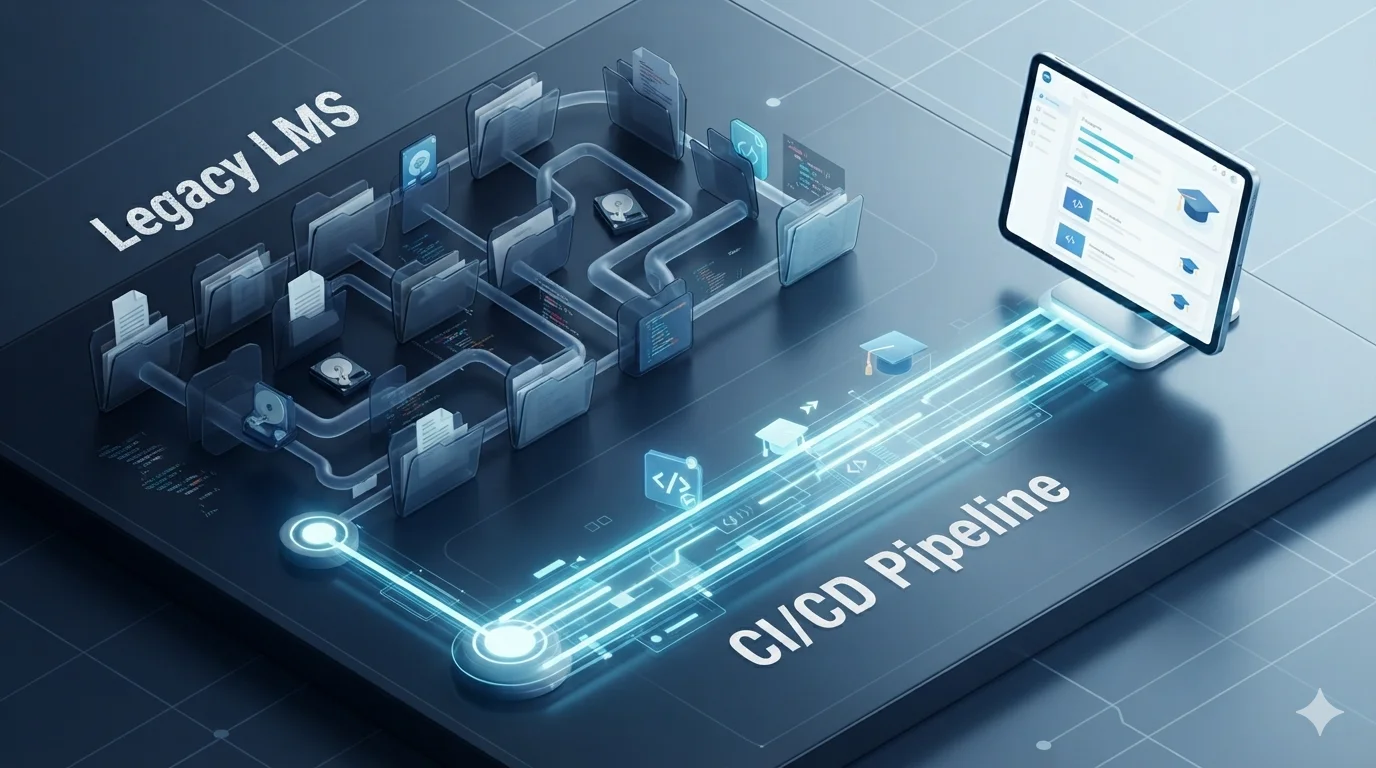
This disconnect is measurable through a “Click Audit” of the standard LMS environment. A student navigating to a standard PDF syllabus must traverse the dashboard (the surface), enter the course homepage (the gate), navigate to the files tab (the archive), drill down through course folders (the labyrinth), and finally download the PDF (the object). By treating the syllabus as a codebase, instructors bypass the LMS editor entirely, designing for continuous action where links open, dates update dynamically, and modules unlock algorithmically.
The Mechanics of the Single Source of Truth
Transitioning to a “Docs-as-Code” methodology requires establishing a robust technological foundation centered around version control and static site generation. Continuous Integration automatically builds, tests, and integrates content changes within a shared repository, while Continuous Delivery or Deployment automatically pushes those artifacts to production environments. The State of DevOps report indicates that organizations mastering CI/CD deploy code 208 times more frequently and achieve lead times that are 106 times faster than peers reliant on manual processes. Applying this velocity to course administration yields unprecedented efficiency.
Version Control and Plain Text Authorship
The foundation of this architecture is Git, a version control system that tracks granular changes, simplifies reversions, and supports branching for curriculum updates. All course materials—lectures, assignments, policies, and schedules—are authored in Markdown (.md) or similarly structured plain text. This ensures that the content remains entirely platform-agnostic. If a university mandates a migration from Blackboard to Canvas, or from Canvas to Brightspace (D2L), the core curriculum remains untouched in the Git repository, ready to be recompiled for the new environment without manual data entry. Furthermore, Markdown allows for semantic structuring, which inherently supports higher accessibility standards for screen readers compared to visually formatted text.
Static Site Generators in Higher Education
To transform a repository of Markdown files into a cohesive, interconnected, and searchable single source of truth, educators rely on Static Site Generators (SSGs). When a professor pushes a commit to the main branch of their repository, a CI/CD pipeline builds the SSG and deploys the resulting HTML, CSS, and JavaScript artifacts to a hosting environment such as GitHub Pages.
The choice of SSG heavily influences the capabilities of the course website. Analysis of academic repositories reveals several dominant platforms tailored to specific educational requirements:
- Quarto: Focuses on Data Science, STEM, R, Python, and Julia. Natively executes Python and R code blocks via WebAssembly directly in the browser; renders interactive charts, LaTeX equations, and Jupyter Notebooks seamlessly. Compiles via the quarto-actions/publish GitHub Action to the gh-pages branch.
- Hugo: Focuses on General Computer Science and Humanities. Exceptional build speeds for massive courses; highly customizable through academic themes like Hugo Blox (frequently used for complex course schedules and grading policies).
- MkDocs: Focuses on Technical Documentation and Engineering. Enforces strict hierarchical navigation; utilizes Material for MkDocs to provide advanced search capabilities, dark mode, and responsive mobile design out of the box.
- JupyterBook / Sphinx: Focuses on Interactive Textbooks and Data Engineering. Based on Sphinx and MyST Markdown; allows students to interact with living code environments directly within the textbook. Popularized by institutions like TU Delft for open interactive course modules.
By centralizing the course on a static site, students are provided with a singular, highly searchable URL. Exam guidelines, lecture notes, and assignment rubrics are intrinsically linked. If a student searches for the parameters of a midterm exam, the static site’s search index instantly surfaces the definitive Markdown file, entirely bypassing the labyrinthine folder structures of the LMS.
Continuous Integration and Deployment Pipelines in Education
The automation of these builds relies on YAML configuration files located in the .github/workflows/ directory.
A typical CI/CD workflow for an educational site proceeds through distinct, programmable stages that eliminate the need for manual web administration.
Architecture of a GitHub Actions Workflow
A GitHub Actions workflow is a configurable automated process that executes one or more jobs in response to specific repository events, such as a push, a pull request, or a chronologically scheduled trigger.
The pipeline begins when a workflow event is triggered, prompting GitHub to provision an ephemeral runner—typically a virtual machine operating on Ubuntu Linux, though macOS and Windows environments are available. The first executed step relies on the actions/checkout action to clone the repository into the runner’s workspace. Next, the environment is provisioned by setting up required runtimes, such as Node.js for Javascript wrappers, Python for MkDocs, or TeX Live for LaTeX compilation.
The build step executes the compiler command, transforming the raw Markdown into HTML. To optimize performance and reduce build times, advanced workflows utilize dependency caching, which stores unchanged packages across workflow runs. Finally, the deployment step pushes the compiled artifacts to a designated environment, such as the gh-pages branch, or interacts with the institutional LMS via API calls. Access to external systems is secured through GitHub Secrets, ensuring that API keys and authentication tokens are never exposed in the public codebase.
The second-order implications of this automation are profound. Instructors are freed from the manual toil of web administration. If a typo is discovered in an assignment specification, the instructor simply corrects the text in their local text editor, commits the change, and pushes it to GitHub. Within seconds, the CI/CD pipeline executes the build and deployment jobs, ensuring the fix is propagated universally. This guarantees absolute consistency for the students, resolving the problem of repeated questions caused by contradictory information residing in different LMS modules.
Negotiating the LMS Environment via Automated APIs
While independent course websites hosted on GitHub Pages offer ultimate freedom and aesthetic control, universities almost universally mandate the use of centralized LMS platforms like Canvas for grading, rosters, and legal compliance. The coursework-as-code paradigm does not abandon the LMS; rather, it subjugates it via Application Programming Interfaces (APIs).
Programmatic Administration via the Canvas API
The Canvas API empowers developers and educators to programmatically manage courses, users, modules, and gradebooks. By utilizing sophisticated API wrappers such as the canvasapi Python library, instructors can orchestrate vast changes to a course shell through automated scripts rather than manual, repetitive point-and-click operations.
To authenticate, the instructor generates a user-specific access token from their Canvas account settings and provides the institution’s specific Canvas API URL. Using Python, a script can initialize a Canvas object and fetch the specific course by its integer ID (canvas.get_course).
This unlocks extraordinary automation capabilities that save dozens of hours per semester:
-
Dynamic Assignment Creation: Scripts can parse a repository’s assignments/ directory, extract YAML frontmatter metadata (such as due dates, allowed extensions, and point values), and issue POST requests to create or update Canvas assignments simultaneously using the
course.create_assignment()method. -
Automated Date Shifting: A notorious logistical nightmare for educators is manually shifting assignment dates for a new academic term. Utilizing the API, Python scripts can download the entire course schedule into a JSON artifact, programmatically advance all
due_at,unlock_at, andlock_atdates by a specific temporal delta, and push the modified schedule back to the production LMS instance. -
Asset and File Management: Images, datasets, and presentation files required for the course can be automatically synchronized with Canvas’s file repository. Scripts detect missing files and initiate Canvas’s specific three-step POST process for file uploads: notifying Canvas of the file size and context, uploading the raw data to the provided
upload_url, and following the HTTP redirect to confirm the 201 Created status. The scripts then dynamically insert the resulting Canvas-hosted URLs back into the HTML content.
AI Agents and the Model Context Protocol (MCP)
The integration of Artificial Intelligence into course management further amplifies these capabilities. Through the Model Context Protocol (MCP), tools like the canvas-mcp server bridge the gap between AI assistants (such as Claude Desktop or Cursor) and the Canvas LMS. This protocol exposes over 80 tools and agent skills, allowing educators to manage their courses using natural language.
Because the MCP server executes API calls using the instructor’s generated access token, the AI inherits the user’s permissions. An instructor can simply prompt their AI assistant to “extract the exam guidelines from the syllabus and create a practice quiz with 10 multiple-choice questions,” and the AI will interface with the Canvas API to fetch the course modules, generate the questions, and potentially push the assessment directly into the LMS.
The Compiler Workflow: Building the “Living Syllabus”
When injecting content directly into Canvas Pages via the API or manual HTML pasting, the content must survive the Canvas HTML sanitizer, which aggressively strips <style> blocks and external <link> tags deemed insecure. To project a beautifully designed syllabus into this hostile environment, educators utilize a specialized compiler workflow known as the “Living Syllabus” framework.
This workflow is fundamentally structured around a concept known as the “Evil Quine”. Strictly speaking, a Quine is a computer program that takes no input and produces a copy of its own source code as its only output. When an instructor embeds a link to their public source repository inside the final compiled document, it closes the loop between the output and its origin. The syllabus functions as a Quine-like system: a self-referencing loop where the object contains the instructions for its own reproduction.
To execute this, the content is piped through a three-stage sanitization negotiation process:
- Normalization (Pandoc): The source Markdown or Word document is processed by Pandoc, which generates clean, semantic HTML. This standardizes header tags and strips away proprietary XML artifacts (frequently introduced by Microsoft Office conversions).
-
Theming and CSS Inlining (Juice): Because Canvas strips external stylesheets, the compiler utilizes a Node.js tool called Juice. It takes a “Classless CSS” theme (such as Sakura, Tacit, or Water) and inlines the CSS properties directly into the individual HTML tags. For example, a standard
<link rel="stylesheet" href="theme.css"><h1>Syllabus</h1>block is metabolically transformed into<h1 style="color: #2b2b2b; border-bottom: 2px solid #eaeaea; font-family: sans-serif;">Syllabus</h1>. - Scoping and Publishing: The resulting artifact is a highly resilient, “flat” HTML block that carries its own styling dependencies, completely immune to the overarching CSS changes or aggressive sanitizers within the LMS.
This pipeline establishes an environment of “Root Trust”. The instructor acts as the compiler, treating Canvas as a hostile deployment environment. The codebase remains pristine on the instructor’s local machine, while the LMS receives a mathematically predictable, visually accessible, and perfectly formatted HTML fragment that maintains compliance with semantic screen reader accessibility standards.
Presentation and Examination as Code
The CI/CD philosophy extends beyond text-based syllabi into the realm of slide decks and examinations. Traditionally, slide decks are isolated binary files (e.g., .pptx or .key) that suffer from poor version control tracking, severe compatibility issues, and large file sizes that encumber LMS storage quotas. By treating presentations as code, educators can track changes line-by-line, collaborate with co-instructors via pull requests, and generate diverse outputs seamlessly.
Markdown-Based Presentation Frameworks
Tools such as Reveal.js and Marp enable the creation of highly interactive HTML presentations directly from Markdown source files. Within the Markdown document, standard headers denote slide titles, horizontal rules define slide transitions, and specialized YAML frontmatter handles global themes, aspect ratios, and transition animations.
GitHub Actions seamlessly automates the rendering of these slide decks. For instance, workflows utilizing the marp-cli-action can invoke the Marp command-line interface in a cloud runner to concurrently convert Markdown files into static HTML/CSS, PDFs, and PowerPoint documents upon every repository commit. These generated artifacts are then deployed to GitHub Pages or uploaded to the LMS API, ensuring that students always have access to both web-friendly and offline-printable versions of the lecture material.
Containerized LaTeX Compilation for STEM
For advanced mathematics, engineering, and physics courses, LaTeX (specifically the Beamer document class) remains the absolute gold standard for presentation aesthetics and typographic precision. However, maintaining a local TeX distribution across multiple instructor machines is notoriously cumbersome, frequently leading to localized dependency errors.
Continuous Integration entirely abstracts this environment. By utilizing specialized GitHub Actions such as basemax/latex-builder or xu-cheng/latex-action, the LaTeX compilation occurs within an isolated, perfectly reproducible Docker container.
When a professor pushes an updated .tex file, the CI pipeline provisions an Alpine or Debian-based container pre-loaded with TeXLive, compiles the document using engines like pdfLaTeX, XeLaTeX, or LuaLaTeX, and produces the final PDF. Through release automation, these PDFs can be automatically attached to GitHub Releases as downloadable assets. A student navigating to the course repository will always find the most recently compiled, mathematically verified version of the lecture slides, completely eliminating the confusion of determining whether “Lecture_4_Final_v2.pdf” is the authoritative version.
Moreover, the integration of Large Language Models (LLMs) has optimized the creation of these dense materials. Custom AI skills, such as the beamer-skill for Claude Code or VS Code, can ingest academic papers via PDF-parsing protocols, extract relevant figures, and generate strict, overlay-free Beamer LaTeX code. These AI assistants are programmed with specific educational heuristics, enforcing colorblind-safe semantic palettes (WCAG AA contrast ≥ 4.5:1), implementing content density guards (e.g., maximum 7 bullets or 2 equations per slide), and ensuring mathematical accuracy via strict \pgfmathsetmacro commands. The AI writes the underlying code, the human instructor reviews the mathematical logic, and the CI/CD pipeline handles the compilation and deployment.
Deploying Exam Guidelines as Code
Examinations and assessment guidelines inherently benefit from the single source of truth model. Rather than hiding midterm study guides or project rubrics within restricted LMS modules, instructors author exam guidelines in Markdown and deploy them alongside the syllabus on the static course site. Because these guidelines are version-controlled, any clarifications made by the instructor in response to a student’s question are committed to the repository, immediately updating the live site. This ensures every student has equitable access to identical, up-to-the-minute parameters, preempting repeated questions and establishing absolute transparency regarding assessment criteria.
Automating Student Assessment and Immediate Feedback Loops
Applying CI/CD principles to the administration of a course naturally extends to the evaluation of the students’ actual coursework. GitHub Classroom bridges the gap between professional software engineering environments and the academic setting, allowing educators to distribute coding assignments, provision individualized template repositories, and manage coursework securely at scale.
The Latency Crisis in Traditional Grading
In a traditional computer science or data engineering course, students submit code files via an LMS portal, wait several days or weeks for manual grading by a Teaching Assistant (TA), and finally receive textual feedback. By the time this feedback arrives, the cognitive context of the problem is often lost, severely minimizing the pedagogical value of the critique.
GitHub Classroom disrupts this latency by integrating directly with CI/CD runners, historically using Travis CI and increasingly utilizing native GitHub Actions. When an instructor distributes an assignment, the template repository includes a predefined test suite (e.g., PyTest for Python, JUnit for Java) alongside the skeleton code and the .github/workflows configuration file.
Real-Time Continuous Integration Feedback
As the student works on the assignment, every git push sent to their repository triggers the CI runner. The runner spins up a virtual container, compiles the student’s code, executes the instructor’s test suite, and immediately reports the pass/fail status back to the student’s repository via a visual status badge.
The empirical results of this rapid feedback loop are striking. In an analysis of an object-oriented programming module using C++, the implementation of GitHub Classroom paired with automated CI builds increased the student pass rate from 51 percent to over 87 percent. Furthermore, the overall progression rate for the academic module increased from 76 percent to 90 percent.
Students no longer rely on blind submissions; they treat the failing CI tests as a dynamic puzzle to be solved, iterating rapidly until their codebase passes all assertions. This mimics the exact Continuous Integration workflows they will encounter in the commercial software industry, effectively training them in professional DevSecOps practices—such as branch management, pull requests, and log debugging—while simultaneously teaching the core programming concepts.

While predominantly utilized in computer science, this CI/CD assessment model is highly adaptable. In data science or digital humanities, automated graders can verify the statistical output of a Jupyter Notebook, confirm that a dataset was properly sanitized, or lint Markdown reports for proper formatting. Advanced enterprise implementations, such as the “Classroom 50” environment derived from Harvard University’s CS50 architecture, offer deeper integrations that allow the automated grades calculated by the GitHub Action to be passed seamlessly back to the institutional LMS gradebook via LTI integrations and Single Sign-On (SSO).
Open-Source Pedagogy and Institutional Agility
When coursework is managed as code in public or organizational repositories, the curriculum fundamentally ceases to be a unilateral broadcast from instructor to student. It becomes an open-source project capable of receiving continuous upstream contributions, shifting the educational dynamic from passive consumption to active collaboration.
The Student as Curriculum Contributor
Open-source pedagogy allows students to identify typographical errors, update deprecated code snippets, and propose expansions to the curriculum by submitting Pull Requests (PRs) directly to the course repository. This transforms students from passive consumers of static archives into active, invested stakeholders. Navigating the standard Git workflow—forking a repository, creating a feature branch, addressing merge conflicts, and defending a pull request in a code review—provides invaluable collaborative experience that directly translates to professional competency.
To manage this influx of student contributions without overwhelming teaching staff, educational repositories can deploy static code analyzers and specialized Internet bots. A research study analyzing 396 pull requests across student-authored open-source software demonstrated that integrating CI bots into the repository resulted in a significant 60 percent reduction in code smells within student contributions. Furthermore, 84 percent of surveyed students indicated that the automated bot feedback directly helped them contribute higher-quality code. By offloading the mechanical verification of syntax, style, and compilation to CI/CD bots, instructors can focus their PR reviews on architectural logic and higher-order conceptual feedback.
Case Study: Military Agility at the Army Cyber School
The most compelling evidence for the scalability and necessity of “Coursework as Code” comes from highly dynamic, mission-critical environments where outdated information presents a severe operational risk. The United States Army Cyber School has explicitly adopted this CI/CD model to keep pace with the rapidly evolving threat landscape of zero-trust architecture, electronic warfare, and cloud computing.
Historically, military Programs of Instruction (POIs) were highly rigid, checklist-based curricula that were painstakingly slow to update through bureaucratic institutional channels like the Training and Doctrine Command. Under the coursework-as-code model, the foundational theories remain stable, but the specific tactical modules and technological implementations are modularized within the military’s GitLab platform.
When a cyber officer graduates and deploys to the field, they actively utilize state-of-the-art tools to conduct defensive cyber operations. If the officer identifies a novel adversary tactic or develops a more efficient analytical methodology than what they were taught, they can log directly into the school’s GitLab platform and submit a pull request against the active course material.
Instructors at the Cyber School review this field intelligence, validate the logic, and seamlessly merge the changes into the live curriculum. This creates an infinitely agile educational framework. It guarantees that students currently sitting in the classroom are learning from the real-time operational realities of graduates in the field, entirely bypassing the multi-year delays typical of traditional curriculum reviews. As General Stanton noted, this approach keeps a degree of institutional consistency while allowing the educational apparatus to be highly adaptive to a changing combat environment.
Strategic Implementation and Institutional Implications
Deploying coursework as code introduces several profound second and third-order implications that fundamentally alter the business, administration, and legal compliance of higher education.
Shadow IT and Data Sovereignty
Adopting this workflow often requires educators to operate as a form of “Shadow IT.” Universities invest millions of dollars into enterprise LMS platforms and expect faculty to utilize the native rich text editors and proprietary content builders. By treating the LMS merely as a dumb terminal—a display layer for flat HTML code generated externally—instructors bypass institutional tracking metrics and centralized design control mechanisms.
However, this systemic resistance is justified by the immense technological resilience it affords the educator.
If a university administration decides to transition from Blackboard to Canvas, or from Canvas to an entirely new vendor, instructors who built their courses natively within the old LMS face hundreds of hours of manual migration, frequently losing formatting, complex quizzes, and multimedia embeddings in the transfer process. Conversely, an instructor operating a Docs-as-Code pipeline simply updates their Python API deployment script. The Markdown source remains pristine and unaffected; only the final API endpoint changes. This paradigm grants unparalleled data sovereignty to the educator, decoupling their intellectual property from the transient software contracts of the university.
Programmatic Quality Assurance and Accessibility
Traditional course creation relies heavily on the individual instructor’s ad-hoc knowledge of web accessibility standards, which is frequently lacking. When drafting in LMS rich text editors, instructors often use bold text instead of proper semantic headers, or fail to include alt text for images, inadvertently violating Web Content Accessibility Guidelines (WCAG) standards.
A CI/CD pipeline enforces programmatic quality assurance. When a professor pushes a Markdown file, the GitHub Actions pipeline can be configured to execute automated accessibility linters prior to deployment. These linters check for sequential header hierarchies, verify alt-text presence, and ensure color contrast ratios in the injected CSS themes. If the syllabus fails the accessibility check, the automated build fails, and the deployment is halted until the instructor corrects the source code. This systemic, code-level enforcement guarantees a higher baseline of accessibility for all students, significantly reducing the legal liability and retroactive remediation burden placed on university disability services.
Archival Permanence and Academic Peer Review
Finally, deploying coursework as code allows for true academic peer review of pedagogical strategies. Syllabi and exam guidelines hidden behind the authenticated, password-protected walled gardens of an institutional LMS cannot be searched, indexed, or reviewed by the broader academic community.
When a course is hosted in a public GitHub repository and deployed via GitHub Pages, the entire pedagogical evolution of the course is transparently visible in the commit history. Fellow academics can discover a highly successful data engineering curriculum, fork the repository, adapt the modules for their own university’s specific requirements, and issue pull requests back to the original author to suggest improvements or fix errors.
By discarding static, easily corrupted documents in favor of version-controlled, compiled, and automatically deployed codebases, educators eliminate the friction of formatting drift, synchronization errors, and administrative repetition. Whether leveraging static site generators like Quarto to weave executable code into living textbooks, bypassing LMS limitations via sophisticated Python API wrappers, or utilizing GitHub Actions to deliver instantaneous grading feedback to students, the “Coursework as Code” methodology perfectly aligns the academic classroom with the operational realities of modern software engineering. It transforms the syllabus from a dormant archive into a highly agile, collaboratively maintained, and technologically resilient engine of learning, ensuring that educators spend less time fighting their software and more time engaging their students.


