Notion vs. ClickUp for Teams: 2026 Workflow Battle

Notion vs. ClickUp for Teams: 2026 Workflow Battle
Systematizing Team Workflows: A Comprehensive Architectural and Operational Analysis of Notion and ClickUp in 2026
The enterprise software landscape of 2026 demands significantly more from productivity platforms than simple digital task lists and basic document storage. Modern organizational infrastructure requires sophisticated systems of record capable of dependency-aware scheduling, cross-team visibility, stringent governance controls, and deeply integrated artificial intelligence. Within this context, the ongoing industry debate between adopting Notion or ClickUp represents a **fundamental choice** in operational philosophy and cultural design. Both platforms are universally categorized as comprehensive, “all-in-one” productivity tools aimed at eliminating software sprawl and reducing the financial burden of managing disjointed technology stacks. However, their **underlying architectures, data models, and feature sets dictate entirely different trajectories** for organizational alignment, knowledge management, and project execution.
This exhaustive research report provides a granular, comparative analysis of Notion and ClickUp, exploring their foundational architectural frameworks, advanced project management capabilities, real-time and asynchronous collaboration mechanisms, automation engines, enterprise-grade security protocols, and total cost of ownership. The objective is to delineate the operational realities of deploying either system at scale, examining the second and third-order effects these tools exert on organizational culture, workflow efficiency, and departmental alignment.
Architectural Paradigms: The Flexible Canvas vs. The Structured Command Center
The most critical distinction between Notion and ClickUp lies in their foundational design philosophies, which ultimately dictate how data is structured, accessed, governed, and manipulated by teams. This architectural divergence is not merely a matter of user interface aesthetics; it represents a **fundamental choice** in how an organization categorizes its intellectual property and operational initiatives.
Notion operates as an **exceptionally flexible “connected workspace”**. Its architecture is fundamentally a blank canvas built upon a modular, block-based system. Every element within Notion—whether a paragraph of standard text, a high-resolution image, an interactive checklist, or a complex row in a relational database—is an **individual computational block** that can be moved, nested, and linked ad infinitum. This design leverages interconnected databases that users must configure entirely from scratch. The platform **deliberately avoids imposing a specific workflow methodology**; instead, it provides the raw building blocks for teams to construct bespoke CRM systems, editorial calendars, comprehensive team wikis, and personalized task managers. The second-order implication of this extreme architectural flexibility is a **heavy, ongoing reliance on internal discipline and meticulous data governance.** Without standardized structures provided out-of-the-box, the governance of Notion workspaces becomes highly documentation-driven and heavily dependent on human maintenance to prevent the system from devolving into an **unnavigable labyrinth of disconnected pages.**
Conversely, ClickUp positions itself as an **“all-in-one” work management platform** specifically designed to replace multiple specialized tools by offering a **highly opinionated, rigidly structured environment.** ClickUp utilizes a **predefined hierarchical data model** consisting of Workspaces, Spaces, Folders, Lists, Tasks, and Subtasks. Within this strict architecture, each task operates as an independent, discrete unit of work that can be enriched with customized fields, tailored statuses, and multi-layered dependencies. While ClickUp allows significant customization within these structural parameters—such as highly personalized views and individualized dashboards for specific team members—the overarching hierarchy remains **mathematically constant.** This structured approach is inherently suited for operational consistency, rapid deployment, and complex execution, but it introduces a **steep initial cognitive load** and a potential **interface density that can overwhelm users** seeking minimalist solutions.
Architectural Component
ClickUp
Notion
Core Philosophy
Structured work operating system
Flexible knowledge and document hub
Data Hierarchy
Workspace > Space > Folder > List > Task
Nested pages and relational databases
Workflow Imposition
Highly opinionated; enforces execution paths
Unopinionated; requires manual system design
Initial Setup Burden
Pre-built taxonomy ready for immediate data entry
Requires significant architectural planning (**The “IKEA effect”**)
Scalability Risk
Interface clutter and feature overload
Structural collapse without strict internal governance
Execution Capabilities: Project and Task Management Systems
The capacity to execute complex, multi-step projects with precision is a primary evaluation metric for any enterprise productivity platform. The division between Notion and ClickUp in this domain is stark, driven directly by the architectural differences outlined above.
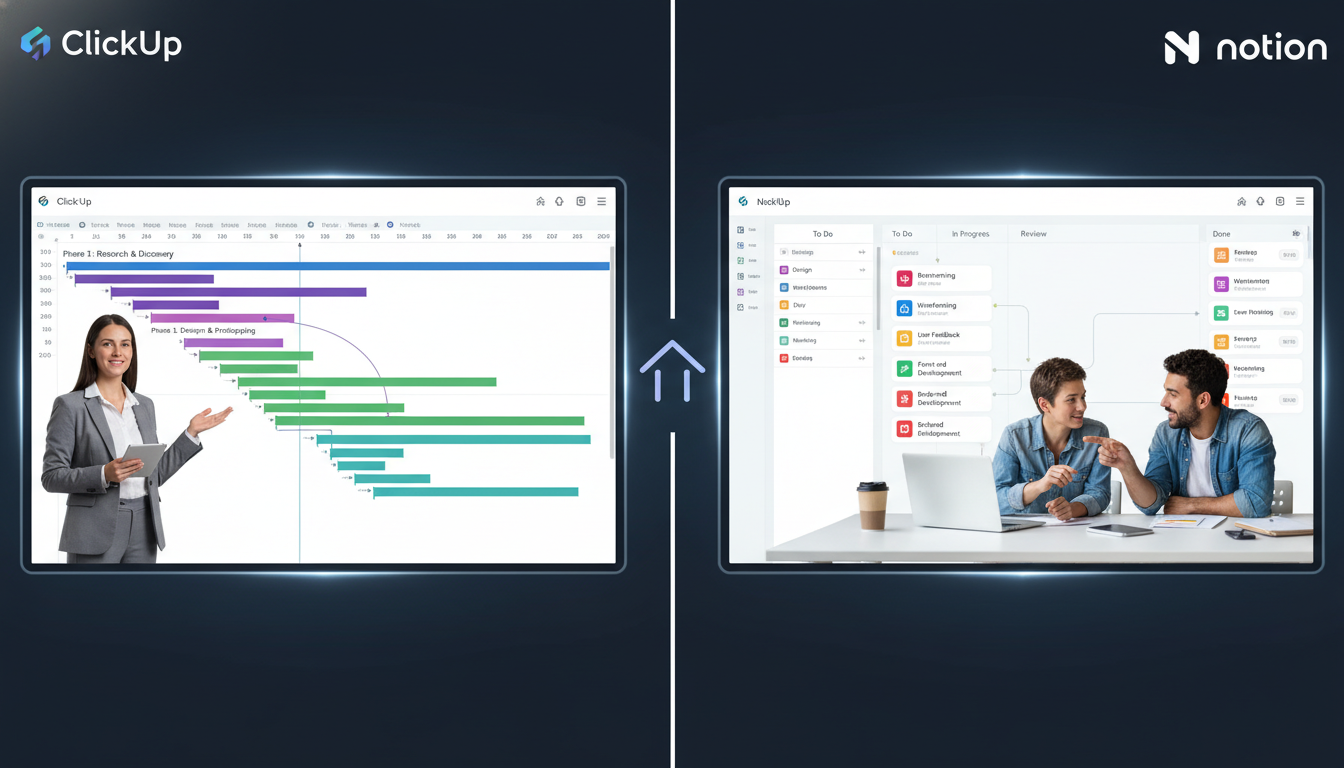
ClickUp is explicitly engineered for professional teams requiring **rigorous operational control** and **deep project visibility**. The platform provides a **comp rehensive suite of native project management tools** that are available immediately upon deployment. These include **native Gantt charts**, **advanced dependency tracking**, **workload capacity management**, and **native time tracking** natively integrated into reporting dashboards. For software development and agile marketing teams, ClickUp offers native sprint management, sprint pointing, and agile reporting, allowing it to function as a direct competitor to specialized tools like Atlassian’s Jira. The platform supports over 15 visual workflows, including List, Board, Timeline, Calendar, Workload, and Mind Map views. The crucial inclusion of workload visibility and resource management enables project managers to prevent team burnout by dynamically reallocating tasks based on real-time individual capacity.
A critical advantage of ClickUp in task execution is its systematic handling of recurring work at an enterprise scale. ClickUp manages recurring operations mathematically: recurring tasks are automatically generated with predefined assignees, cascading statuses, and trigger-based automation rules, functioning as a **true operations system** capable of handling complex supply chain logistics or repetitive financial auditing.
Notion, while highly capable of task management, requires users to **manually build their own task tracking systems** utilizing its relational database architecture. Users can easily create Kanban boards, task lists, and timelines, but it is vital to understand that these are essentially **different visual representations of the same custom database** rather than **purpose-built project management modules**. Industry analysis of user reviews indicates a 95% to 96% importance rating for project scheduling across both platforms, yet their approaches satisfy different demographics. Features such as **intricate task dependencies, granular time tracking, and robust resource management are not natively built into Notion’s task framework**; they require either **complex database relations and formula workarounds** or **direct integration with third-party applications.**
Furthermore, for recurring tasks, Notion relies heavily on database templates. While highly functional for simple checklists or daily personal habits, managing recurring workflows at an enterprise scale in Notion often becomes a **manual and cumbersome process.**
It lacks the automated status progressions and operational governance found in specialized tools, pushing the burden of maintenance onto the user. Consequently, Notion is a substantially stronger fit for individuals and creative teams who require lightweight task tracking intimately connected to their living documentation, rather than operations teams dependent on strict, cross-functional execution and resource balancing.
Feature
ClickUp Capability
Notion Capability
Gantt Charts & Timelines
Native, highly advanced, unlimited on paid tiers
Requires complex database relationship workarounds
Time Tracking
Native, granular estimates, integrated reporting
Absent natively; requires third-party API integration
Task Dependencies
Advanced, multi-layered, automated rescheduling
Basic relational links between database properties
Agile Sprint Management
Native, includes sprint points & burndown charts
Build-it-yourself via customized database templates
Recurring Task Operations
Automated, native setup with conditional logic
Manual template generation and documentation-driven
Resource & Workload Management
Native capacity tracking and dynamic reallocation
Not natively supported without extensive workarounds
Multiple Project Views
List, Board, Gantt, Mind Map, Workload, Activity
Table, Board, Timeline, Calendar, Gallery
Knowledge Management: Documentation and The Organizational Brain
While ClickUp dominates structured task execution and agile workflows, Notion is the undisputed industry leader in knowledge management, asynchronous documentation, and corporate wiki architecture. The platform’s foundational design is optimized for text-heavy operations and interconnected intelligence.
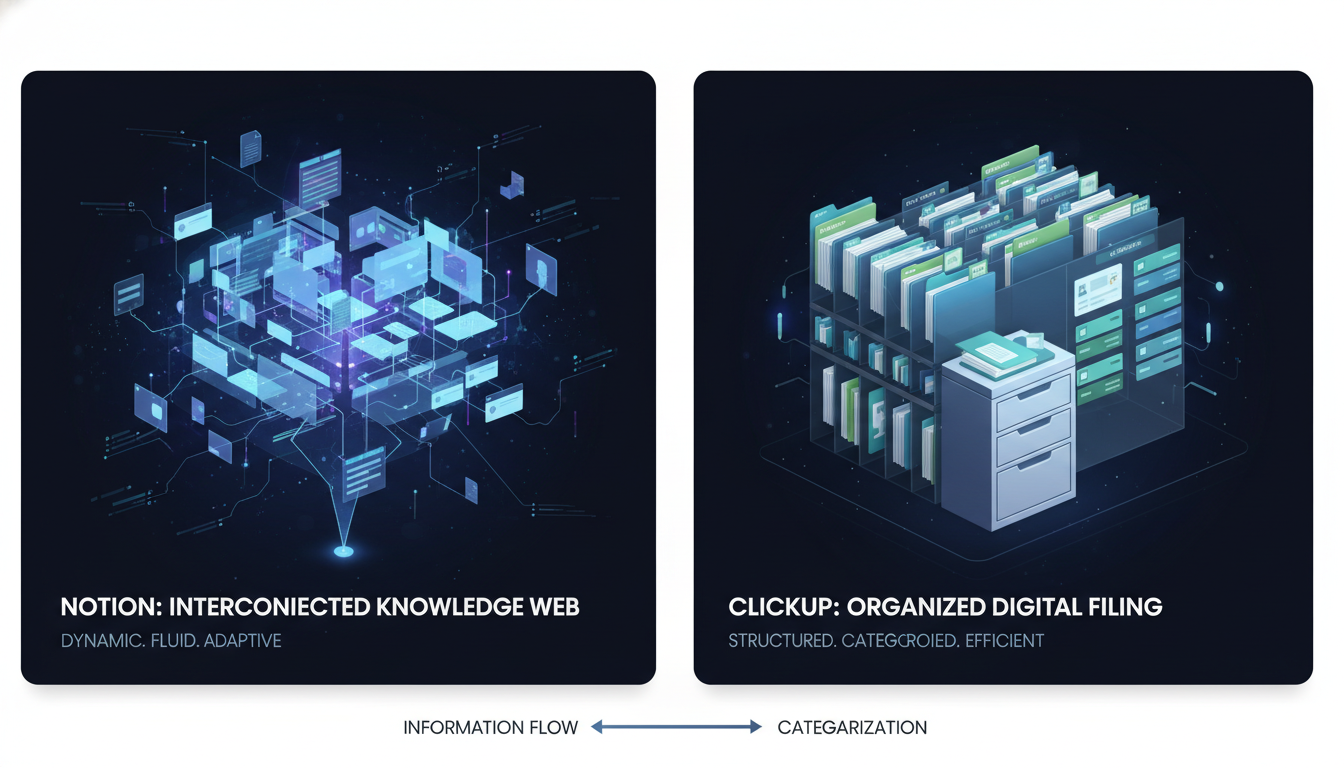
Notion’s block-based architecture makes it exceptionally adept at handling rich text, embedded media, and dynamically interconnected wikis. Its primary operational strength lies in its ability to serve as a centralized, unified brain for an organization. Enterprise teams utilize Notion to build extensive company handbooks, interactive onboarding portals, searchable meeting notes repositories, and comprehensive design systems. The platform’s fluid page structure allows business context to be linked directly to execution; a high-level strategic project plan document can seamlessly embed a live, filtered database of the specific tasks required for implementation, ensuring that the theoretical framework and the practical execution reside in the exact same visual space. This document-first approach aligns perfectly with organizations that value deep work, design thinking, and asynchronous communication.
ClickUp also provides robust documentation capabilities through its “ClickUp Docs” feature. These collaborative documents support real-time editing, rich text formatting, and the highly useful ability to embed tasks directly within the text body. However, ClickUp Docs are generally utilized as functional accessories to tasks and projects rather than as a standalone, overarching knowledge base. ClickUp fundamentally lacks the sophisticated, interconnected database architecture that allows Notion to dynamically surface and link knowledge across vast, disparate organizational wikis. When a company’s primary objective is to solve the crisis of scattered knowledge and establish a single, unassailable source of truth for standard operating procedures, HR policies, and asynchronous executive updates, Notion provides a vastly superior infrastructure.
Communication Protocols: Synchronous Velocity vs. Asynchronous Deliberation
The methodologies these platforms employ for team communication and collaborative friction reduction reflect their core operational philosophies: ClickUp favors real-time, synchronous velocity, while Notion prioritizes asynchronous, context-heavy deliberation.
ClickUp provides a comprehensive suite of real-time communication tools explicitly designed to keep users entirely within its ecosystem, thereby minimizing context switching. It features built-in chat channels, direct messaging, and the unique ability to send and receive external emails directly within specific task threads. Furthermore, ClickUp offers an indispensable “assigned comments” feature, allowing project managers to convert a passing comment into an actionable, tracked item that must be formally resolved before the parent task can be closed. For creative agencies and design teams, ClickUp includes native proofing tools, enabling users to drop pinpoint comments directly onto attached images, PDFs, and video files. This real-time, high-visibility environment is ideal for fast-moving teams that require immediate alignment, continuous status updates, and rapid issue resolution.
Notion’s collaboration model is inherently quieter, less intrusive, and purposefully designed for deep focus. Collaboration in Notion is distinctly document-centric, relying heavily on inline comments, page-level discussions, and targeted @mentions. It does not feature a native chat application, an assigned comment resolution system, or an inbox comparable to ClickUp’s real-time communication suite. Instead, teams collaborate asynchronously, leaving well-thought-out suggestions and feedback on specific blocks of text or detailed database entries. While this architectural choice significantly reduces notification fatigue and preserves flow states for engineers and writers performing deep work, it can inadvertently create communication bottlenecks for project managers who rely on rapid, synchronous issue resolution. Consequently, teams utilizing Notion heavily often remain highly dependent on external chat tools like Slack or Microsoft Teams for their day-to-day operational dialogue and urgent alerts.
Communication Interface
Interface Aspect
ClickUp
Notion
Primary Collaboration Paradigm
Real-time, synchronous, task-based
Asynchronous, document-focused, deep work
In-App Messaging
Native built-in chat and channels
Absent; relies entirely on inline comments
External Communication
Absent natively; requires third-party API
Absent natively; requires third-party API
Feedback and Proofing
Native image, PDF, and video proofing annotations
Standard inline text comments on shared pages
Comment Resolution
Assigned comments block task closure until resolved
Comments can be resolved, but lack task-blocking logic
Workflow Automation and Systems Integration
Modern enterprise productivity relies heavily on reducing manual data entry and seamlessly orchestrating complex workflows across disparate software tools. The automation and integration capabilities of ClickUp and Notion define how effectively they can act as the central nervous system of an organization.
Native Automation Capabilities
ClickUp is equipped with a highly sophisticated, native automation engine that behaves like a dedicated workflow orchestration tool. It offers over 100 prebuilt automations and allows users to construct complex, custom trigger-and-action workflows without writing a single line of code. Triggers can be based on granular events such as task creation, specific status changes, custom field value updates, or external form submissions. Subsequent actions can automatically assign specific users, shift deadlines based on dependencies, apply entirely new project templates, calculate formulaic field values, or post standardized comments. This native automation is absolutely vital for scaling operational consistency, as it mathematically enforces processes and handoffs between departments without requiring human intervention or memory.
Notion, conversely, lacks a deep, native task automation engine. While it offers basic recurring page templates and rudimentary database property triggers, the platform is severely limited in its ability to execute multi-step, conditional automations natively. To achieve true workflow automation in Notion, organizations are effectively forced to rely on third-party integration platforms like Zapier or Make (formerly Integromat), connecting via Notion’s API. This structural dependency introduces potential points of failure, additional subscription costs for high-volume tasks, and requires a significantly higher degree of technical proficiency to build and maintain the connective tissue between apps.
Integration Depth and Ecosystems
Both platforms boast extensive integration ecosystems, but their operational approaches differ significantly. ClickUp offers over 1,000 native integrations, allowing deep, bidirectional syncing with critical enterprise tools like GitHub, Jira, Slack, Google Drive, and HubSpot. For software engineering teams, ClickUp’s integration with GitHub and Bitbucket is particularly robust; it allows branches and pull requests to be tracked directly inside ClickUp tasks, and can trigger status automations upon code deployment. Its Slack integration permits real-time task creation, assignee management, and deadline adjustments directly from the chat interface.
Notion also integrates heavily with major enterprise tools like Slack, Google Calendar, Jira, and Figma. However, its integrations are historically more display-oriented. For example, a Notion integration might flawlessly embed a live, interactive Figma file or a mirrored Jira board view directly into a Notion planning page. The core integration philosophy of Notion is to centralize information viewing and provide comprehensive context, whereas ClickUp’s integration philosophy is to centralize automated execution and bi-directional data manipulation.
Artificial Intelligence: Generative Assistants vs. Operational Agents
By 2026, artificial intelligence is no longer viewed as a peripheral novelty but as a core driver of platform utility and return on investment.
Both ClickUp and Notion have embedded AI deeply into their foundational architectures, yet they leverage these large language models to serve completely different operational goals.
ClickUp Brain operates as an action-oriented “Super Agent” specifically designed to bridge tasks, documents, and team communication. ClickUp’s AI is deeply aware of the workspace’s metadata, understanding the relationships between assignees, statuses, and deadlines. It features an advanced AI Automation Builder that allows users to configure complex trigger-action workflows simply by using natural language prompts in plain English. Beyond workflow creation, ClickUp Brain can automatically populate custom database fields with concise task summaries, conduct accurate sentiment analysis on incoming customer feedback, auto-generate detailed project updates for executive stakeholders, and provide context-aware quick replies in internal chat threads. It acts primarily as an operational assistant that accelerates the management of structured data and repetitive administrative overhead.
Notion AI, integrated directly into its fluid, document-first environment, excels at generative content creation, semantic search, and large-scale knowledge synthesis. Notion AI serves as an advanced writing assistant capable of sophisticated brainstorming, drafting entire documents, editing tone, and translating long-form content across languages seamlessly. Furthermore, Notion AI can autonomously extract specific action items from lengthy meeting transcripts, build custom relational databases in seconds based on conversational text prompts, and summarize vast amounts of disparate wiki data. In complex enterprise environments, Notion AI acts as a “partner in thought,” allowing employees to use natural language to query internal handbooks, instantly retrieving HR policies or engineering guidelines without relying on exact-match keyword searches. However, its efficacy is strictly bound by the quality and organization of the underlying text data; a poorly structured Notion workspace populated with duplicated or outdated information will yield severely degraded AI insights.
AI Capability Profile
ClickUp Brain
Notion AI
Core AI Functionality
Operational automation, metadata analysis, task acceleration
Content generation, knowledge synthesis, document drafting
Workflow Automation
Builds complex automations via plain-text natural language prompts
Generates databases, but limited in ongoing workflow execution
Data Extraction & Synthesis
Auto-fills custom fields, generates project status and workload reports
Summarizes meeting notes, provides semantic search across wikis
Financial Model
Premium Add-on (Starting at $9/user/month for basic features, up to $28 for full suite)
Add-on for lower tiers, fully included in Business/Enterprise plans
Enterprise Scalability: Performance, Offline Resilience, and Security
For enterprise deployments, evaluating a software tool’s capacity to handle massive data sets securely and reliably is paramount. Both platforms have documented, historical challenges with performance at scale, but offer highly robust security frameworks designed to satisfy rigorous enterprise compliance requirements.
Performance Degradation and Offline Access
A consistent critique of both platforms in large-scale enterprise environments is noticeable performance degradation. As ClickUp workspaces become dense with thousands of tasks, complex interconnected dependencies, and numerous calculating custom fields, users frequently report interface lag, slow loading times, and a sluggish electron-based desktop application. Notion suffers from similar computational issues; when relational databases grow exceedingly large, or when pages feature numerous third-party embeds and complex formula rollups, query times slow down significantly, and the platform can feel unresponsive during rapid navigation.
Furthermore, true offline functionality remains a significant limitation for both web-first applications, impacting field workers and traveling executives. ClickUp’s offline mode is strictly restricted to viewing tasks and notes that were cached while the user was previously online; users can theoretically create new parent tasks offline, which synchronize upon reconnection, but they cannot create subtasks, adjust dependencies, or manage complex hierarchies without an active internet connection. Notion’s native offline mode is similarly constrained. Users must explicitly mark specific pages for offline availability beforehand, and major features—such as loading large relational databases, interacting with media embeds, and utilizing any of the Notion AI capabilities—are entirely disabled while offline.
Security Protocols and Enterprise Compliance
Both Notion and ClickUp maintain rigorous security standards suitable for modern enterprise adoption, employing AES-256 encryption for data securely at rest and actively in transit.
ClickUp provides comprehensive compliance infrastructure, adhering strictly to GDPR and CCPA regulations. Crucially for healthcare and regulated industries, ClickUp offers full HIPAA compliance, MSA availability, and SCIM provisioning on its Enterprise tier. The platform guarantees 99.99% uptime and provides advanced granular permissions, standard Single Sign-On (SSO), and dedicated options for US, EU, and APAC data residency, which is a non-negotiable requirement for many multinational corporations.
Notion similarly adheres to rigorous GDPR standards and SOC 2 Type 2 compliance, while providing SAML SSO and detailed audit logs on its Enterprise plan. Notion’s permission structure is highly granular at both the page and individual block level, allowing administrators incredibly precise control over knowledge dissemination and editing rights. However, organizations requiring strict, certified HIPAA compliance or highly isolated regional data residency often find ClickUp’s enterprise infrastructure slightly more aligned with heavily regulated industry standards.
Security & Compliance Standard
ClickUp
Notion
Data Encryption
AES-256 (At rest and in transit)
AES-256 (At rest and in transit)
Privacy Compliance
GDPR, CCPA
GDPR
Enterprise Provisioning
SCIM, SSO
SAML SSO
Regulated Industry Standards
HIPAA Available (Enterprise)
SOC 2 Type 2
Data Residency
US, EU, & APAC options
Global cloud infrastructure
System Uptime Guarantee
99.99% SLA
High reliability focus, specific SLA varies
Financial Architecture: Pricing Tiers and Total Cost of Ownership
Analyzing the true financial impact of adopting Notion versus ClickUp requires looking far beyond the basic advertised per-seat costs. IT procurement must calculate the Total Cost of Ownership (TCO), which includes necessary AI add-ons, required third-party integrations (like Zapier), and the hidden costs of initial setup and ongoing administration. Both platforms offer highly capable “Free Forever” tiers, though ClickUp’s free plan is generally considered more feature-rich for actual project execution, offering unlimited tasks and collaborative docs, whereas Notion’s free plan is superior for unrestricted personal wiki creation without block limits.
ClickUp Pricing Architecture (Billed Annually)
ClickUp’s pricing is tightly tiered to scale with an organization’s operational complexity and reliance on advanced features.
- Unlimited ($7/user/month): Solves the primary limitations of the free tier by offering unlimited storage, unlimited Gantt charts, custom fields, and access to dashboards. This is ideal for small teams requiring structural project management.
- Business ($12/user/month): Adds advanced workload capacity management, intricate timeline views, Google SSO, and extensive native automation capabilities. This represents the operational sweet spot for scaling agencies and mid-market companies.
- Enterprise (Custom Pricing): Unlocks vital corporate features including white-labeling, advanced permissions, enterprise API access, SCIM provisioning, and HIPAA compliance.
- AI Add-on: Access to ClickUp Brain starts at an additional $9/user/month, scaling up to $28/user/month for the comprehensive “Everything AI” package.
Notion Pricing Architecture (Billed Annually)
Notion’s pricing model reflects its core position as an essential knowledge base and flexible workspace.
- Plus ($10/user/month): Best suited for small teams, completely removing block generation limits and providing basic collaborative tools and file uploads.
- Business ($20/user/month): Includes SAML SSO, advanced page analytics, and crucially, full, unrestricted access to all Notion AI capabilities without separate subscription fees. This bundling makes Notion highly competitive for AI-driven organizations looking to consolidate costs.
- Enterprise (Custom Pricing): Delivers advanced security controls, comprehensive audit logs, and dedicated success managers. Real-world procurement market data (Vendr, 2025/2026) indicates that negotiated Notion Enterprise contracts range significantly—from $60K annually for a 200-user AI Workspace, up to $144K annually for 550 users, reflecting substantial, long-term enterprise investments.
Total Cost of Ownership (TCO) Implications
While ClickUp’s base tiers appear superficially cheaper ($7 vs $10), the total cost of ownership is heavily influenced by exactly how the tools are deployed to replace shadow IT. ClickUp explicitly markets itself as software that replaces Slack ($9/user), Google Drive ($13/user), and Jira. If a team successfully uses ClickUp to eliminate these external subscriptions, the ROI is massive.
However, if a team adopts ClickUp for project management but still culturally requires a dedicated wiki tool (like Atlassian Confluence) and a dedicated chat tool (like Slack), the software stack costs multiply unnecessarily.Conversely, if a team uses Notion as its all-in-one operational hub but must pay for premium Zapier or Make tiers to handle the complex automations that ClickUp provides natively, the TCO for Notion increases significantly. Furthermore, the initial setup cost—measured in expensive human hours—is historically much higher for Notion due to the labor required to architect custom databases and operational workflows from scratch.
Financial Metric / Tier
ClickUp (Billed Annually)
Notion (Billed Annually)
Entry Level (Free)
Generous task management, 100MB storage
Unlimited blocks for individuals, 5MB file limit
First Paid Tier
Unlimited ($7/user/mo)
Plus ($10/user/mo)
Mid-Market Tier
Business ($12/user/mo)
Business ($20/user/mo - Includes AI)
AI Access Cost
$9 - $28/user/mo Add-on
Included in Business/Enterprise
Known Enterprise Benchmarks
Custom / Undisclosed
$60K (200 users) to $144K (550 users)
Onboarding, Learning Curves, and User Adoption
The psychological barrier to entry and the subsequent learning curves for Notion and ClickUp represent entirely different paradigms of user friction and software adoption.
Notion presents a deceptively simple, welcoming onboarding experience. Its clean, minimalist, document-focused interface allows non-technical new users to immediately begin typing notes, creating basic checklists, and organizing pages without formal training. The friction emerges later, during the organizational scaling phase. As the company attempts to build complex, interconnected databases, relational rollups, and rigorous project tracking systems, the learning curve spikes dramatically. The “blank canvas” syndrome can be overwhelming, frequently leading to highly disorganized workspaces where every team builds bespoke, incompatible systems that refuse to communicate with one another. To mitigate this architectural entropy, Notion relies heavily on its vast community ecosystem of templates and the self-serve Notion Academy. However, successful scaling almost always requires organizations to designate an internal “Notion Architect” to maintain structural integrity and govern database creation.
ClickUp’s learning curve, by contrast, is steep immediately upon the first login. Because the platform aggressively attempts to consolidate 20+ specialized tools into a single application, the user interface is incredibly dense, heavily laden with collapsing menus, dozens of views, custom fields, and intricate configuration settings. Users frequently report intense confusion regarding the Space/Folder/List hierarchy and the myriad of notification and inbox settings. However, because the operational structure is predefined and enforced by the software, the setup time to achieve enterprise-wide standardization is arguably faster than Notion. To actively support onboarding and reduce churn, ClickUp provides robust educational infrastructure, including guided tours, 24/7 support across all tiers, and “ClickUp University,” which offers structured, certificated learning paths to help users navigate its immense feature set. Additionally, for an extra cost, ClickUp offers “ClickUp Assist,” providing two hours of dedicated 1:1 expert guidance monthly to help configure workspaces and AI agents.
Departmental Alignment and Workflows
The efficacy of Notion versus ClickUp is rarely uniform across an entire enterprise. Different departments operate on highly distinct cadences, requiring radically different tooling architectures to achieve maximum productivity.
Engineering and Product Management
For engineering and software development teams, ClickUp provides a vastly superior out-of-box infrastructure. Its native, bidirectional integration with GitHub, Gitlab, and Bitbucket, combined with dedicated sprint management modules, burndown charts, and granular issue tracking, allows it to function as a highly viable, modernized alternative to Atlassian’s Jira. The ability to automatically transition task statuses based on pull request merges ensures developmental velocity and reduces administrative updates.
Product Management, however, straddles the line between the two philosophies. Product managers who are heavily reliant on writing highly detailed PRDs (Product Requirements Documents), conducting extensive qualitative user research, and maintaining visual strategic roadmaps often strongly prefer Notion. Notion’s unique ability to interlink a high-level strategic roadmap directly to granular, block-level customer interview notes provides unparalleled strategic visibility and context.
Marketing and Creative Agencies
Marketing teams managing complex, multi-channel campaigns with strict delivery deadlines thrive exceptionally well in ClickUp. The platform’s built-in image and video proofing tools, Gantt timelines for campaign rollouts, workload capacity tracking to prevent designer burnout, and seamless external sharing for client portals make it ideal for fast-paced creative agencies. Managing strict operational dependencies (e.g., SEO copy must be formally approved before graphic design begins) is native to ClickUp, drastically reducing campaign bottlenecks.
Conversely, content creators, editorial teams, and high-level marketing strategy departments naturally lean toward Notion. Notion’s distraction-free rich-text editor, flexible Kanban editorial calendars, and fluid media embedding create an optimal environment for drafting blog posts, managing social media schedules, and securely storing brand assets.
Sales and CRM Operations
Neither ClickUp nor Notion is a dedicated, enterprise-grade CRM (like Salesforce or HubSpot), but both are frequently utilized by smaller teams or lean startups to manage sales pipelines and client data. Notion’s relational databases can easily and beautifully be configured into a lightweight CRM, tracking leads, company profiles, and expansive meeting notes in a highly customizable, interconnected format. However, for high-volume sales teams requiring automated email follow-ups, precise pipeline velocity reporting, and complex lead scoring methodologies, ClickUp’s advanced custom fields, visual dashboards, and robust automation integrations provide a more scalable, albeit still foundational, solution.
Human Resources and Internal Operations
Human Resources departments predominantly benefit from the architecture of Notion.
The ongoing process of building living company handbooks, managing dynamic onboarding checklists, publishing complex benefit policies, and centralizing the “company brain” aligns perfectly with Notion’s powerful wiki capabilities. ClickUp Docs can certainly manage these textual elements, but lacking the dynamic, block-level interlinking of Notion, they function more as static files in a digital filing cabinet than an interactive knowledge graph.
For back-office Operations teams focused strictly on repetitive process execution—such as supply chain tracking, IT hardware provisioning, or repetitive financial auditing—ClickUp’s recurring task engine, mandatory custom fields, and automated state-changes are vastly superior to Notion’s manual database updates.
Department / Use Case
Recommended Platform
Primary Justification
Engineering (Sprints & Code)
ClickUp
Native Jira alternative; deep GitHub integration; Sprint points
Product Management (PRDs)
Notion
Unmatched for deep documentation linked to strategic roadmaps
Marketing (Campaign Execution)
ClickUp
Gantt timelines, native proofing, workload capacity tracking
Content Creation (Editorial)
Notion
Distraction-free writing, flexible Kanban calendars
Human Resources (Wikis)
Notion
Superior wiki architecture for handbooks and onboarding
Operations (Repetitive Work)
ClickUp
Automated recurring tasks, rigid process enforcement
Strategic Synthesis: Architecting the Hybrid Operational Stack
The executive decision to implement Notion or ClickUp is not merely a software procurement choice; it is a defining operational decision that clearly signals what an organization fundamentally rewards: unstructured, creative exploration or structured, highly predictable execution.
Notion fundamentally operates as a company’s shared, interconnected brain. It thrives in environments that actively prioritize asynchronous communication, deep design thinking, and centralized knowledge management over rigid daily tracking. Its extreme architectural flexibility allows it to adapt to almost any qualitative workflow, making it the premier choice for startups, creative teams, and legacy organizations suffering from the chaos of scattered internal documentation. However, as organizational complexity inevitably increases, the lack of native project guardrails, missing task automation, and the necessity of manual database maintenance can lead to significant operational debt.
ClickUp functions as an organization’s central command tower. It is unapologetically engineered for strict execution, individual accountability, and metric-driven project management. Teams that live and die by hard deadlines, complex inter-departmental dependencies, capacity planning, and strict standard operating procedures will find ClickUp to be an unmatched operational powerhouse. While its highly dense interface demands a higher initial cognitive load and often requires specialized training via ClickUp University, the long-term payoff is a mathematically sound operational cadence requiring minimal third-party software intervention.
In highly mature organizations approaching 2026, the dominant industry trend is increasingly a calculated, hybrid deployment. Forward-thinking enterprises leverage Notion to house their strategic knowledge, comprehensive wikis, and high-level OKRs, while simultaneously utilizing ClickUp as the tactical execution engine for cross-functional project delivery and automated workflow governance. When forced to choose a single platform, organizations must ruthlessly evaluate their current inflection point: if the primary failure mode is a lack of institutional knowledge, poor onboarding, and missing context, deploy Notion; if the primary failure mode is consistently missed deadlines, dropped tasks, and opaque resource allocation, deploy ClickUp.