
Introduction to Keystroke Devices
Keystroke devices, most commonly known as keyboards, are the most fundamental and ubiquitous input devices used to interact with computers. They allow users to input text, numbers, symbols, and commands into a computer system. In a business context, the keyboard is an indispensable tool, forming the primary bridge between human intent and digital action. From drafting a financial report to managing inventory or communicating with a client, the efficiency and accuracy of these tasks are directly influenced by the user’s proficiency with this essential hardware component.
Detailed Content
What is a Keystroke Device?
A keystroke device is an electromechanical device that uses an arrangement of buttons or keys to act as a mechanical lever or electronic switch. When a key is pressed, it sends a unique signal, called a scan code, to the computer’s processor. The operating system then interprets this code and displays the corresponding character or executes the associated command.
The standard layout for English-language keyboards is the QWERTY layout, named for the first six keys on the top-left letter row. While other layouts exist (e.g., DVORAK), QWERTY remains the global standard for business and personal computing.
Types of Keyboards
Keyboards come in various forms, each designed for specific use cases and user preferences.
1. Based on Form Factor
- Traditional/Desktop Keyboards: These are the standard, full-size keyboards that typically come with desktop computers. They usually include a full set of alphanumeric keys, function keys (F1-F12), navigation keys, and a dedicated numeric keypad, which is essential for rapid numerical data entry in business.
- Laptop Keyboards: These are integrated into the body of a laptop. To save space, they are more compact, often combining certain keys and requiring a function (Fn) key to access secondary commands.
- Ergonomic Keyboards: Designed to minimize muscle strain and reduce the risk of repetitive strain injuries (RSI) like carpal tunnel syndrome. They often feature a split or curved design to allow for a more natural hand and wrist posture during prolonged typing sessions.
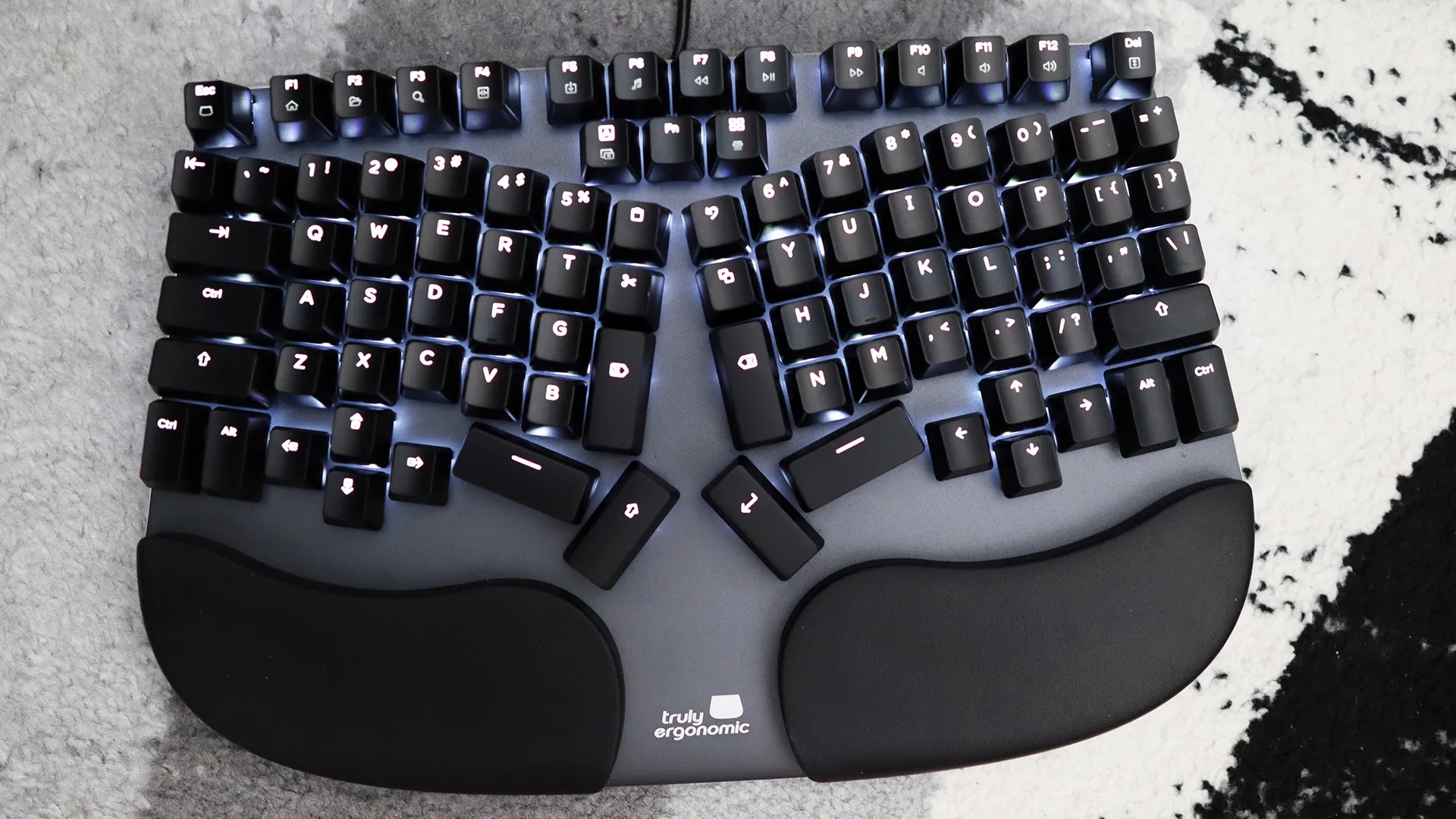 Figure: Ergonomic Keyboard - Split design reduces strain during long typing sessions
- Virtual/On-Screen Keyboards: These are software-based keyboards that appear on a display, typically a touchscreen. They are the primary input method for smartphones and tablets and are also used as an accessibility feature in desktop operating systems.
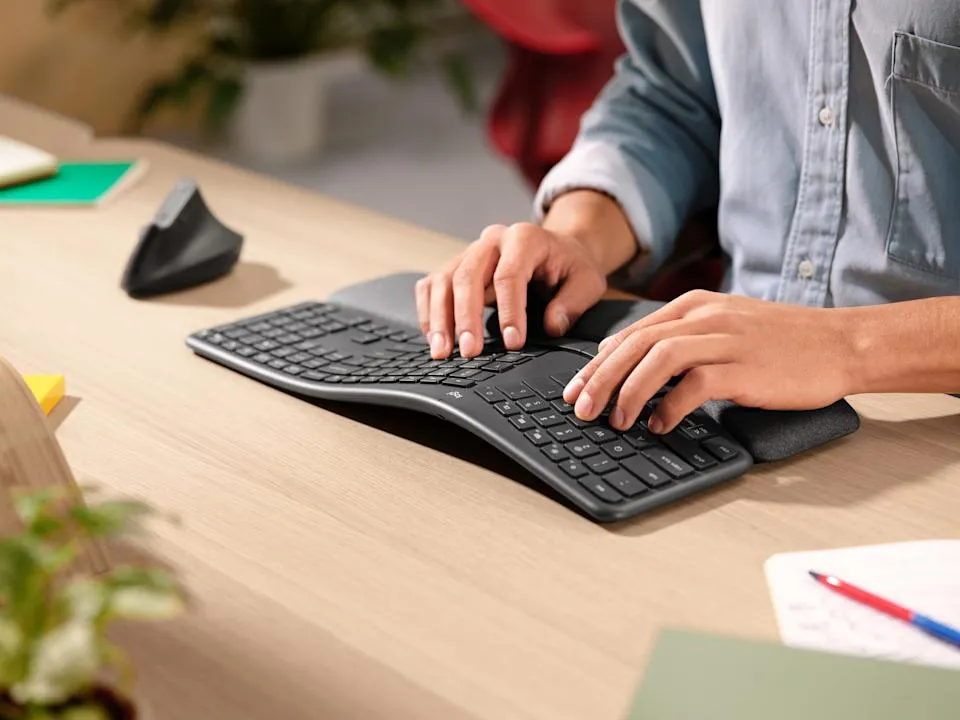 Figure: Foldable Keyboard - Portable option for mobile professionals
2. Based on Key Technology
- Membrane Keyboards: The most common and affordable type. They use a flexible membrane or rubber sheet with electrical contacts underneath the keys. When a key is pressed, it pushes the membrane down to complete a circuit. They are quiet but offer less tactile feedback.
- Business Use: Standard office environments, call centers.
- Mechanical Keyboards: Each key has an individual mechanical switch underneath it. These switches provide distinct tactile and audible feedback, making them highly durable and preferred by fast typists, programmers, and gamers.
- Business Use: Data-intensive roles, programming, content creation where typing speed and accuracy are paramount.
3. Based on Connectivity
- Wired Keyboards: Connect to a computer via a cable, typically USB. They offer a reliable connection and do not require batteries.
- Wireless Keyboards: Connect via wireless technologies like Bluetooth or a dedicated RF (Radio Frequency) dongle. They provide a clutter-free workspace and flexibility but require batteries or recharging.
4. Specialized Keyboards
- Point-of-Sale (POS) Keyboards: Used in retail and hospitality. These are often compact, durable, and feature programmable keys for specific functions (e.g., “Cash,” “Credit,” “Discount”) to speed up transactions.
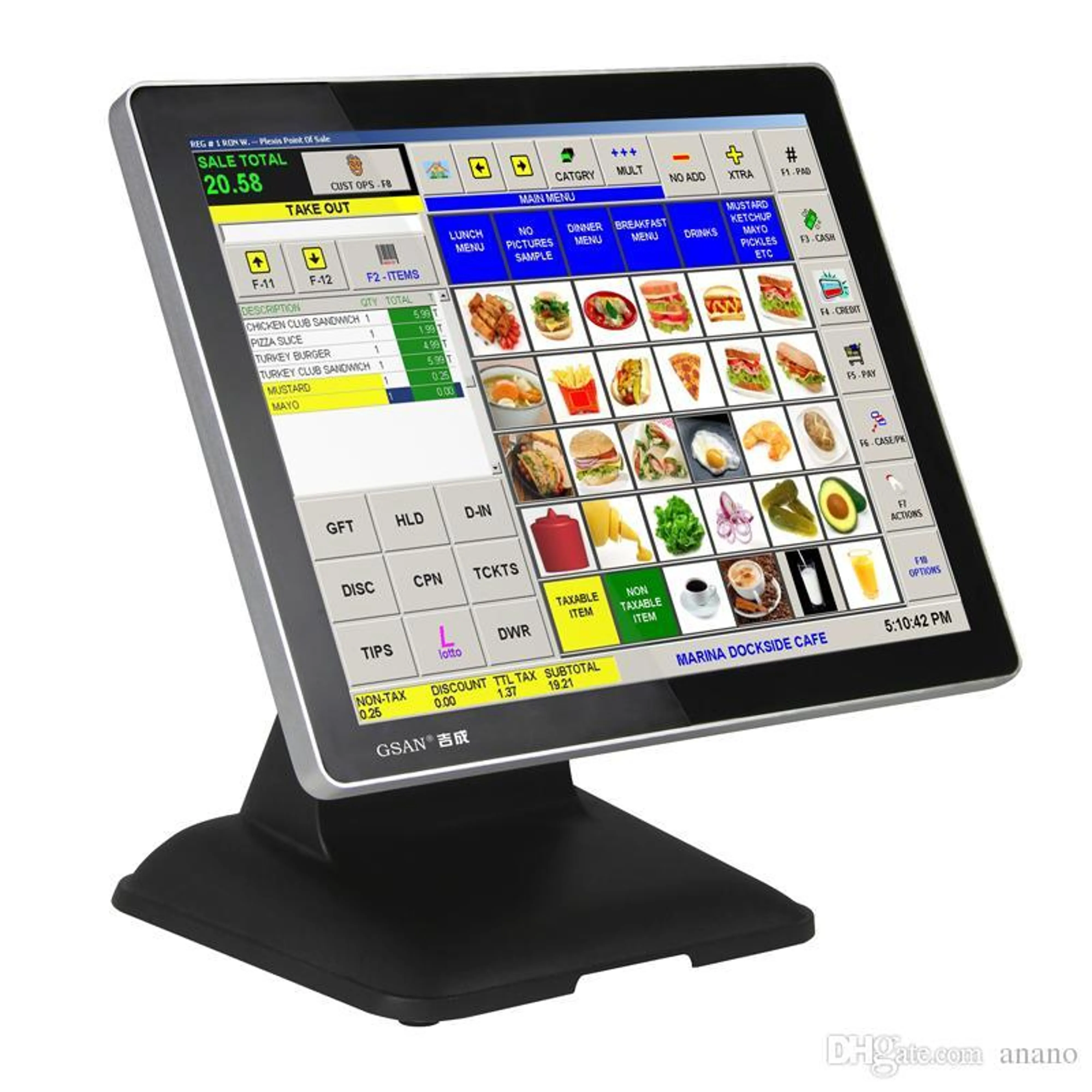 Figure: POS Terminal - Specialized keyboard for retail transactions
- Gaming Keyboards: Feature mechanical switches, customizable macro keys (a single keypress that executes a sequence of commands), and RGB backlighting.
Business Applications
The keyboard is a universal tool in business, critical to the operations of every department.
- Finance and Accounting:
- Data Entry: Accountants and financial analysts use the numeric keypad extensively for entering large volumes of numerical data into spreadsheets (e.g., Microsoft Excel) and accounting software (e.g., Tally).
- Reporting: Creating financial statements, audit reports, and budget forecasts.
- Analysis: Using keyboard shortcuts in financial modeling software to execute commands and navigate complex datasets quickly.
- Human Resources (HR):
- Documentation: Typing job descriptions, offer letters, employment contracts, and policy documents.
- Data Management: Entering and updating employee information in Human Resource Information Systems (HRIS).
- Communication: Composing emails to candidates, staff announcements, and internal memos.
- Operations and Supply Chain:
- Inventory Management: Inputting stock-keeping units (SKUs), quantities, and location data into inventory management systems or Enterprise Resource Planning (ERP) software.
- Logistics: Creating shipping labels, tracking manifests, and communicating with suppliers and distributors.
- Industrial Use: Ruggedized, spill-proof keyboards are often used in warehouses and manufacturing floors where conditions can be harsh.
- Marketing and Sales:
- Content Creation: Writing marketing copy for advertisements, blog posts, social media updates, and website content.
- CRM Management: Entering customer details, sales notes, and interaction logs into Customer Relationship Management (CRM) systems like Salesforce.
- Customer Service: Responding to customer queries quickly and professionally via email, live chat, or social media platforms.
Real-World Examples from Nepal
-
Banking Operations at Nabil Bank: A teller at any Nabil Bank branch uses a standard desktop keyboard with a numeric keypad as their primary tool. For every transaction, they must accurately type in account numbers, transaction amounts, and customer details into the bank’s core banking software. The speed and accuracy afforded by a physical keyboard are crucial for maintaining efficient customer service and ensuring financial data integrity.
-
E-commerce Fulfillment at Daraz Nepal: In a Daraz fulfillment center, an employee managing outgoing orders uses a keyboard connected to a computer at their packing station. After scanning a product’s barcode, they use the keyboard to confirm the item, enter packaging details, and print the shipping label from their logistics software. This process ensures that the correct product is shipped to the correct address.
-
Point-of-Sale (POS) Systems at Bhat-Bhateni Supermarket: The cashiers at Bhat-Bhateni use specialized POS keyboards. These keyboards have keys programmed for specific, frequent actions like “Apply Membership Discount,” “Void Item,” or selecting payment methods (e.g., “eSewa,” “Khalti,” “Card”). This specialization drastically speeds up the checkout line compared to using a standard keyboard and mouse for every action, improving customer experience and operational efficiency.
Key Takeaways
- Keystroke devices (keyboards) are the most essential input hardware for text, numeric, and command-based data entry in a business setting.
- The choice of keyboard—be it ergonomic, mechanical, or a specialized POS system—can significantly impact employee productivity, accuracy, and even well-being.
- Every business function, from finance to HR to operations, relies heavily on keyboards for daily tasks like data entry, communication, and system management.
- Proficiency with keyboard shortcuts in common business software (like Excel or an ERP system) is a key skill for enhancing workplace efficiency.
Review Questions
- Explain the primary difference between a membrane and a mechanical keyboard. Why might a company invest in more expensive mechanical keyboards for its data entry team?
- Describe two distinct ways a keyboard is used in the operations of an e-commerce company like Daraz.
- How does a specialized Point-of-Sale (POS) keyboard, like those used at Bhat-Bhateni, improve business efficiency over a standard QWERTY keyboard?
- Why is the numeric keypad considered a critical feature for keyboards used in finance and accounting departments?


