Unit 1 · Session 1
Introduction, Digital vs Analog, and Generations
Today's focus
- Introduction to Computers
- Generations of Computers
🎯 Learning Objectives
By the end of this session, you will be able to:
- ✅ Define a computer and explain the Input-Process-Output (IPO) cycle.
- ✅ Differentiate between digital and analog computers.
- ✅ List the key characteristics of a modern computer.
- ✅ Identify the key technology, advances, and limitations of each of the five generations.
- ✅ Compare generations by size, cost, speed, and programming language.
Introduction to Computers
What is a Computer?
An electronic device that processes data and performs tasks according to a set of instructions.
At its core, everything a computer does follows a simple, powerful cycle:
This is the Input-Process-Output (IPO) model, the foundation of all computing.
Activity: Classify the IPO Step
Click the correct step — Input, Process, or Output — for each scenario.
Analog vs. Digital Computers
Computers are classified based on how they represent data.
Analog Computers 🌡️
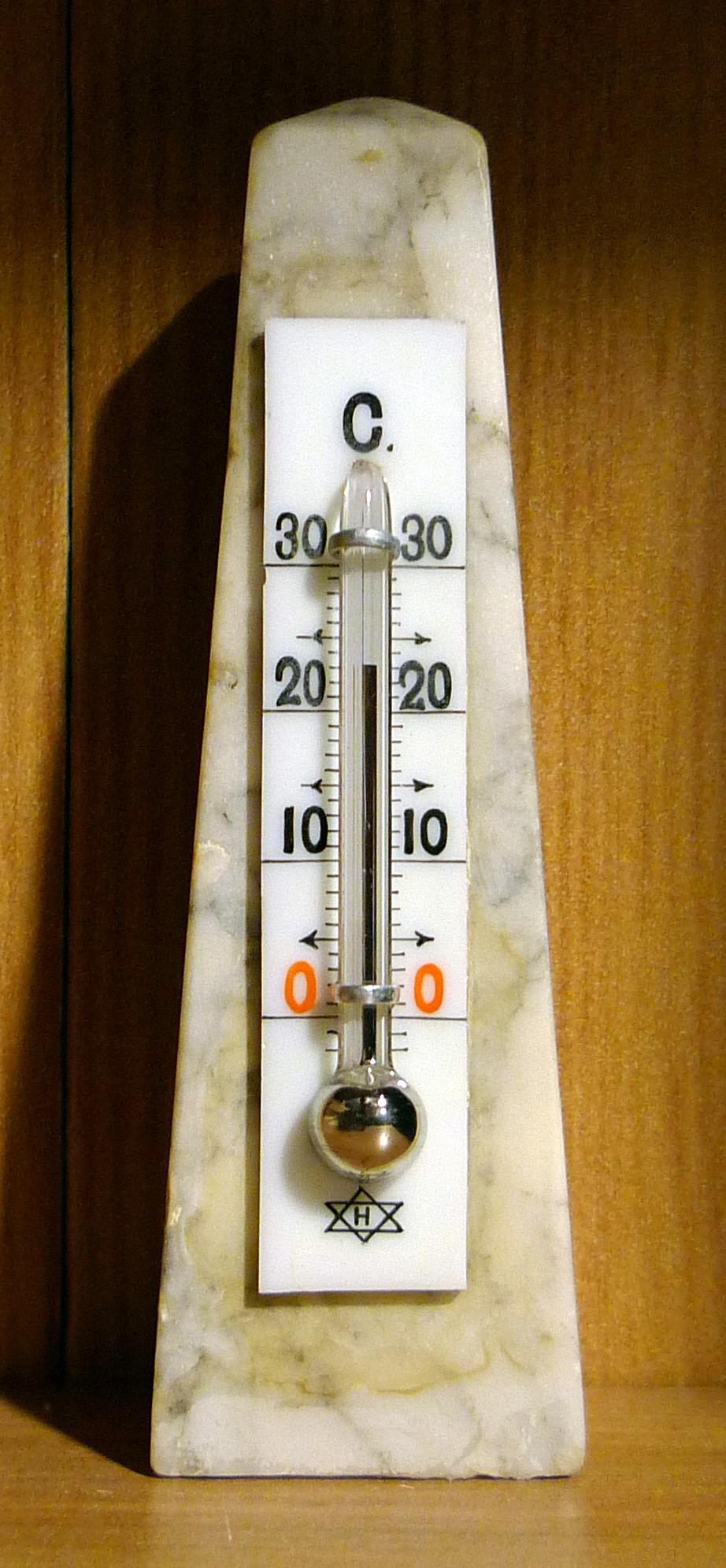
- Process continuous, variable data.
- Measure physical quantities.
- Examples: A traditional mercury thermometer, a car's speedometer, a voltmeter.
Digital Computers 💻
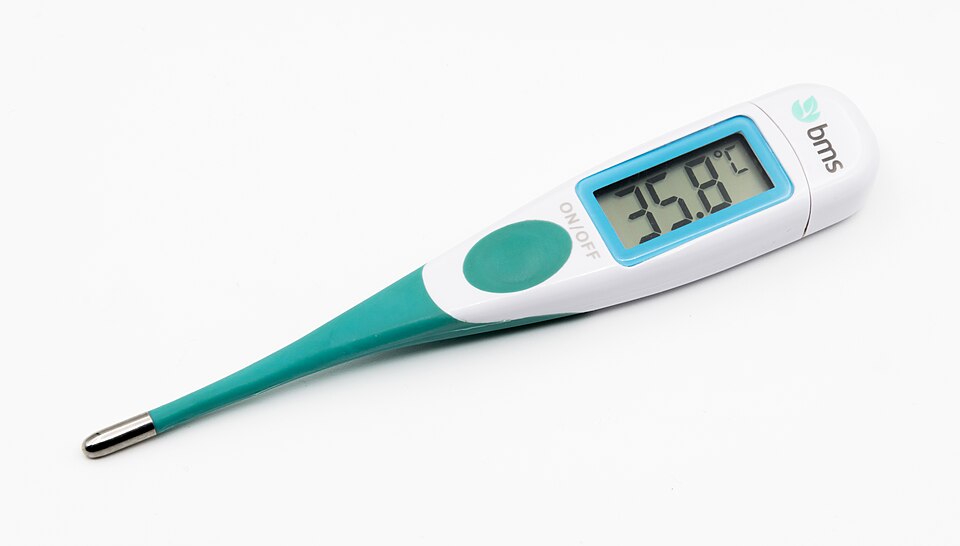
- Process discrete data in binary format (0s and 1s).
- Perform logical and arithmetic operations.
- Examples: Laptops, smartphones, smartwatches, calculators.
Activity: Analog or Digital?
Click Analog or Digital to classify each device.
Practical Application: Computers in Nepal
You use digital computers every day, often without thinking about it!
📱 Digital Payments
Using eSewa or Khalti to pay a utility bill is a perfect IPO example: You input the details, the app processes the payment, and you get a confirmation output.
🚌 Smart Public Transport
The digital ticketing systems used in some Kathmandu Valley buses are small, dedicated computers that process fares and track passenger data.
Key Characteristics of a Computer
What makes modern digital computers so powerful?
⚡ Speed
Performs billions of calculations per second. Far beyond human capability.
✅ Accuracy
Calculations are extremely precise. Errors are almost always due to human input or programming flaws.
⚙️ Diligence
Never gets tired or bored. Can perform repetitive tasks for hours with the same accuracy.
Key Characteristics (Continued)
🔄 Versatility
A single machine can be used for entertainment, scientific research, design, and communication.
💾 Storage Capacity
Can store vast amounts of data in a tiny physical space and retrieve it almost instantly.
Combined: These characteristics are why computers have revolutionized every aspect of modern life.
Activity: Explore Computer Characteristics
Click each card to flip it and discover what that characteristic means.
A Brief History: The Five Generations
The evolution of computers is marked by major technological shifts.
- 1st Gen (1940s-50s): Vacuum Tubes. Enormous, expensive, and unreliable machines that filled entire rooms.
- 2nd Gen (1950s-60s): Transistors. Replaced vacuum tubes, making computers smaller, faster, cheaper, and more reliable.
- 3rd Gen (1960s-70s): Integrated Circuits (ICs). Placed many transistors on a single silicon chip, drastically reducing size and cost.
- 4th Gen (1970s-Present): Microprocessors. An entire CPU on a single chip. This led to the Personal Computer (PC) revolution.
- 5th Gen (Present & Beyond): Artificial Intelligence (AI). Focuses on parallel processing and creating machines that can learn and reason.
Video: Early Computing
Activity: Match the Generation to its Technology
Click a generation on the left, then click its matching technology on the right.
Generation
Key Technology
The Game Changer: The Microprocessor
The Microprocessor (4th Gen) is arguably the most significant invention in computing history. It contains thousands or millions of Integrated Circuits on a single tiny chip.
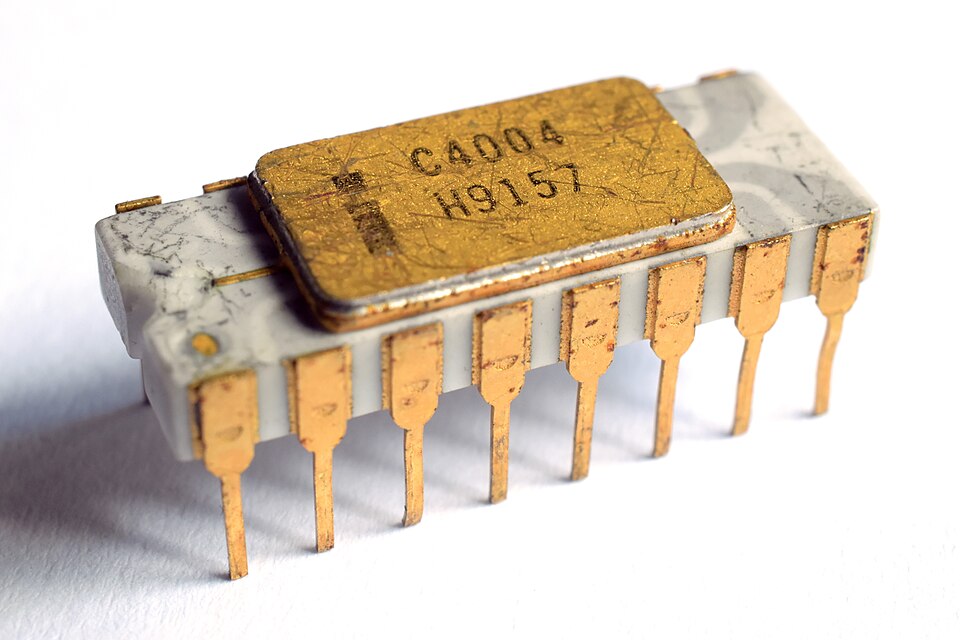
The Intel 4004 (1971) - The world's first commercial microprocessor.
How did it change the world?
- It made the Personal Computer (PC) possible and affordable.
- It put computing power into the hands of individuals, not just large organizations.
- It is the "brain" inside your smartphone, car, and countless other smart devices.
Quiz: Microprocessors & Computer Generations
Quiz Complete!
Key Takeaways
- A computer is a device that follows the Input-Process-Output (IPO) model.
- Digital computers (using 0s and 1s) are the standard today, distinct from older analog computers.
- Core characteristics that make computers powerful are Speed, Accuracy, Diligence, Versatility, and Storage.
- Computer history is defined by generations based on key technology: Vacuum Tubes ➔ Transistors ➔ ICs ➔ Microprocessors ➔ AI.
Discussion & Questions
Think About It...
Which computer characteristic do you think is most important for scientific research? Why?
Discuss
Besides a laptop or phone, what is another digital computer you use daily? Be prepared to share.
Generations of Computers
Why Study Computer History?
Every device you use today stands on the shoulders of decades of innovation.
- A modern smartphone is millions of times more powerful than the room-sized computers of the 1940s.
- Each generation solved specific problems of the previous one — smaller, faster, cheaper, smarter.
- Recognising the pattern of innovation helps us think critically about AI and quantum computing.
The Five Generations: Vacuum Tubes → Transistors → Integrated Circuits → Microprocessors → Artificial Intelligence
Interactive: Build the Timeline
Click each generation card in chronological order (oldest → newest), then check your answer.
First Generation (1940–1956)
Key Technology: Vacuum Tubes
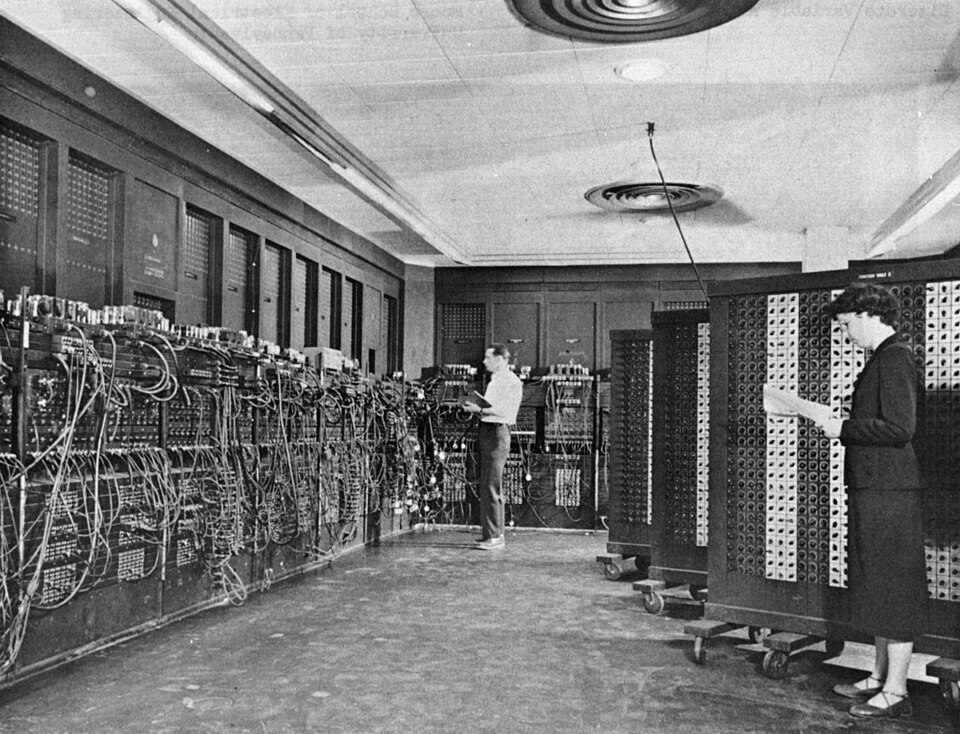
Characteristics
- Thousands of fragile glass vacuum tubes.
- Occupied entire rooms — some gymnasium-sized.
- Generated immense heat; frequent breakdowns.
- Input via punched cards; output via printouts.
- Programmed in machine language (binary: 0s and 1s).
Key Machines
- ENIAC (1945): First general-purpose computer; ~18,000 vacuum tubes; weighed 30 tons.
- UNIVAC I (1951): First commercial computer; used for the US Census.
- IBM 701: IBM's first commercial scientific computer.
Explorer: Key 1st Generation Machines
Click any card to flip it and reveal key facts.
ENIAC
Click to reveal
ENIAC (1945)
- ~18,000 vacuum tubes
- Weighed ~30 tonnes
- Filled an entire room
- Could do 5,000 additions/sec
- Programmed by rewiring
UNIVAC I
Click to reveal
UNIVAC I (1951)
- First commercial computer
- Used for 1950 US Census
- Had ~5,200 vacuum tubes
- Could read magnetic tape
- Predicted election results on TV
Vacuum Tube
Click to reveal
Vacuum Tube Tech
- Glass tube with no air inside
- Controls electrical current flow
- Generated enormous heat
- Failed every few minutes
- Replaced by transistors in 1956
Click a flipped card to flip it back.
Second Generation (1956–1963)
Key Technology: Transistors
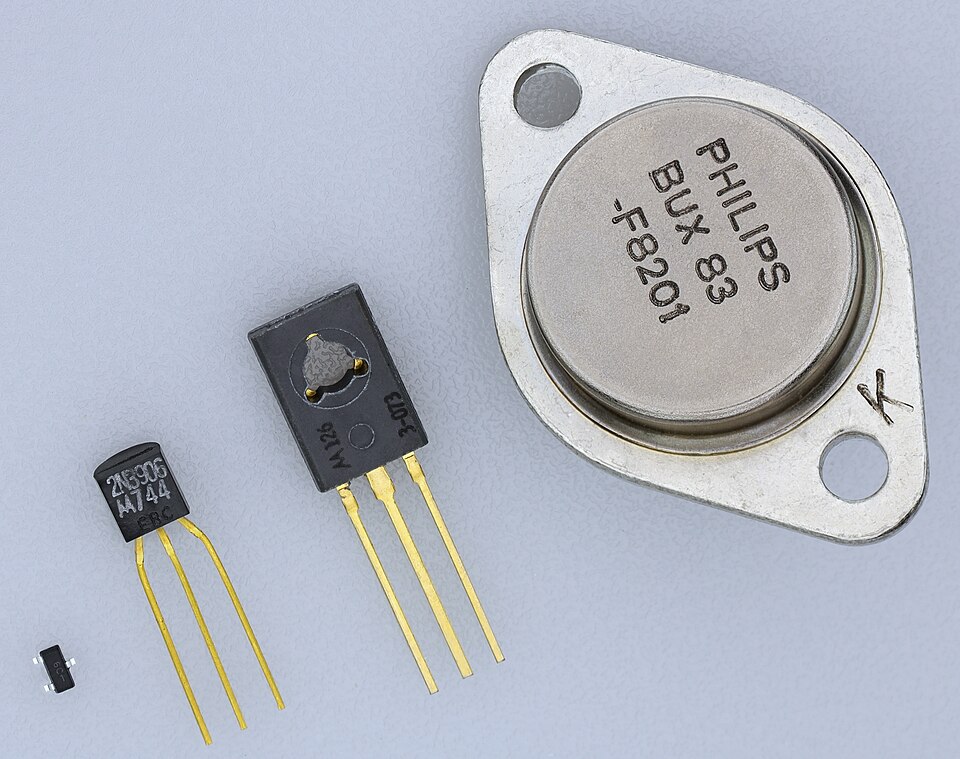
The transistor replaced the vacuum tube — a revolutionary leap in reliability and efficiency.
- Transistors were smaller, cheaper, faster, and far more reliable.
- Computers shrank from room-sized to cabinet-sized.
- Shift from machine language to assembly language.
- First high-level languages appeared: FORTRAN (science) and COBOL (business).
- Magnetic core memory replaced cathode ray tubes for storage.
Examples: IBM 7090, Honeywell 400, UNIVAC II.
Third Generation (1964–1971)
Key Technology: Integrated Circuits (ICs)
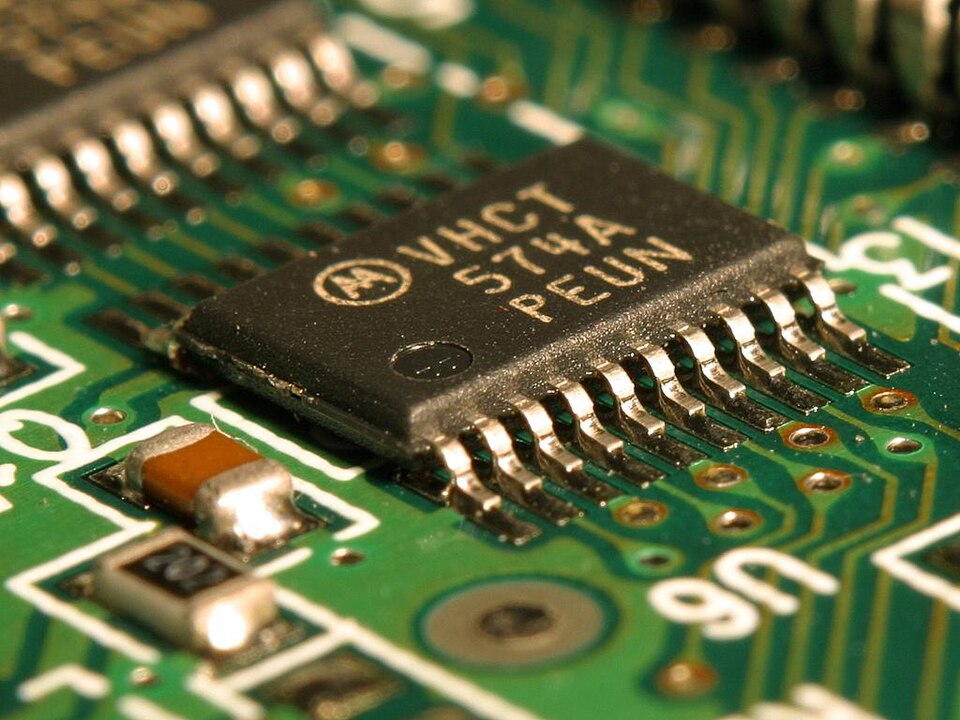
Multiple transistors packed onto a single silicon chip — the Integrated Circuit.
- Drastically reduced size and cost; greatly increased speed.
- Operating systems emerged, enabling time-sharing and multiprogramming.
- One computer could serve multiple users simultaneously.
- High-level languages like BASIC became widely used.
- Computers became accessible to medium-sized businesses.
Examples: IBM System/360, DEC PDP-8.
Quiz: Transistors & Integrated Circuits
True or False? Click your answer for instant feedback.
1. Transistors replaced vacuum tubes in the 2nd generation of computers.
2. Punched cards were the primary input method for 3rd generation computers.
3. An Integrated Circuit packs multiple transistors onto a single silicon chip.
4. FORTRAN and COBOL were first-generation programming languages.
5. Time-sharing and multiprogramming first emerged in the 3rd generation.
Fourth Generation (1971–Present)
Key Technology: Microprocessors
The entire CPU placed on a single chip — the Microprocessor.
Key Advances
- Computers shrank to desktop size — the Personal Computer (PC).
- Graphical User Interface (GUI) made computing accessible to everyone.
- The Internet connected billions worldwide.
- Laptops and smartphones — computing in your pocket.
Key Examples
- Intel 4004 (1971): First commercial microprocessor.
- Apple II (1977): Early personal computer.
- IBM PC (1981): Standardised personal computing.
- Modern Smartphones: Billions of transistors on one chip.
Game: Which Generation Is It?
Read the scenario and click the correct computer generation.
Fifth Generation (Present and Beyond)
Key Technology: Artificial Intelligence (AI)
Machines that can learn, reason, and solve problems — inspired by the human mind.
AI-Powered Computing
- Natural Language Processing (NLP): Understanding and generating human language.
- Machine Learning: Systems that improve from experience without explicit re-programming.
- Expert Systems: AI that diagnoses, advises, and recommends like a specialist.
Emerging Technologies
- Quantum Computing: Uses quantum bits (qubits) for exponentially faster processing of complex problems.
- Parallel Processing: Multiple processors simultaneously tackle sub-tasks.
- Examples: ChatGPT, Google DeepMind, IBM Quantum.
Comparison Table: Click to Reveal
Click any blue cell to reveal its content, or use the buttons below.
| Attribute | 1st Gen 1940–56 |
2nd Gen 1956–63 |
3rd Gen 1964–71 |
4th Gen 1971–Now |
5th Gen Now+ |
|---|---|---|---|---|---|
| Technology | Reveal | Reveal | Reveal | Reveal | Reveal |
| Size | Reveal | Reveal | Reveal | Reveal | Reveal |
| Language | Reveal | Reveal | Reveal | Reveal | Reveal |
| Speed | Reveal | Reveal | Reveal | Reveal | Reveal |
| Reliability | Reveal | Reveal | Reveal | Reveal | Reveal |
Click individual cells or use "Reveal All" to compare all five generations.
Key Takeaways
- Each generation brought a breakthrough technology that solved the main limitations of the previous one.
- Computers went from room-sized machines to pocket-sized devices in roughly 80 years.
- The guiding pattern: smaller, faster, cheaper, and more intelligent with every generation.
- We are now in the 5th generation — shaped by Artificial Intelligence and quantum computing.
- Understanding this history helps us evaluate and adopt new technologies critically.
Discussion & Questions
Think About It...
Which generation do you think had the greatest impact on everyday life in Nepal? Justify your answer.
Discuss
Research one AI application you use regularly (e.g., a recommendation system, voice assistant, or ride-hailing app) and identify which 5th generation features it uses.
Exam Practice 📝
Short answer
- Define a computer. Explain the IPO cycle.
- What technology was used in each of the five generations of computers?
- Differentiate between data and information.
- State two limitations of first-generation computers.
Long answer
- Explain the characteristics and limitations of a computer.
- Explain the generations of computers with their characteristics and examples.
Revise the answers in the full notes linked on the last slide.
Thank You
Questions before we wrap this hour?
Next: Unit 1 · Session 2 — Classification, Functions, and System Components
📖 Read the full notes: Introduction to Computers · Generations of Computers