Unit 6.5
How ERP Systems Support Business Processes: The Order-to-Cash Cycle
Learning Objectives 🎯
By the end of this session, you will be able to:
- ✅ Explain how an ERP system supports a cross-functional business process.
- ✅ Describe the steps of the Order-to-Cash (O2C) business process.
- ✅ Identify how different ERP modules (Sales, SCM, Finance) interact during the O2C cycle.
- ✅ Understand the power of integration in reducing errors and providing real-time visibility.
The Challenge: Information Silos
Traditional (Siloed) Approach
- Sales has its own system.
- Warehouse has a separate inventory list.
- Accounting uses different software.
- ❌ Manual data re-entry
- ❌ High chance of errors
- ❌ No real-time visibility
Integrated ERP Approach
- One central database.
- All departments use the same system.
- Data entered once is available to everyone.
- ⚡ Automated workflows
- ⚡ Single source of truth
- ⚡ Real-time visibility
The Order-to-Cash (O2C) Cycle
Definition: The Order-to-Cash (O2C) cycle is the complete set of business processes covering the receipt and processing of a customer order, its fulfillment, and the receipt of payment.
It's the core process of how a company makes money from its sales.
Let's see how an ERP makes this seamless.
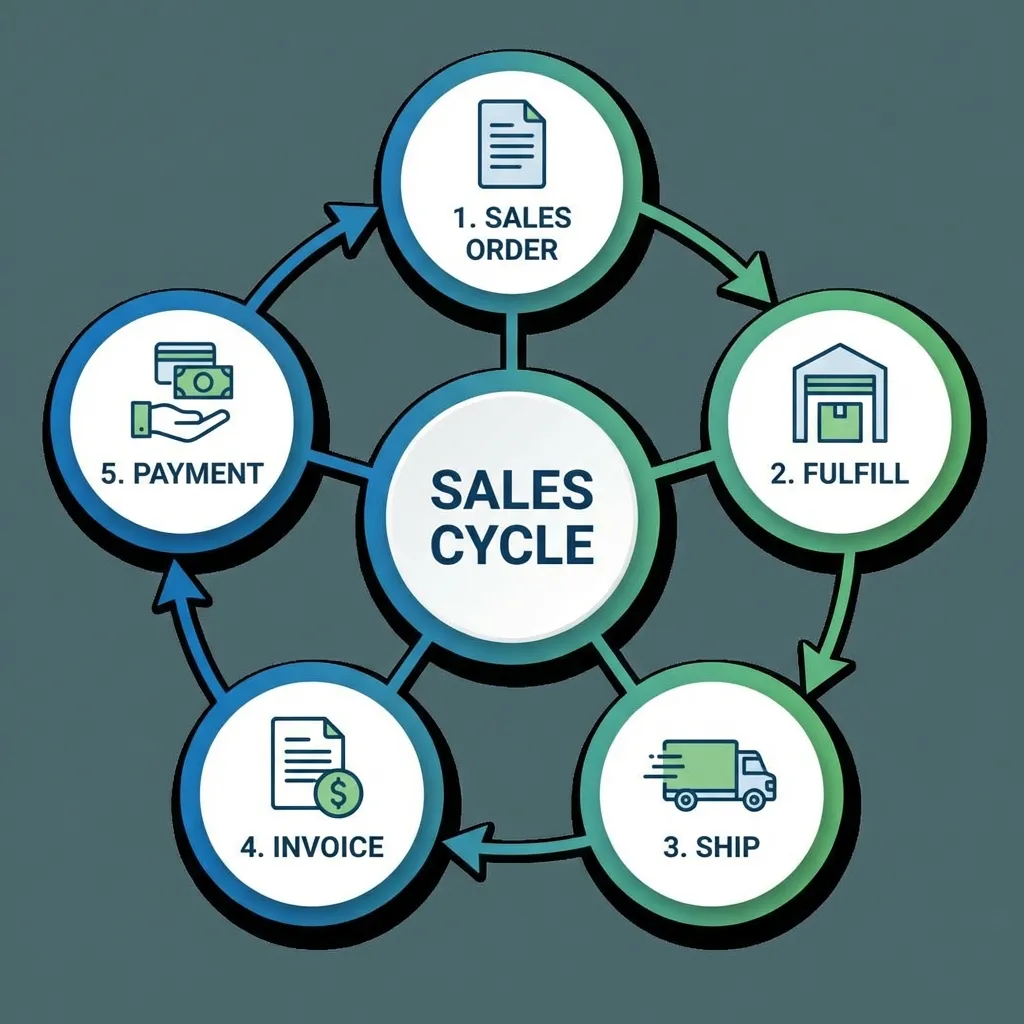
The O2C Journey: An Overview 🗺️
- Step 1: Create Sales Order (Sales Dept)
- Step 2: Fulfill Order (Warehouse/Operations)
- Step 3: Ship Order (Logistics/Shipping)
- Step 4: Create Invoice (Accounting)
- Step 5: Receive Payment (Accounting)
In an ERP, each step automatically triggers the next, creating a smooth, integrated flow.
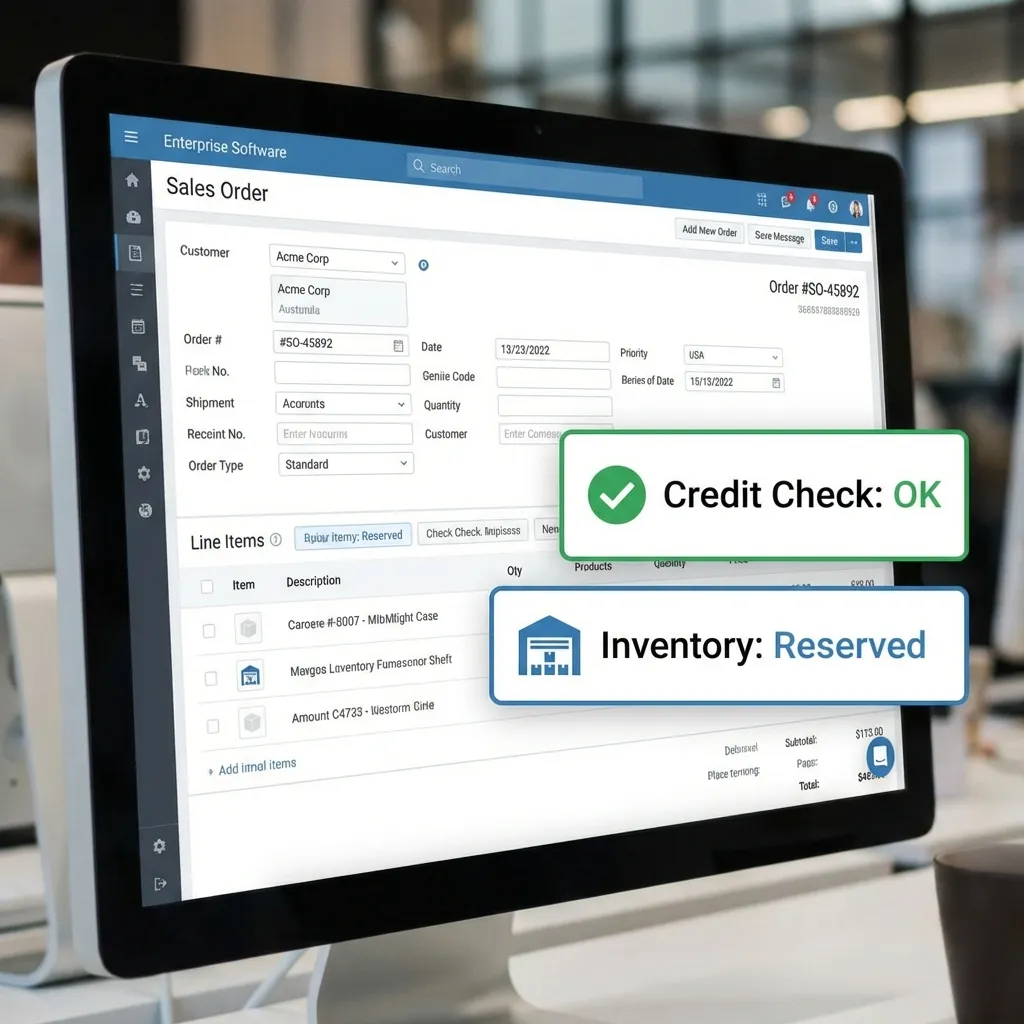
Step 1: Create Sales Order (Sales Dept)
A salesperson receives a new order from a customer.
- They access the CRM or Sales module to create the order.
-
⚡ Integration in Action: The ERP instantly...
- Checks customer credit limit (Financial Module).
- Verifies and reserves inventory (SCM Module).
- Once confirmed, the order automatically moves to the next stage.
Steps 2 & 3: Fulfill & Ship (Operations)
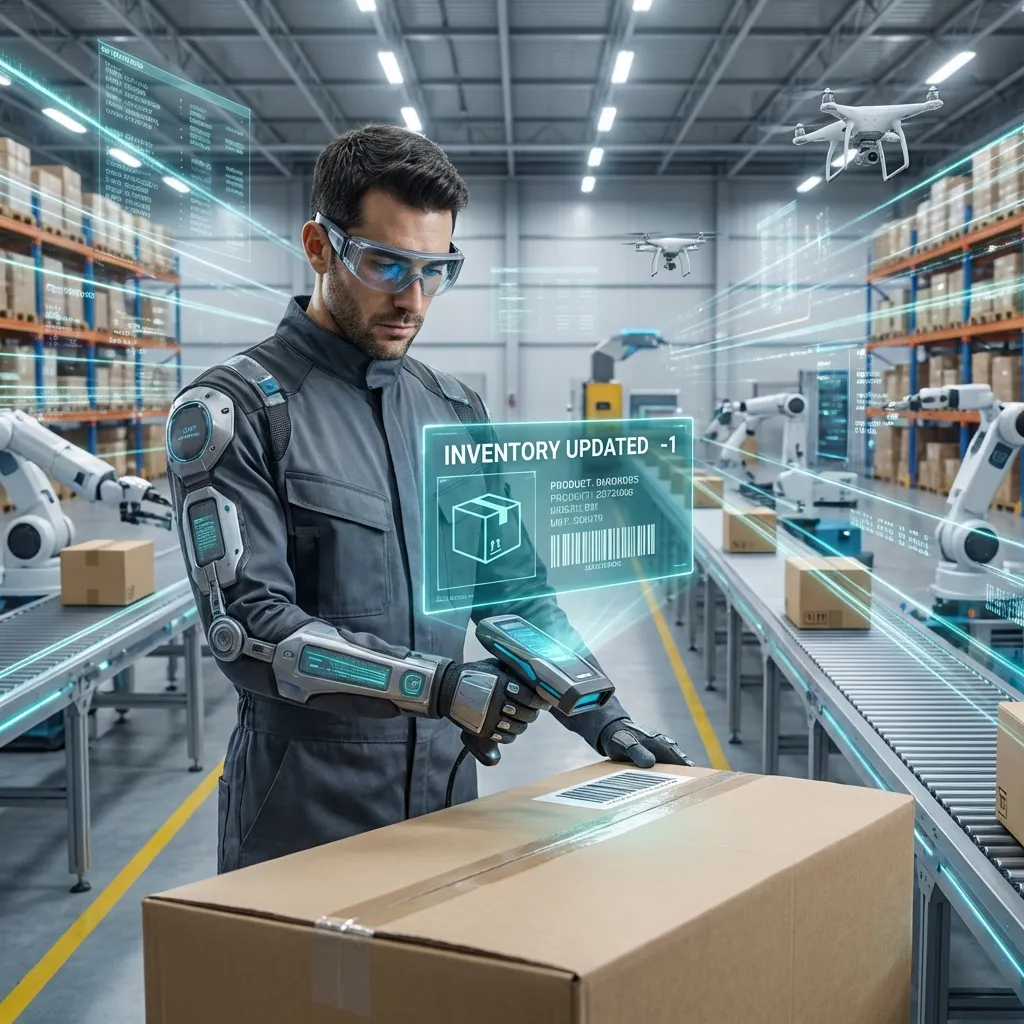
Step 2: Fulfill Order (Warehouse)
- Confirmed order appears as a "pick list" in the SCM module.
- Staff picks and scans items.
- 📊 Inventory levels are updated in real-time across the entire system.
Step 3: Ship Order (Logistics)
- SCM module generates shipping documents (packing slip, etc.).
- System can integrate with carriers (e.g., Aramex, local couriers).
- Shipping the order updates its status and triggers invoicing.
Steps 4 & 5: Invoice & Payment (Accounting)
Step 4: Create Invoice
- Shipping the order automatically triggers the Financial module.
- An invoice is generated and sent to the customer.
- An entry is created in Accounts Receivable (A/R).
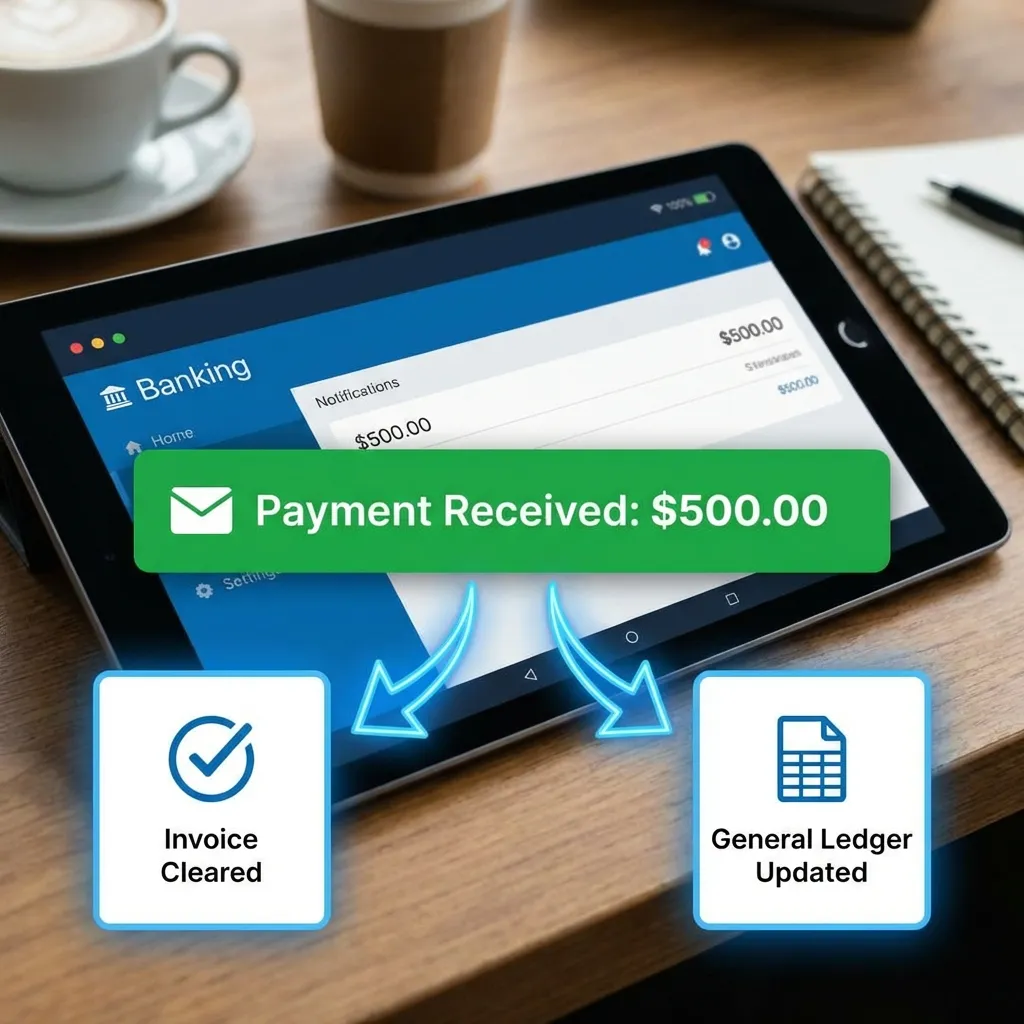
Step 5: Receive Payment
- Clerk records payment in the Financial module.
-
⚡ Integration in Action: This single entry...
- Clears the A/R invoice.
- Updates the cash balance.
- Updates the customer's credit status.
Visualizing the Integrated Flow 🔄
Sales Module
Sales Order Created
⬇️
Triggers...
SCM Module
Pick List Generated
Inventory Updated
Order Shipped
⬇️
Triggers...
Financial Module
Invoice Generated
Payment Recorded
General Ledger Updated
The ERP acts as the central nervous system, ensuring seamless communication between departments.
Practical Application: O2C in Nepal
Scenario: A Kathmandu-based electronics distributor (e.g., a supplier for Daraz) uses an ERP system.
- Order: A customer in Pokhara orders a laptop via their website (integrated with the ERP's Sales module).
- Integration: The ERP checks the Kathmandu warehouse stock (SCM) and the customer's payment status via an integrated gateway like eSewa or Khalti (Finance).
- Fulfillment: The warehouse team gets the pick order. The ERP suggests the best local courier based on delivery time to Pokhara.
- Visibility 🔍: The sales team in Kathmandu can see the exact moment the laptop is shipped and when the payment is cleared, without making a single phone call to the warehouse or accounting.
Key Takeaways recap
What have we learned about ERPs and the O2C cycle?
- ERPs streamline cross-functional processes by integrating departments onto a single platform.
- The Order-to-Cash (O2C) cycle is a perfect example of an end-to-end process supported by an ERP.
- An action in one module (Sales) automatically triggers actions in others (SCM, Finance).
- This integration provides a single source of truth and real-time visibility across the entire organization.
Discussion Questions 💬
- What problems could occur in the O2C process if a company used separate, non-integrated systems (information silos)?
- Besides Order-to-Cash, what is another cross-functional process that would benefit from an ERP system? (Hint: Think about buying materials).
- How does real-time inventory visibility from an ERP specifically benefit the sales department?
Thank You
Any questions?