Unit 4.3
Wireless Computer Networks and Internet Access
Learning Objectives
By the end of this chapter, you will be able to:
- ✅ Explain the key components and function of a Wireless Local Area Network (WLAN).
- ✅ Differentiate between various WLAN security protocols and identify the current standard.
- ✅ Describe how mobile devices access the internet using cellular networks and hotspots.
- ✅ Identify the security risks of public Wi-Fi and explain best practices for safe usage.
The Foundation: Wireless Technologies
Wireless Technology: The building block for networks that connect devices without physical cables, primarily for creating WLANs and providing mobile internet access.
Think of it as invisible infrastructure, connecting everything from your laptop to your smartphone.
🏠 Wireless LAN (WLAN)
Limited area coverage like a home or office (e.g., Wi-Fi).
🌐 Mobile Internet
Wide area coverage for on-the-go access (e.g., 4G/5G).
Zooming In: Wireless Local Area Networks (WLAN)
A WLAN allows devices to connect and communicate wirelessly within a limited area. The dominant technology is Wi-Fi.
🏠 🏢 🏫
Commonly found in your home, office, or university campus, creating a "bubble" of connectivity.
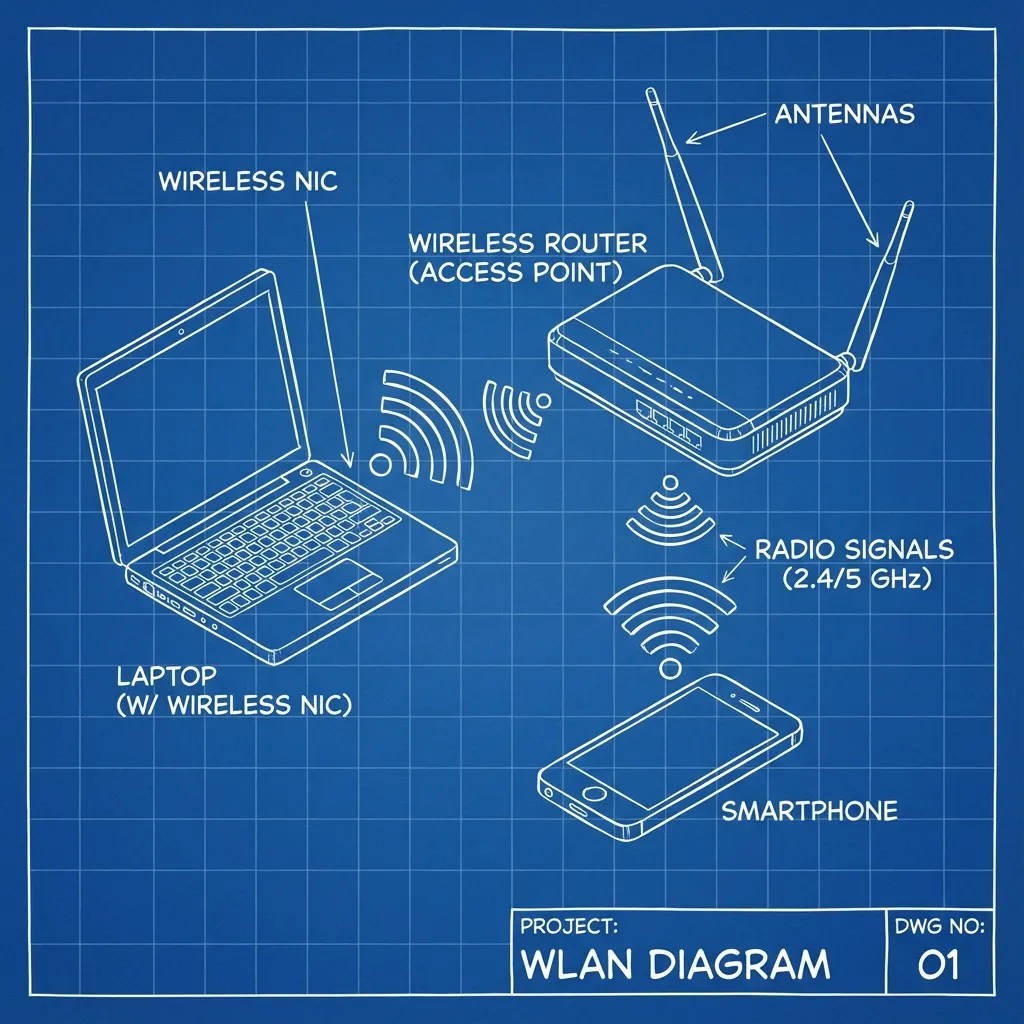
Anatomy of a WLAN 📡
Three core components work together to make your Wi-Fi function:
1. Access Point (AP)
The broadcaster. Sends the Wi-Fi signal. Usually part of your wireless router at home.
2. Wireless NIC
The receiver. A component inside your laptop or phone that lets it "hear" the Wi-Fi signal.
3. SSID
The public network name. It's how you identify which Wi-Fi to connect to from a list.
What's in a Name? The SSID
The SSID (Service Set Identifier) is the public name that distinguishes one wireless network from another.
Example: When your phone shows a list of available networks...
- "CG_NET_5G_Home"
- "Worldlink_Guest"
- "MyPhone_Hotspot"
...you are seeing a list of SSIDs broadcast by nearby Access Points.
Securing the Airwaves 🔒
Because Wi-Fi signals travel through the air, they can be intercepted. Security is not optional; it's essential.
The Goal: Ensure only authorized users can connect and that all data transmitted is unreadable to eavesdroppers through encryption.
Evolution of Wi-Fi Security
Security protocols have improved dramatically over time.
👎 Obsolete & Insecure
- WEP: The original. Deeply flawed and easily broken. Avoid at all costs.
- WPA: A temporary fix for WEP's problems. Also now considered insecure.
👍 Modern & Secure
- WPA2: The long-time standard. Still common and generally secure for home use.
- WPA3: The current standard. Offers robust encryption and protection against modern attacks.
⚡ Takeaway: Always choose WPA3 if available. If not, WPA2 is the minimum security you should accept.
Internet On-the-Go: Mobile Access 📱
When you leave your Wi-Fi zone, cellular networks take over.
Cellular Data (4G/5G)
Uses cell towers to provide wide-area internet access to your mobile devices, ensuring you're always connected.
Mobile Hotspot (Tethering)
Turns your smartphone into a portable Wi-Fi router, sharing its cellular data connection with other devices like your laptop.
Practical Application: Connectivity in Nepal
Wireless technology is central to daily business and life in Nepal.
📊 Business Operations
Restaurants in Thamel use Wi-Fi for Point-of-Sale systems. Co-working spaces in Kathmandu rely on high-speed WLANs for their clients.
Connectivity on the Move
Mobile data from providers like NTC and Ncell is critical for services like eSewa or Khalti payments and for ride-sharing apps on the go.
Scenario: You're working from a cafe in Pokhara. You connect to the cafe's SSID (WLAN), but if their internet fails, you can instantly create a mobile hotspot from your phone to continue working.
The Public Wi-Fi Dilemma ☕️✈️
Hotspots in cafes, airports, and hotels offer convenience but come with significant security risks.
Major Risk: Open Networks
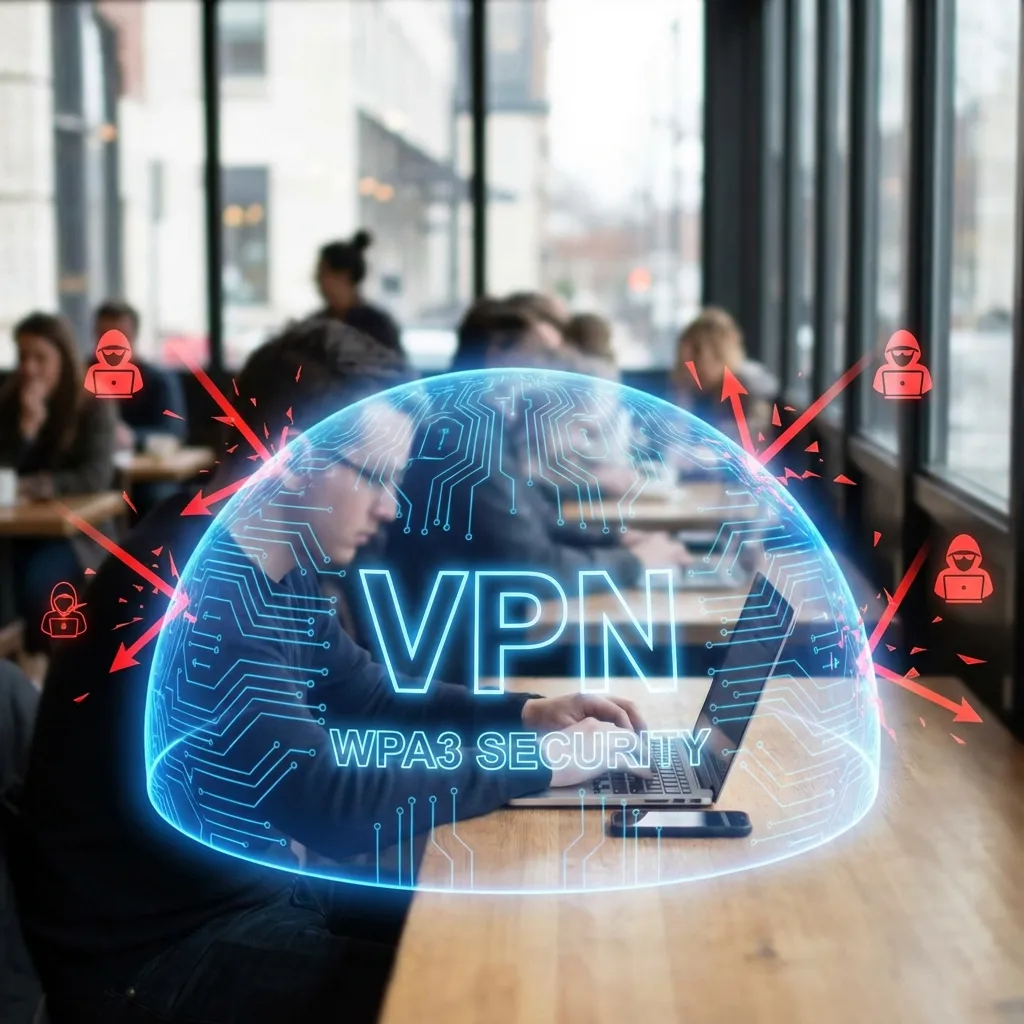
Many public hotspots are "open" — they don't require a password and don't encrypt your data. This means a hacker on the same network could spy on your activity (a "Man-in-the-Middle" attack).
🔍 Think of it like shouting your private information across a crowded room.
Your Digital Shield: Safe Public Wi-Fi Use
Protect yourself on untrusted networks with these best practices:
- Avoid logging into sensitive accounts (banking, email).
- Ensure you are visiting websites using HTTPS (look for the 🔒 icon in the address bar).
- Turn off file sharing and make your device "non-discoverable".
🎯 The Best Defense: Use a VPN
A Virtual Private Network (VPN) encrypts all your internet traffic, creating a secure, private tunnel. Even on an open network, your data becomes unreadable to snoops.
Key Takeaways 🎯
- A WLAN (like Wi-Fi) provides wireless access in a limited area using an Access Point, NIC, and SSID.
- Always secure your WLAN with WPA3 (or WPA2 at minimum) to encrypt data and prevent unauthorized access.
- Cellular data provides internet on the move, and mobile hotspots let you share that connection with other devices.
- Public Wi-Fi is inherently risky. Avoid sensitive tasks and always use a VPN for robust protection.
Thank You
Any Questions?
Next Topic: Unit 4.4: Mobile Computing and M-Commerce | IT 233