Unit 5.1
Unit 5 Intro: An Introduction to Databases
Learning Objectives
By the end of this introductory chapter, you will be able to:
- ✅ Define what a database is and its importance in modern information systems.
- ✅ Identify the key problems associated with traditional file-based systems.
- ✅ Explain the database approach and the central role of a Database Management System (DBMS).
- ✅ Recognize different types of database models and the concept of Business Intelligence.
The Core of Modern IT
What is a Database? 📊
A database is a structured, organized collection of data, stored and accessed electronically. Think of it as a highly efficient digital filing cabinet.
The ability to store, manage, and retrieve data efficiently is critical for any organization, from a small startup to a global enterprise.
The "Old Way": Traditional File Systems
Before databases, data was stored in separate, application-specific files.

This led to major problems:
- 🔴 Data Redundancy: Same data duplicated in multiple files.
- 🔴 Data Inconsistency: Duplicated data becomes out of sync.
- 🔴 Data Isolation: Difficult to access data from different applications.
- 🔴 Security Issues: Hard to enforce consistent security policies.
The "New Way": The Database Approach
The database approach centralizes data, treating it as a shared organizational resource.
⚡ Key Idea: A single, integrated repository of data is managed by a controlling agent, the DBMS.
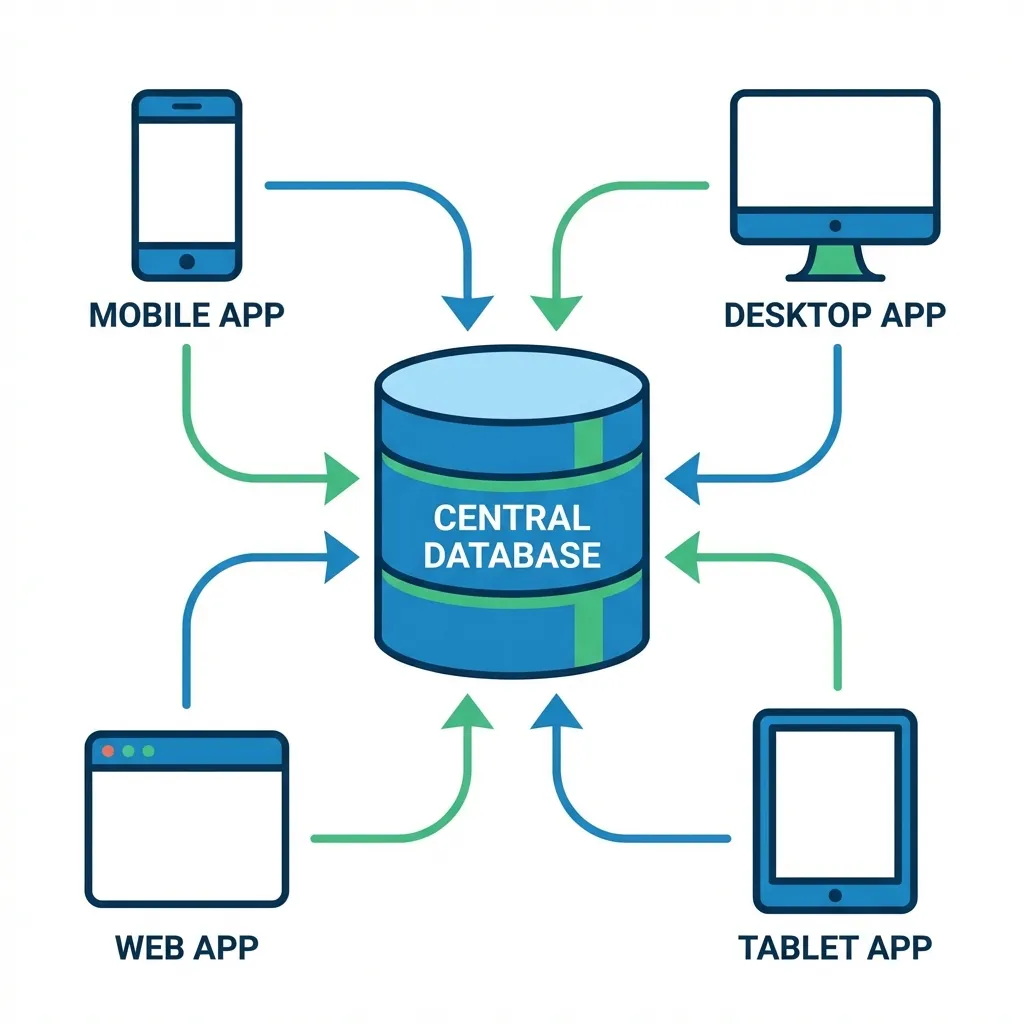
File System vs. Database Approach
File-Based System
- Decentralized data
- Data dependent on application
- High redundancy
- Low security & integrity
Database Approach
- Centralized data
- Data independence
- Controlled redundancy
- High security & integrity
The "Brain": Database Management System (DBMS)
What is a DBMS? 🧠
A Database Management System (DBMS) is the software that interacts with users, applications, and the database itself to capture and analyze data.
It's the gatekeeper that manages everything related to the database.
Examples: MySQL, PostgreSQL, Oracle, Microsoft SQL Server, MongoDB
Key Functions of a DBMS
- 🎯 Data Definition: Creating and defining the database structure (tables, fields, relationships).
- 🎯 Data Manipulation: Inserting, updating, deleting, and querying data (CRUD operations).
- 🎯 Data Security: Enforcing user permissions and preventing unauthorized access.
- 🎯 Concurrency Control: Managing simultaneous access by multiple users.
- 🎯 Backup & Recovery: Protecting data from loss or corruption.
- 🎯 Data Integrity: Enforcing rules to maintain data accuracy and consistency.
Blueprints: Database Models
A database model defines the logical structure of a database. It determines how data is stored, organized, and manipulated.
Relational Model
Data in tables (rows/columns). The most common model. (e.g., MySQL)
Hierarchical Model
Tree-like structure with parent-child relationships.
NoSQL Models
Flexible models for big data. (e.g., Document, Key-Value, Graph)
We will explore these in more detail later in the unit.
From Data to Decisions: Business Intelligence (BI)
🔍 What is Business Intelligence?
BI refers to the technologies, applications, and practices for the collection, integration, analysis, and presentation of business information. The purpose of BI is to support better business decision-making.
Databases are the foundation of BI. They store the raw data that BI tools turn into actionable insights, reports, and dashboards.
Databases in the Real World
Where do you see databases in action?
🇳🇵 Example from Nepal: eSewa
- User Data: Your profile, name, phone number, KYC details.
- Transaction Data: Every payment, transfer, and top-up is a record.
- Merchant Data: Information about businesses you can pay.
A powerful DBMS manages millions of these transactions securely and instantly.
Other examples: Your university's student information system, Daraz's product catalog, a hospital's patient records.
Key Takeaways
- A database is an organized collection of data, solving the problems of old file-based systems.
- The Database Approach centralizes data, making it a shared, manageable resource.
- A DBMS is the essential software that manages the database, ensuring security, integrity, and accessibility.
- Database models provide the blueprint for data structure, while Business Intelligence turns that data into valuable insights.
Thank You
This concludes our introduction to databases.
Next Up: Unit 5.2 - Data Concepts and Characteristics