Unit 5 · Session 4
Protocols, Hardware, and Wireless Networking
Today's focus
- Network Protocols and Hardware
- An Introduction to Wireless Networking
🎯 Learning Objectives
By the end of this session, you will be able to:
- ✅ Define a network protocol and describe the roles of TCP/IP and Ethernet.
- ✅ Identify the key hardware components of a network.
- ✅ Define wireless networking.
- ✅ Describe the key components of a Wireless LAN (WLAN).
- ✅ Explain why wireless security matters and identify the current Wi-Fi security standard.
Network Protocols and Hardware
What is a Network Protocol?
Protocol: A set of rules that governs how data is formatted, transmitted, and received in a network.
🗣️ Human Analogy
If I speak Nepali and you only speak English, we can't communicate. We need a shared language (a protocol).
💻 Computer Analogy
For two computers to share data, they must "speak" the same digital language, like TCP/IP.
The Core Protocol: TCP/IP
TCP/IP is the foundational protocol suite of the internet—the "language" every connected device speaks.
IP: The Postal Service 📮
The Internet Protocol is responsible for addressing and routing packets of data to the correct destination, like putting an address on an envelope.
TCP: The Registered Post 📦
The Transmission Control Protocol ensures data is delivered reliably and in the correct order, like a tracking number that confirms delivery.
📦 Activity: Be the Packets
Your phone sends the message "SEE YOU AT 5 IN THE LIBRARY". TCP/IP splits it into small packets. Each one carries:
- the destination IP address (where it's going)
- a sequence number (its place in the message)
Four volunteers each hold one packet card and walk to the "receiver" at the front, each by a different route around the room:
[1] SEE YOU [2] AT 5 [3] IN THE [4] LIBRARY
- The packets arrive in the order 3, 1, 4, 2. What does the receiver do? TCP puts them back in order using the sequence numbers.
- Packet 2 never arrives. What now? TCP notices the gap and asks for packet 2 to be sent again.
- Why did each packet need the address? IP lets every router along the way send it in the right direction.
🎬 Watch: How Packets Travel
Local Connections: The Ethernet Protocol
Ethernet: The most common protocol used for wired Local Area Networks (LANs).
- It defines how devices should format data for transmission over a physical cable.
- Think of the network cables in your university's computer lab or your office—that's Ethernet in action.
While Wi-Fi is the standard for wireless, Ethernet is the king of wired LAN connections, prized for its speed and stability.
Making the Connection: Networking Hardware
Protocols are the rules, but this hardware makes the physical connection possible.

Switch
Connects local devices

Router
Connects different networks

Modem
Connects to the ISP
Hardware 1: The Switch 🔌
Switch: A device used to connect multiple computers together on a single Local Area Network (LAN).
Its job is to be a smart traffic controller *inside* the local network.
A switch intelligently forwards data only to the specific device it is intended for, which reduces unnecessary traffic and improves network efficiency.
Hardware 2: The Router 🌐
Router: A device that connects different networks together, directing traffic between them.
Its main job is to connect your private LAN to the public internet (a Wide Area Network or WAN).
Your home "Wi-Fi router" is usually a combination device: a router, a switch, and a wireless access point all in one box.
📊 Switch vs. Router: A Comparison
Switch (Local Director)
- Scope: Within one LAN
- Function: Connects end devices (PCs, printers)
- Analogy: An office receptionist directing visitors to the right room.
Router (Global Navigator)
- Scope: Between different networks (LAN ↔ WAN)
- Function: Connects networks together
- Analogy: An airport traffic controller directing planes between cities.
Hardware 3: The Modem ⚡
Modem (Modulator-Demodulator): A device that connects your network to your Internet Service Provider (ISP).
- It acts as a translator.
- It converts the digital signals from your computer into signals suitable for the ISP's network (like fiber optic or cable).
- It then converts incoming signals back into digital data your router can understand.
The box from your ISP: a fibre ONU

🎬 Watch: Switch vs. Router
🔍 Practical Application: Connecting in Nepal
Scenario: Using Wi-Fi at a café in Pokhara
When you connect your laptop to the internet via Wi-Fi, you are interacting with a chain of hardware:
- Your laptop connects wirelessly to the café's Router (which is also a Wireless Access Point).
- The Router directs your request towards the internet.
- The Modem (often a fiber optic ONU in Nepal) translates your request for the ISP's network.
- The data travels over the ISP's network (e.g., WorldLink, Vianet) to the destination server. The process reverses for the reply!
Key Takeaways
- Protocols like TCP/IP are the essential rules that govern all network communication.
- A Switch connects devices together on a single Local Area Network (LAN).
- A Router connects different networks, most commonly your LAN to the internet (WAN).
- A Modem is the bridge between your local network and your Internet Service Provider.
An Introduction to Wireless Networking
What is Wireless Networking?
Wireless networking allows devices to connect and communicate without physical cables, using radio waves.
The most common technology we use for this is...
Wi-Fi
📊 Wired vs. Wireless Networks
Wired (Ethernet)
- ⚡ Faster speeds
- 🔗 More stable connection
- 🔒 Generally more secure
- 👎 Limited mobility
Wireless (Wi-Fi)
- 🚶♂️ High mobility & convenience
- 🛠️ Easier installation
- 📡 Signal can be interfered with
- 🔓 Requires strong security
Key Components of a WLAN
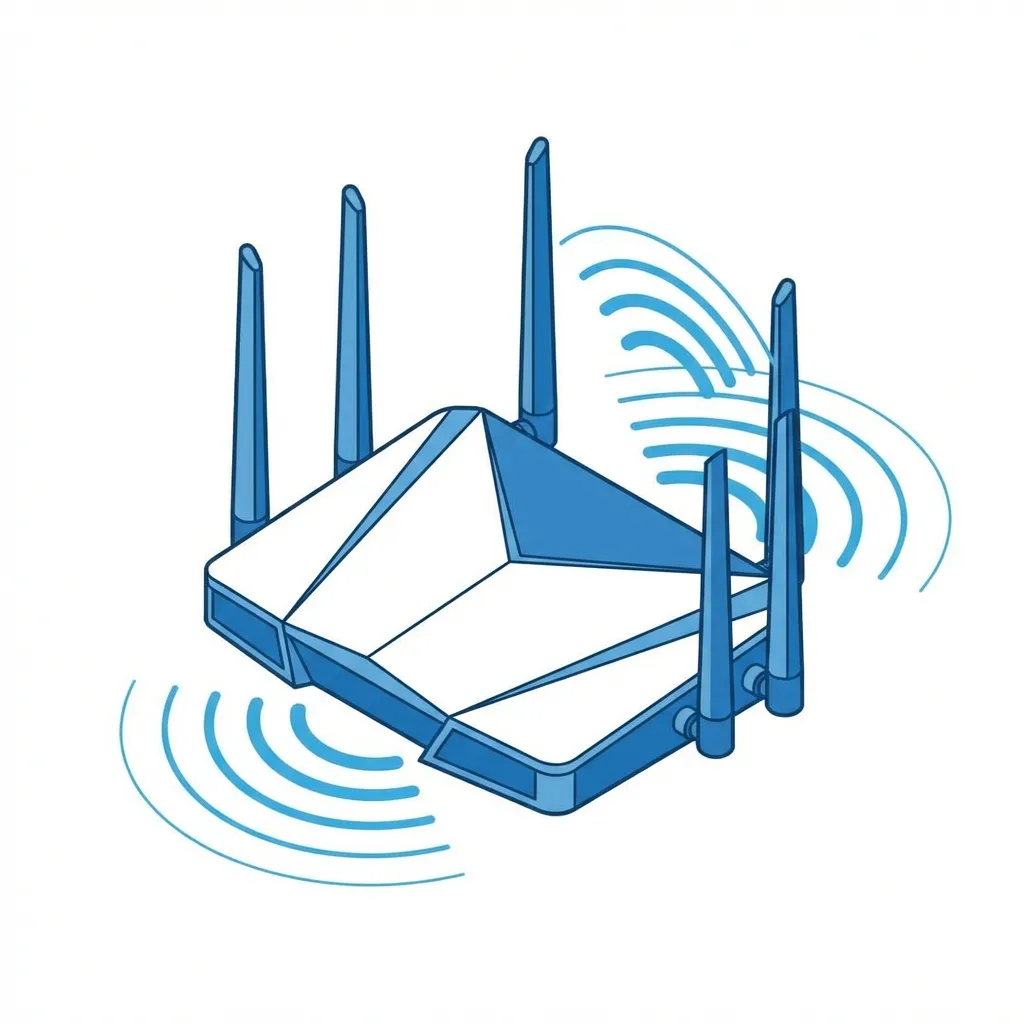
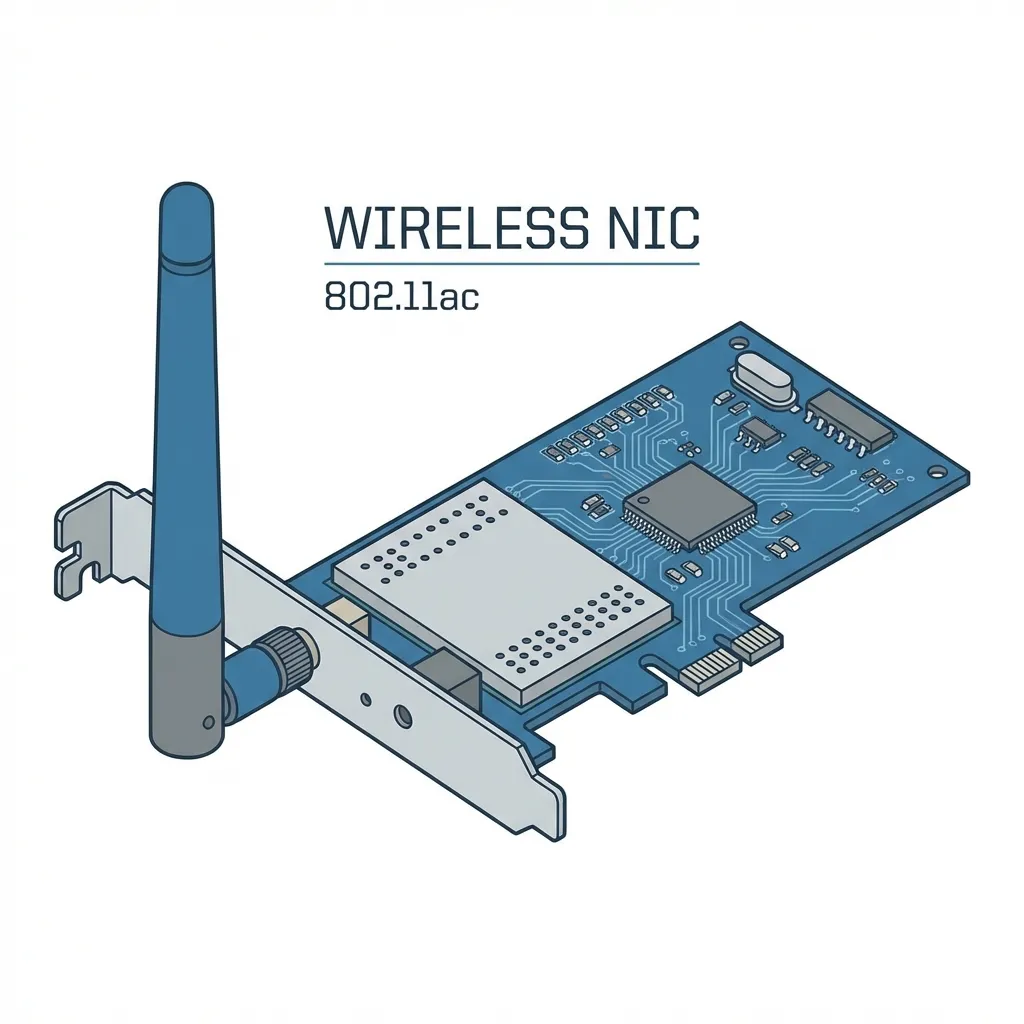
A Wireless Local Area Network (WLAN) has two main parts:
1. Access Point (AP)
A device that broadcasts the wireless signal. In your home, this is your wireless router.
2. Wireless NIC
A component inside your device (laptop, phone) that receives the signal. (Network Interface Card)
How It All Connects
The Access Point creates a "bubble" of Wi-Fi coverage.
Devices with a wireless NIC within range can connect to the network without cables.
An access point on the wall

The Importance of Wireless Security
Wireless signals are broadcast through the air. Anyone in range can potentially "listen in" or access your network if it's not secured.
- Protects your personal data (passwords, bank info).
- Prevents unauthorized users from using your internet.
- Stops attackers from accessing other devices on your network.
Practical Application: Public Wi-Fi in Nepal
Scenario: Connecting at a Cafe in Thamel
Many cafes, restaurants, and public spaces in Kathmandu offer free Wi-Fi.
The Risk: These networks are often unsecured or use weak passwords.
An attacker on the same network could potentially intercept your data (a "Man-in-the-Middle" attack).
Rule of Thumb: Avoid logging into sensitive accounts (banking, email) on public Wi-Fi. Use a VPN for added security.
The Evolution of Wi-Fi Security 🛡️
Security protocols have improved over time to fight new threats.
WEP
❌ Obsolete
Wired Equivalent Privacy. Very insecure and easily broken. NEVER USE.
WPA / WPA2
⚠️ Legacy
Wi-Fi Protected Access. WPA2 was the standard for years and is still common.
WPA3
✅ Current Standard
The latest and most secure protocol. Offers much stronger encryption.
WPA3: The Current Security Standard
WPA3 (Wi-Fi Protected Access 3) is the most secure protocol available for Wi-Fi networks today.
Key Improvements:
- 🔐 Stronger, more robust encryption.
- 🛡️ Better protection against password-guessing attacks.
- 🔒 Individualized data encryption, even on open networks.
Your home network and modern devices should always be configured to use WPA3 if available.
🔍 Activity: Check Your Home Security
How do you check what security your home Wi-Fi is using?
On Windows:
- Click the Wi-Fi icon.
- Click "Properties" under your connected network.
- Scroll down to "Security type".
On MacOS/Mobile:
- Go to Wi-Fi settings.
- Tap the (i) or settings icon next to your network.
- Look for the "Security" field.
Goal: It should say WPA2 or, ideally, WPA3.
Summary & Key Takeaways
- Wireless networking (Wi-Fi) connects devices using radio waves, not cables.
- A WLAN requires an Access Point (router) and Wireless NICs in devices.
- Security is vital because signals are broadcast openly. Unsecured networks are a major risk.
- WPA3 is the current, most secure standard for protecting your Wi-Fi network.
Image & Video Credits
Images
- "Network switches": ShakataGaNai, CC BY-SA 3.0 — https://commons.wikimedia.org/wiki/File:Network_switches.jpg
- "Belkin Wireless G Router F5D7231-4 Version 1000de-1123": Raimond Spekking, CC BY-SA 4.0 — https://commons.wikimedia.org/wiki/File:Belkin_Wireless_G_Router_F5D7231-4_Version_1000de-1123.jpg
- "Bflets onu forntteasthyperfamily onuonly": E3uematsu, CC BY-SA 3.0 — https://commons.wikimedia.org/wiki/File:Bflets_onu_forntteasthyperfamily_onuonly.jpg
- "Unifi AC Lite Access Point": ServerGuruBrisbane, CC BY-SA 4.0 — https://commons.wikimedia.org/wiki/File:Unifi_AC_Lite_Access_Point.jpg
- "Ferrol - Señal de Wifi - Wifi Sign - 01": Xosema, CC BY-SA 4.0 — https://commons.wikimedia.org/wiki/File:Ferrol_-_Señal_de_Wifi_-_Wifi_Sign_-_01.jpg
- Networking hardware icons: Icons8 — https://icons8.com


Videos (YouTube)
- CodeAI (Code.org), "The Internet: Packets, Routing & Reliability" (2:33 to 3:57)
- PowerCert Animated Videos, "Hub, Switch, & Router Explained - What's the difference?" (3:14 to 4:35)
Exam Practice 📝
Short answer
- What is a protocol? Give two examples.
- What is wireless networking? List four wireless technologies.
- Differentiate between a hub and a switch.
- Differentiate between WPAN, WLAN, and WWAN with examples.
Long answer
- Explain the TCP/IP model and the roles of TCP and IP.
- Compare wired and wireless networks. Which would you recommend for a small office, and why?
Revise the answers in the full notes linked on the last slide.
Thank You
Questions before we wrap this hour?
Next: Unit 6 · Session 1 — Internet History, Architecture, and Connections
📖 Read the full notes: Network Protocols and Hardware · An Introduction to Wireless Networking