IT for Business
Static and Dynamic IP Addressing
How Networks Assign and Manage Digital Addresses
Learning Objectives
After this session, you will be able to:
- Define and differentiate between Static and Dynamic IP addressing.
- Explain how DHCP automates IP address assignment.
- Analyze the advantages and disadvantages of each method for business operations.
- Recommend the appropriate IP addressing strategy for various business scenarios in Nepal.

Recap & A Simple Analogy
Last time: We learned an IP address is a unique identifier for a device on a network, like a house address.
Today: We'll explore how these addresses are given out.
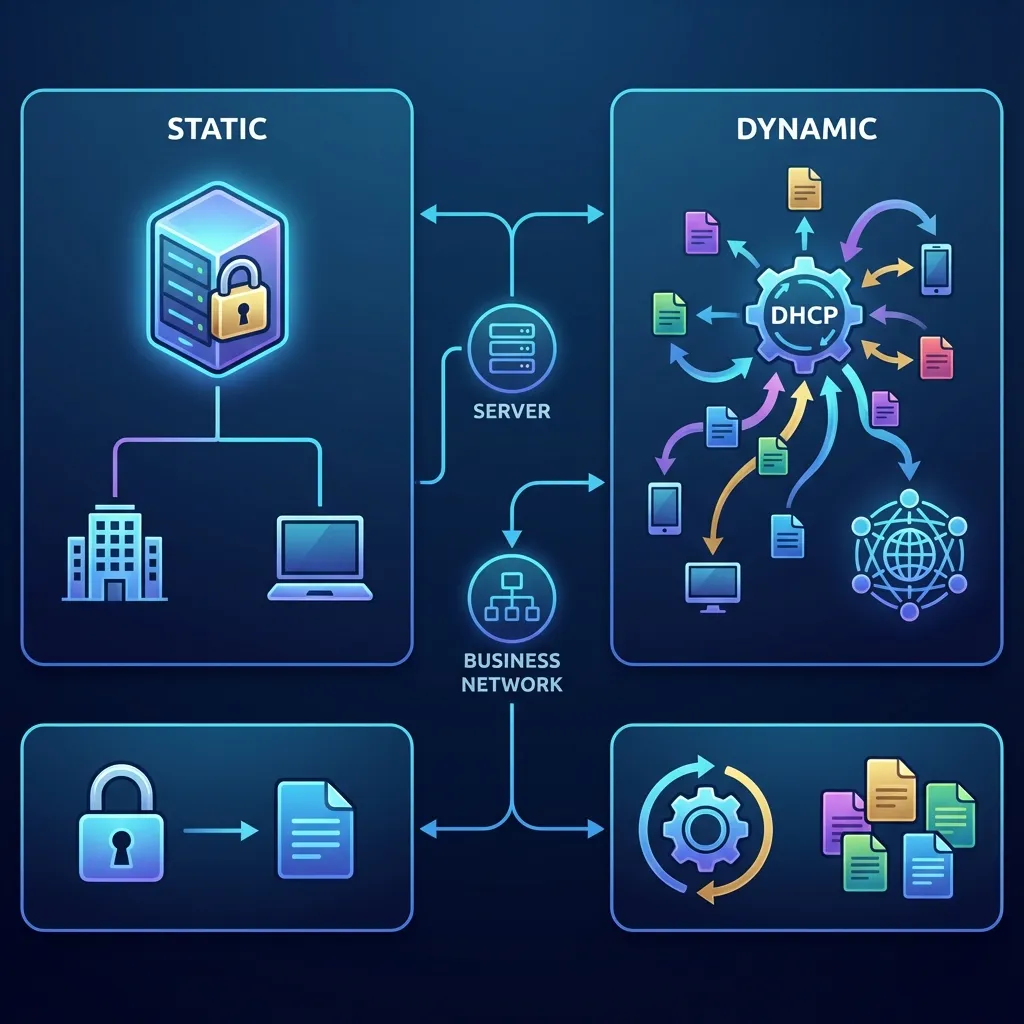
Static IP
Like the permanent, assigned office address for your company's CEO. It never changes, and everyone knows where to find it.
Dynamic IP
Like a hot-desk in a co-working space. You get an available desk (IP address) when you arrive, and it might be different the next day.
1. What is Static IP Addressing?
A Static IP address is a fixed, permanent address manually assigned to a device on a network. It does not change.
Key Characteristics:
- Manually Configured: An IT administrator must enter the IP address, subnet mask, and gateway into the device's settings.
- Permanent & Unchanging: The address stays with the device until it's manually changed.
- Predictable: You always know the exact address of the device.
Static IP in Business: Use Cases & Trade-offs
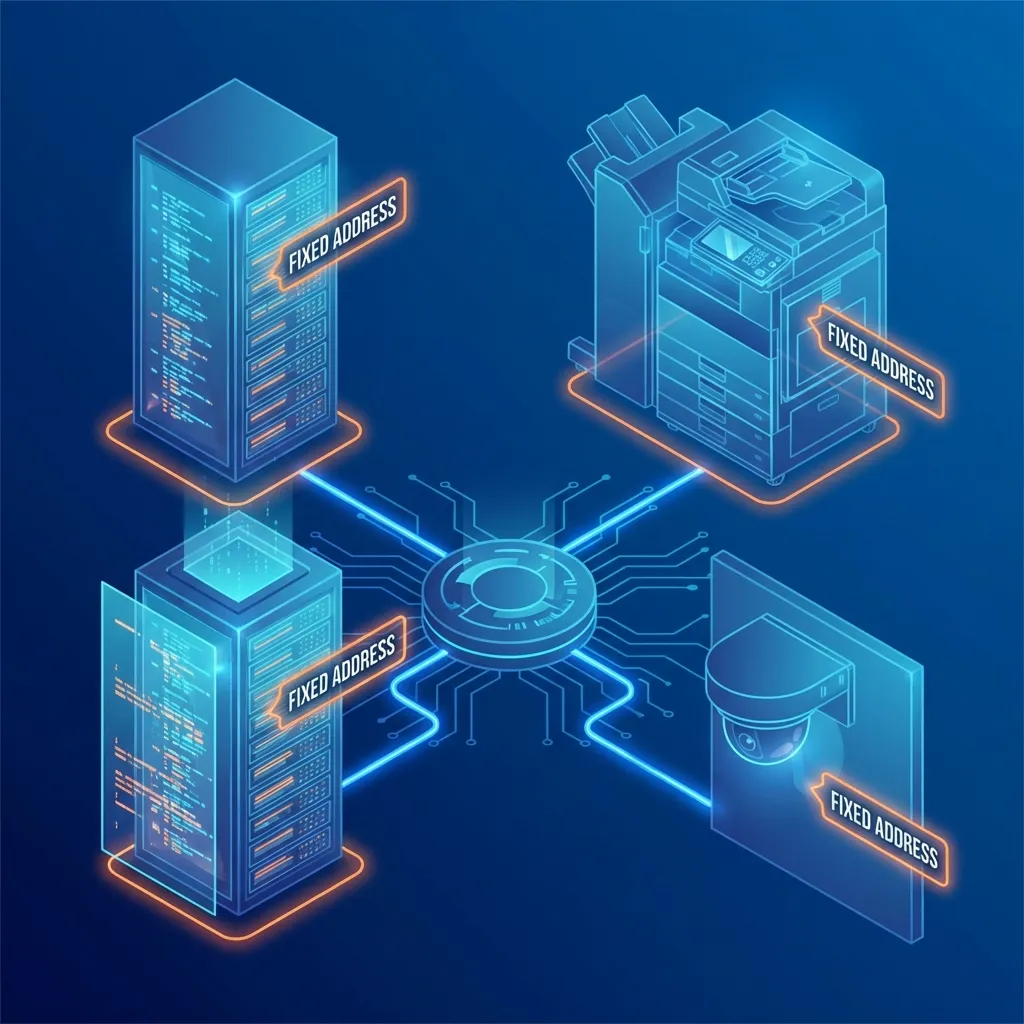
Essential for services that need to be consistently reachable.
Common Use Cases:
- 🌐 Web Servers (Hosting your website)
- 📧 Email Servers
- 🖨️ Network Printers & Scanners
- 📷 Security Cameras
- 🔒 VPN Gateways for remote access
- 🏦 ATMs and Point-of-Sale (POS) Systems
Advantages 👍
- Reliability: Consistent address for servers and services.
- Easier Remote Access: Predictable address for VPNs.
- DNS Hosting: Required for hosting your own domain name.
Disadvantages 👎
- Higher Cost: ISPs often charge extra for static IPs.
- Admin Overhead: Requires manual configuration and tracking.
- Security Risk: A fixed target can be easier for attackers to focus on.
2. What is Dynamic IP Addressing?
A Dynamic IP address is a temporary address assigned to a device from a pool of available addresses each time it connects to the network.
The Magic Behind It: DHCP
Dynamic Host Configuration Protocol (DHCP) is the network service that automatically assigns these temporary IP addresses. Think of it as a network's "receptionist" handing out temporary office keys.
Key Characteristic: It's all about automation and efficiency.
How DHCP Works (Simplified)
The process is a 4-step "conversation" between a device (Client) and the DHCP Server.
Known as D.O.R.A.
- Discover ➡️ The device shouts, "Is there a DHCP server out there? I need an IP address!"
- Offer ⬅️ The DHCP server replies, "I'm here! You can use this IP address: 192.168.1.105."
- Request ➡️ The device says, "Great! I'll take that IP address: 192.168.1.105."
- Acknowledge ⬅️ The DHCP server confirms, "Excellent. That address is yours for the next 24 hours. Enjoy!"
Dynamic IP in Business: Use Cases & Trade-offs
Perfect for devices that are transient or don't host critical, always-on services.
Common Use Cases:
- 💻 Employee Laptops & Desktops
- 📱 Smartphones & Tablets (BYOD)
- 📶 Guest Wi-Fi Networks
- 📦 IoT devices in a warehouse
- 🏢 Any large-scale user network
Advantages 👍
- Cost-Effective: No extra ISP fees. Uses available IPs efficiently.
- Easy Management: "Plug and play" for users. Less IT workload.
- Scalability: Easily add new devices without manual configuration.
Disadvantages 👎
- Not for Hosting: Unsuitable for servers that need a consistent address.
- Remote Access is Harder: The changing address makes direct connection difficult.
Comparison: Static vs. Dynamic
| Feature | Static IP Addressing | Dynamic IP Addressing |
|---|---|---|
| Assignment | Manual, by an administrator | Automatic, via DHCP server |
| Duration | Permanent, fixed | Temporary, leased |
| Cost | Often an extra fee from ISP | Included with service |
| Management | High overhead, requires tracking | Low overhead, automated |
| Reliability | Very high for hosting services | High for client access |
| Best For | Servers, printers, gateways | End-user devices, guests |
| Analogy | Permanent Office Address | Hot-Desking |
The Business Decision Matrix
Ask these questions to decide which type of IP to use:
| Question | If YES... | If NO... |
|---|---|---|
| 1. Does this device need to be found reliably by other devices/users at all times? (e.g., a website server) | Use Static IP | Consider Dynamic |
| 2. Is this a standard user device that just needs to access the internet/network? (e.g., employee laptop) | Use Dynamic IP | Consider Static |
| 3. Is the device mobile or frequently connecting/disconnecting? (e.g., guest smartphone) | Use Dynamic IP | Either could work |
| 4. Are you willing to pay an extra fee and manage the address manually? | Static IP is an option | Default to Dynamic IP |
Business Scenarios: Nepal Examples
🏢 Small Business
(e.g., a local accounting firm)
- Static IP: For their website/email server hosted in-office and for the main network printer.
- Dynamic IP: For the 10 employee workstations and the secure guest Wi-Fi network.
🏦 Bank
(e.g., Nabil Bank)
- Static IP: For all ATMs, core banking servers, and branch-to-branch VPN gateways for maximum reliability and security.
- Dynamic IP: For internal employee computers in the corporate office to browse the internet and access internal systems.
🛒 E-commerce
(e.g., Daraz)
- Static IP: For the public-facing web servers that run Daraz.com.np and for critical database servers.
- Dynamic IP: For the thousands of handheld scanners and computers used by staff in the warehouses.
IP Management Best Practices for Business
Whether you're a small business owner or an IT manager, good management is key.
- 📜 Document Everything: Maintain a spreadsheet or IP Address Management (IPAM) software for all assigned static IPs. Note the device, location, and purpose.
- ➗ Reserve IP Ranges: Configure your DHCP server to only give out addresses from a specific range (e.g., 192.168.1.100 to 192.168.1.254).
- 🔒 Keep Static IPs Separate: Use a different range for your static IPs (e.g., 192.168.1.1 to 192.168.1.99) to avoid conflicts.
- 🔧 Monitor DHCP: Regularly check your DHCP server to see how many addresses are in use and to identify any unauthorized devices on your network.
Key Takeaways 🎬
- Static IP = Permanent & Reliable. Essential for servers and core infrastructure. It's a business asset you manage and often pay for.
- Dynamic IP = Temporary & Efficient. The default for most user devices (laptops, phones) and guest networks. It's automated and cost-effective.
- DHCP is Your Friend. This protocol automates dynamic IP assignment, saving immense time and preventing errors in large networks.
- The Right Choice is Contextual. The decision depends on the device's role, reliability needs, security, and cost considerations.
Questions?
Thank You!
Next Topic
Continue to:
Network Security: Firewalls, IPSec, and VPNs →